Executive Assistant AI · Productivity
Aurora runs the agenda. You decide.
A personal assistant for the owner and for every manager. It prepares the briefing, handles calendar, email and phone, and asks for your approval on sensitive actions.
- Always in control.Sensitive actions wait for your approval. At night every action asks for a green light, and a master switch stops everything.
- Every action has its reason.Every automatic action comes with a reason and a rule. Where possible, you can undo it.
- Privacy and transparency.Private events are never touched, and some topics are off limits to the AI for good. You pay in credits, only for what you use.
Every feature
Every screen, explained.
Overview
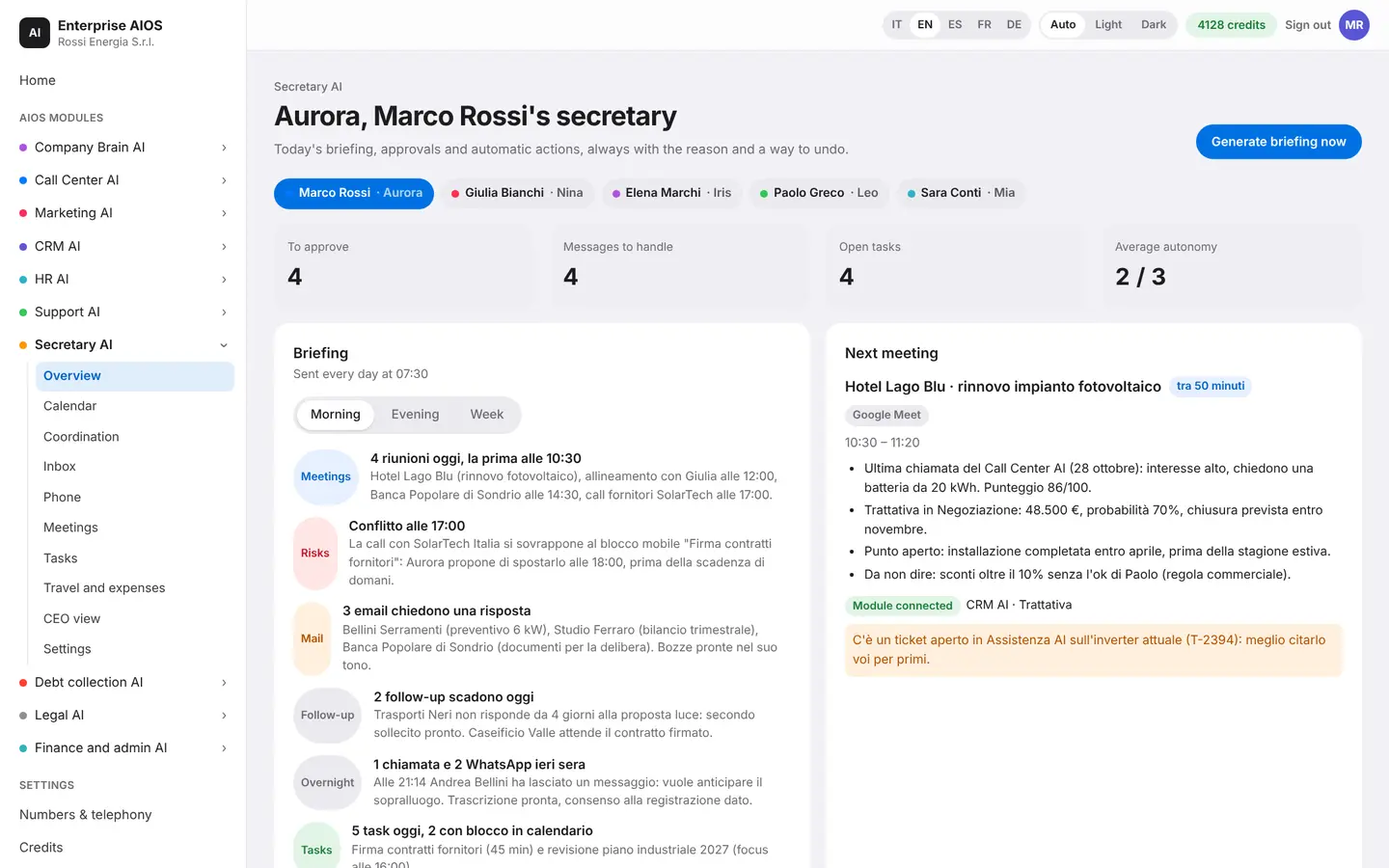
The briefing, every morning.
What it does. Aurora prepares the manager's day.
Every morning Aurora prepares the briefing with meetings, risks, email and follow-ups, also as audio. You see pending approvals, open tasks and what she has already done on her own, each with its reason. You can talk to her like a person.
- Morning, evening and weekly briefings
- Pending approvals up front
- Log of what she did on her own
- Pause with one tap
Calendar
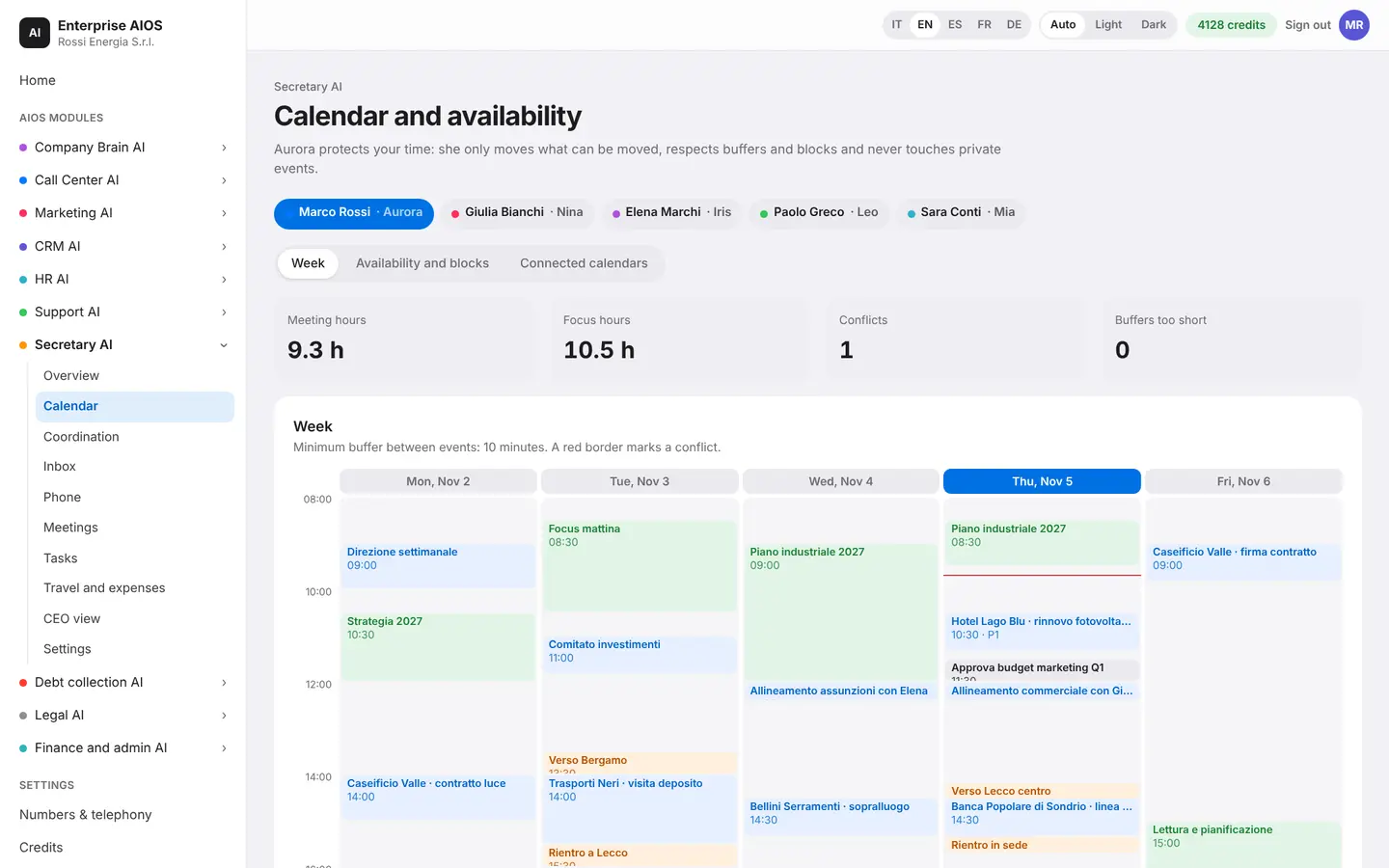
Your time, defended.
What it does. Aurora manages availability and appointments.
Aurora works out availability after events, buffers and blocks, and reserves time for tasks. She resolves conflicts, marked with a red border, and never touches private events. She syncs Google and Microsoft: tokens are encrypted and you can disconnect at any time.
- Buffers and a daily meeting limit
- Hard blocks and soft blocks
- Google and Microsoft sync
- Private events never touched
Coordination
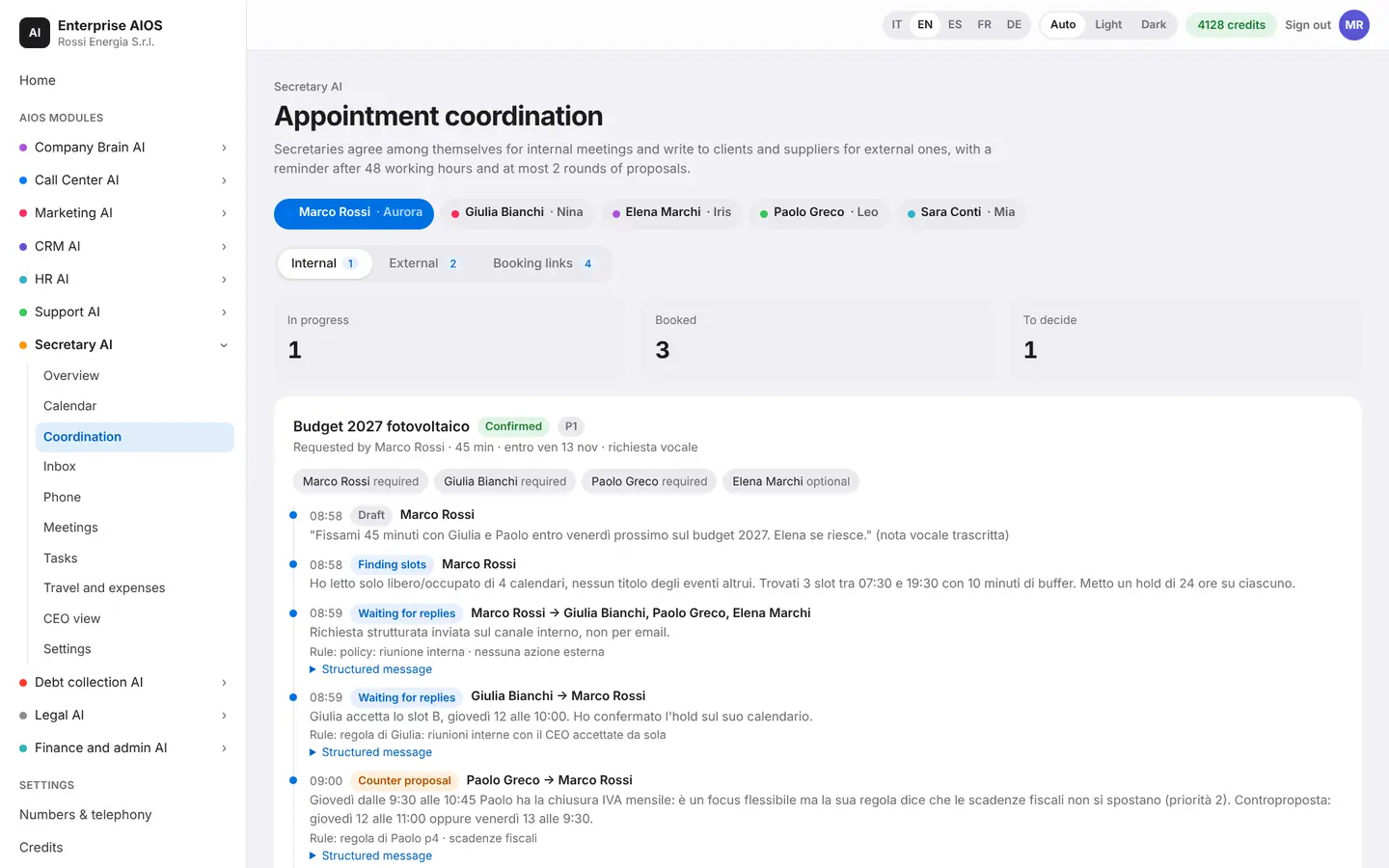
Finding the right time.
What it does. Aurora agrees on times with clients and colleagues for you.
For internal meetings the assistants agree among themselves. With clients and suppliers Aurora exchanges emails, proposes the 3 best slots and follows up after 48 working hours. She only reads free or busy, never the titles of your events. She also handles priorities and recurring meetings, and books rooms, restaurants and services.
- The 3 best slots proposed
- Public pages to pick a time
- Recurring meetings and priorities
- Rooms and restaurants booked
Inbox
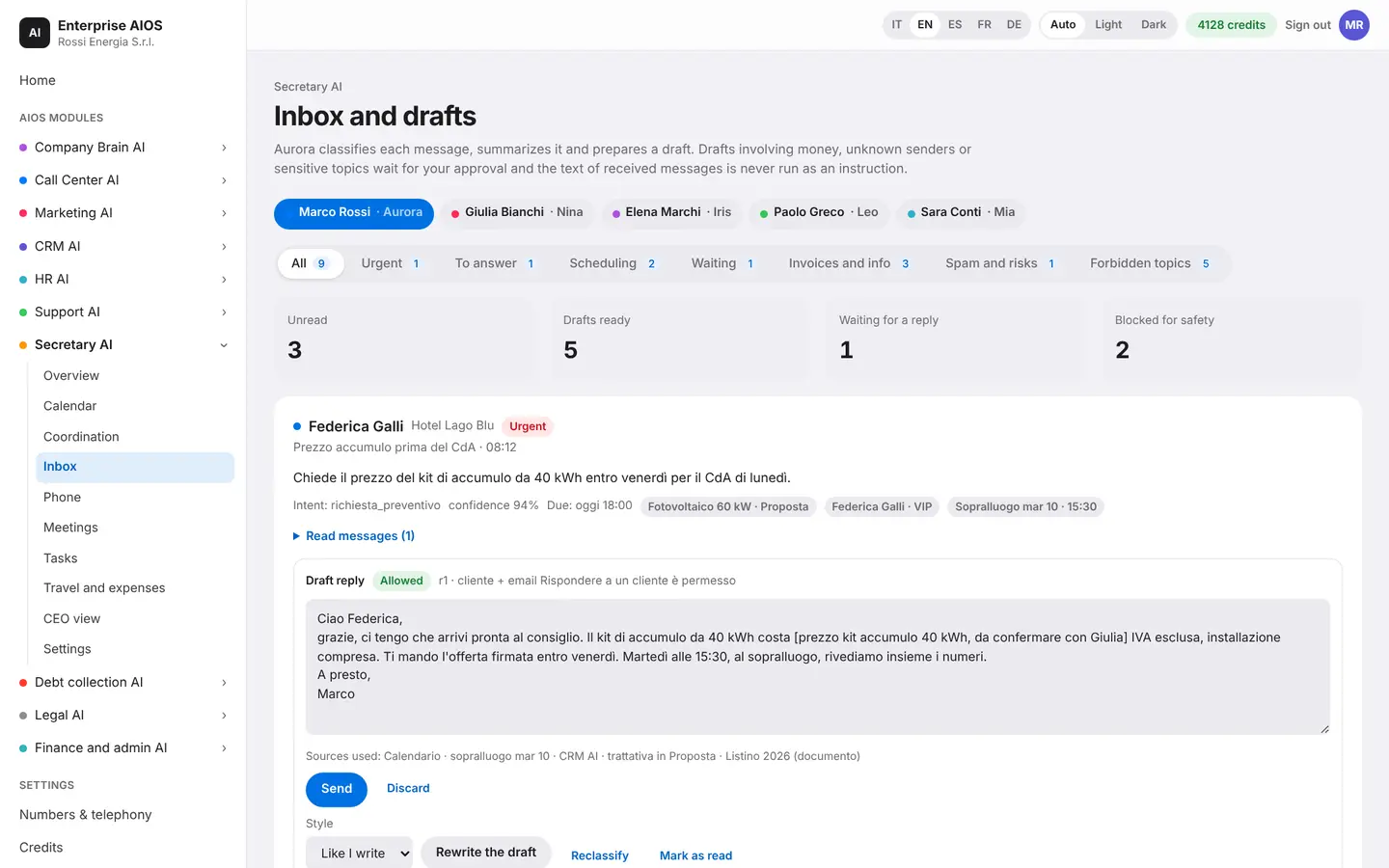
Email, already in order.
What it does. Aurora sorts messages and prepares replies.
She classifies every message, summarizes it, prepares a draft and keeps track of who still owes a reply. Drafts that involve money, strangers or sensitive topics wait for your approval. Some topics are off limits to the AI for good, and a request to change an IBAN is flagged as possible fraud.
- Drafts ready for approval
- Topics forbidden to the AI
- Alert on IBAN change requests
- Who still owes a reply
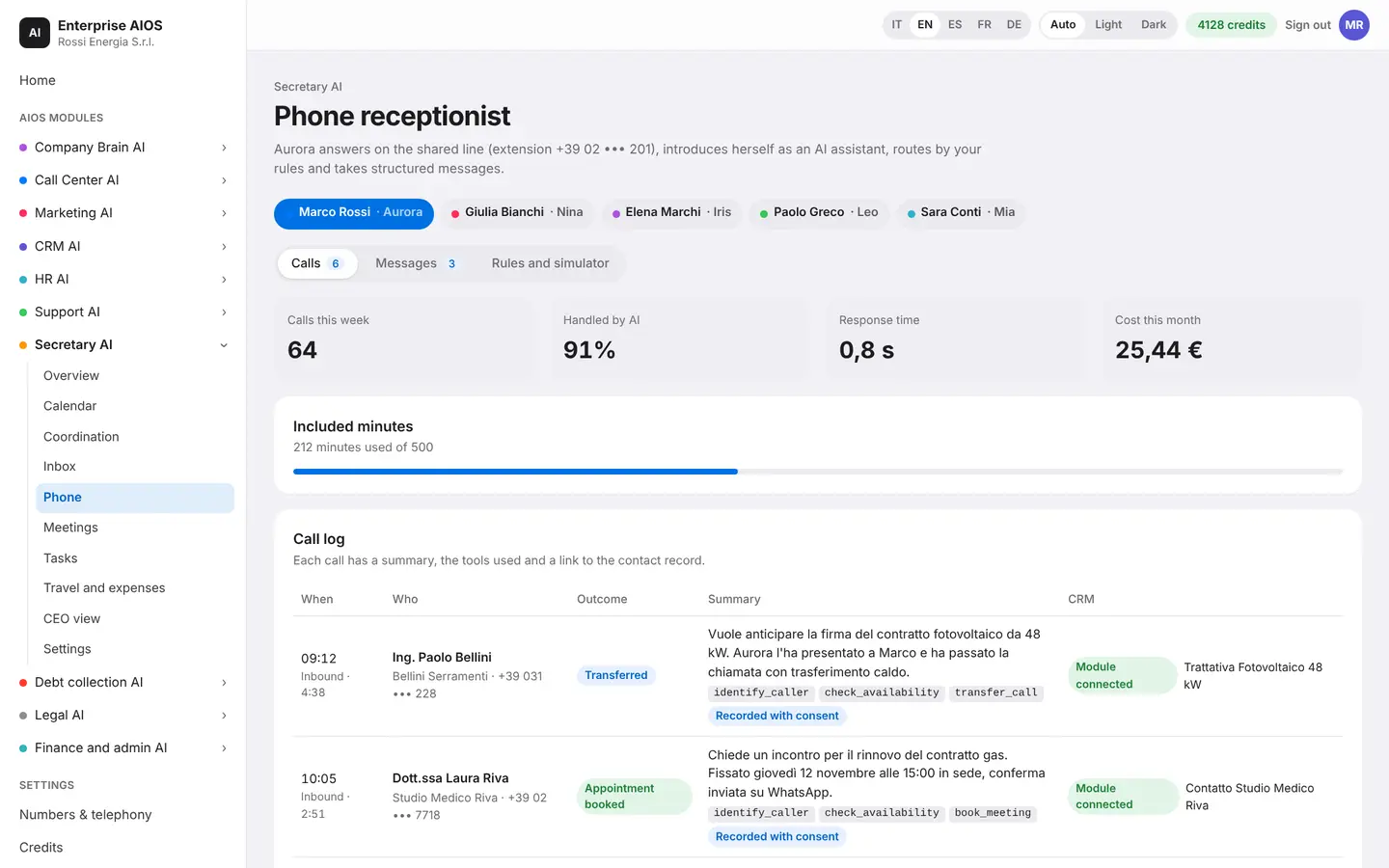
Phone
A receptionist that answers.
What it does. Aurora's phone is an AI receptionist.
It answers, screens, takes messages with reason and urgency, and puts important calls through. It also calls on the manager's behalf. It always introduces itself as an AI assistant, and audio is kept only with the caller's consent. Routing rules can be tested in the simulator before you turn them on.
- Introduces itself as an AI assistant
- VIP contacts put through at once
- Simulator with no real calls
- Audio only with consent
Meetings
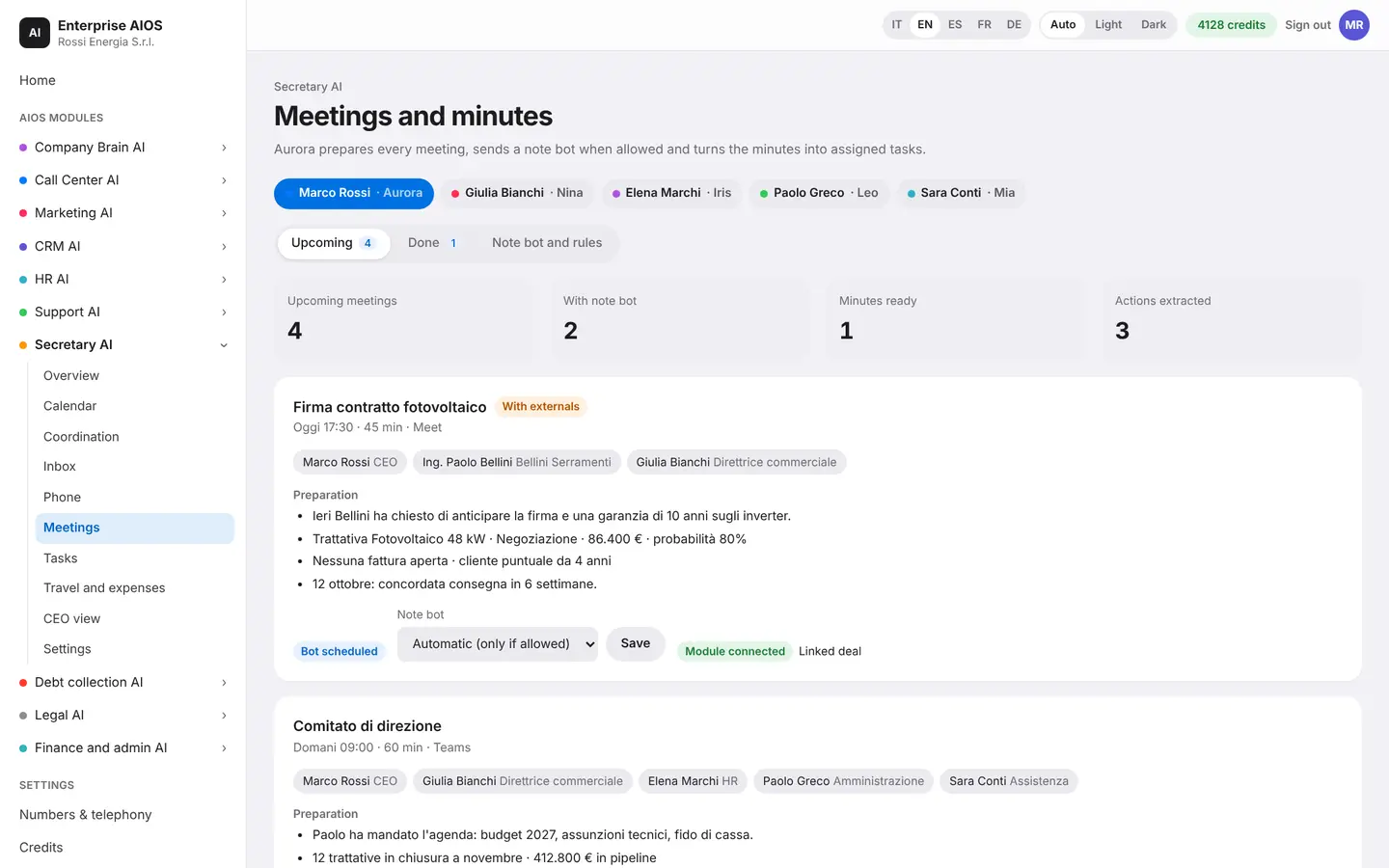
Meetings prepared, minutes written.
What it does. Aurora prepares meetings and writes the minutes.
Aurora prepares each meeting and, where allowed, joins with a bot that takes notes. The minutes list decisions, actions with an owner and a deadline, and open points. Actions become tasks, and linked documents are filed. The bot never joins private meetings.
- Bot only where it is allowed
- Decisions and tasks in the minutes
- Actions that become tasks
- Linked documents filed
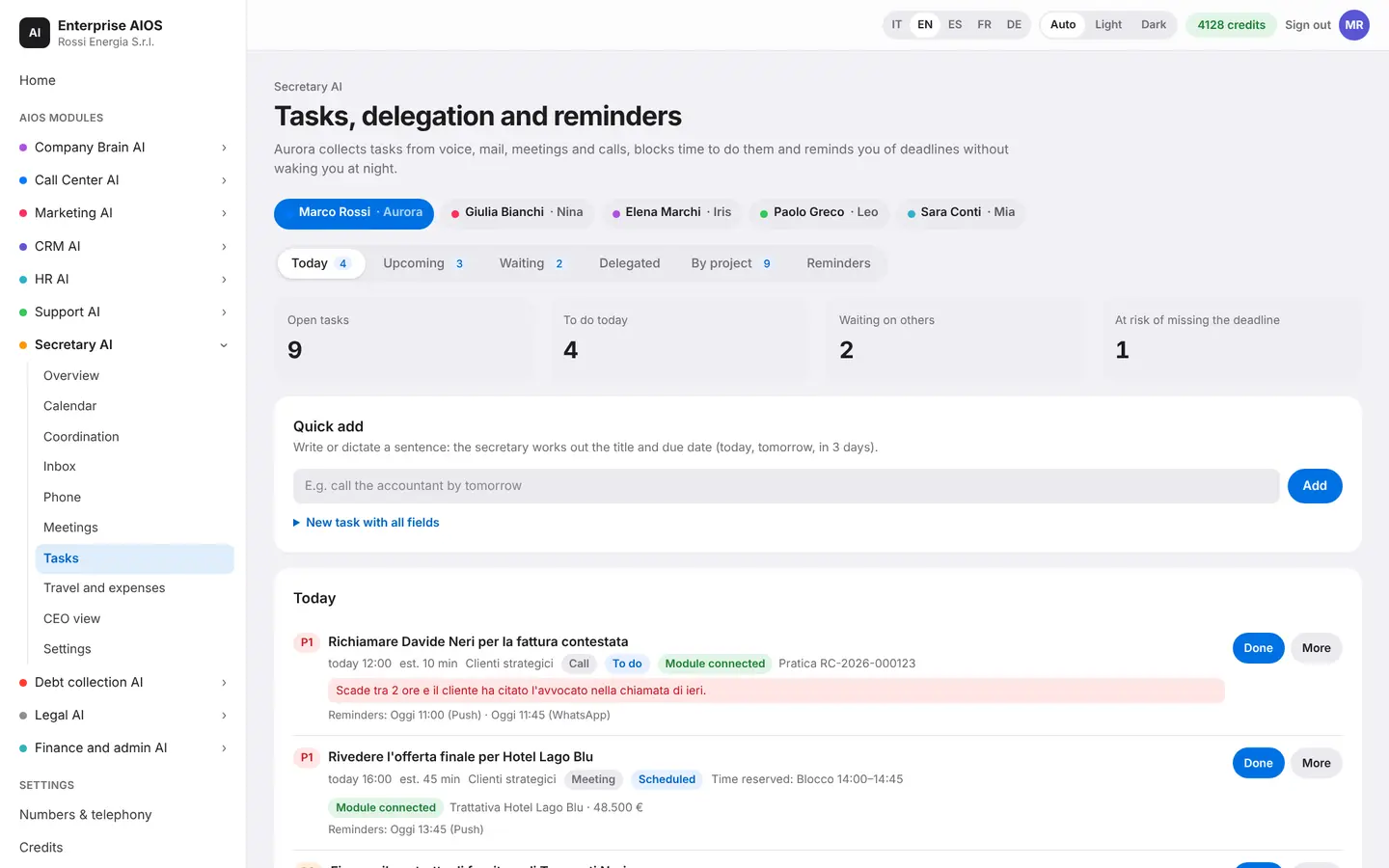
Tasks
From thought to task.
What it does. Aurora collects, plans and follows up on tasks.
A task can start by voice, from email, from meetings and from calls: Aurora picks out the title and deadline. She schedules it in the calendar, sends reminders, delegates it to another manager and checks that it gets done. During quiet hours she sends nothing.
- Tasks by voice or in writing
- Time blocked in the calendar
- Delegation to other managers
- Reminders, also on WhatsApp
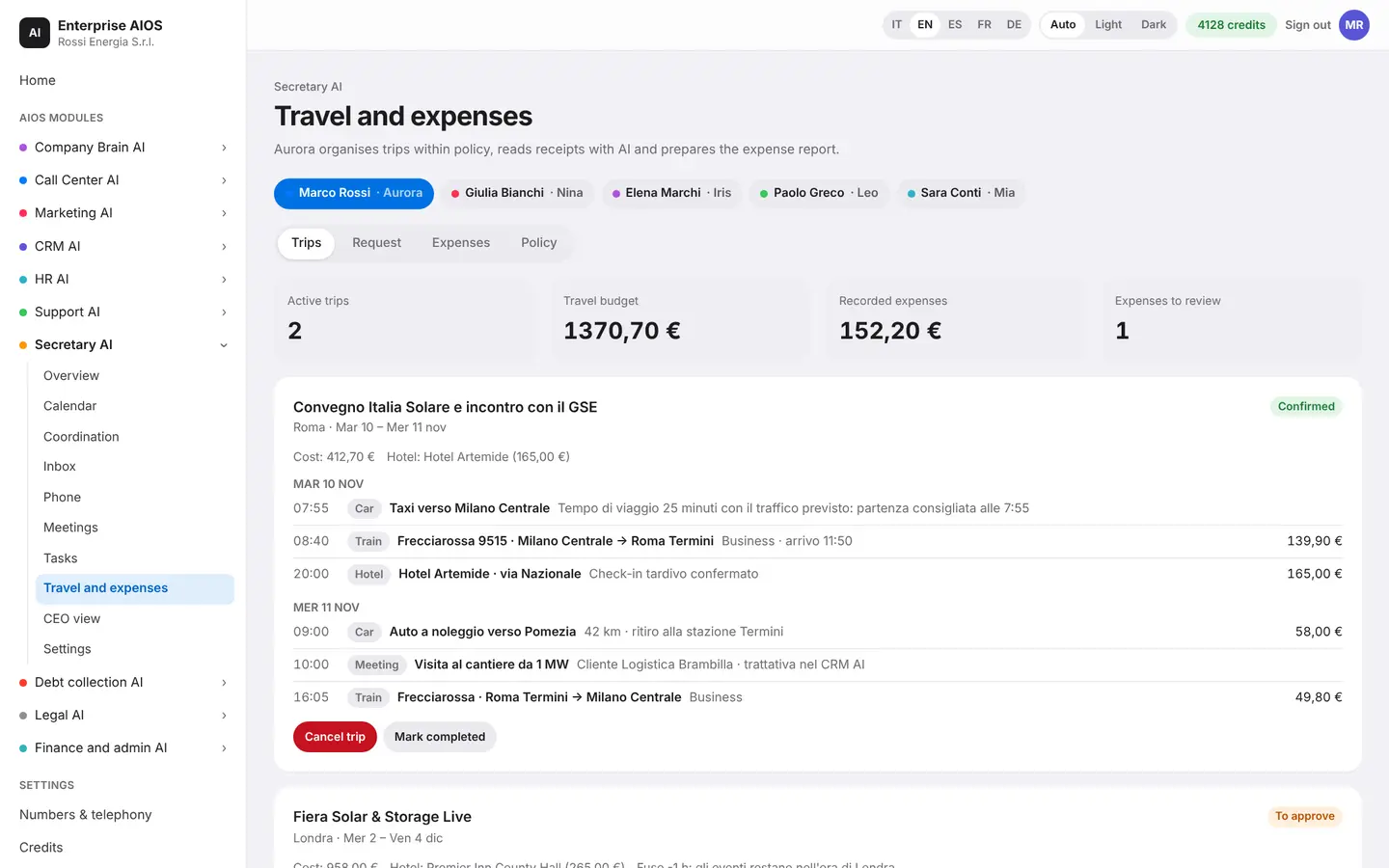
Travel and expenses
Travel and expenses, paper-free.
What it does. Aurora organizes trips and expense reports.
She prepares travel proposals within company policy and flags the options that fall outside it. You photograph a receipt and the AI reads the merchant, date and amount. She fills in the expense report, flags possible duplicates and follows up on reimbursements. The report downloads as CSV.
- Travel proposals within policy
- Receipts read from a photo
- Duplicates flagged
- Expense report as CSV
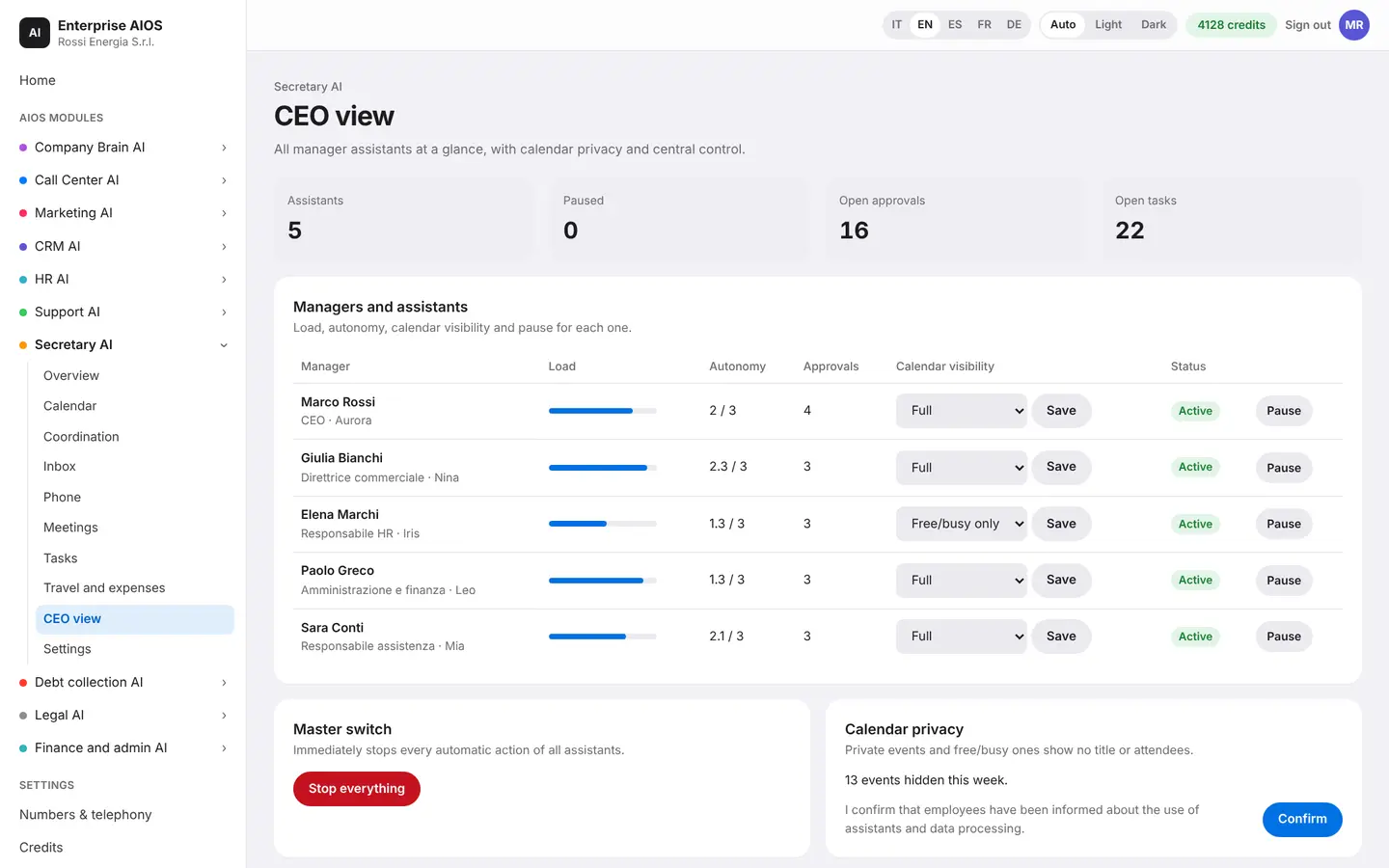
CEO view
Every manager, at a glance.
What it does. The owner's picture of agendas and activity.
The owner sees agendas, indicators and important approvals for all managers. With one tap you find a free slot for everyone, reassign a late task or cover a manager on leave. Private events show no title or attendees, and a master switch stops every assistant.
- A free slot for everyone
- Late tasks reassigned
- Cover for managers on leave
- Master safety switch
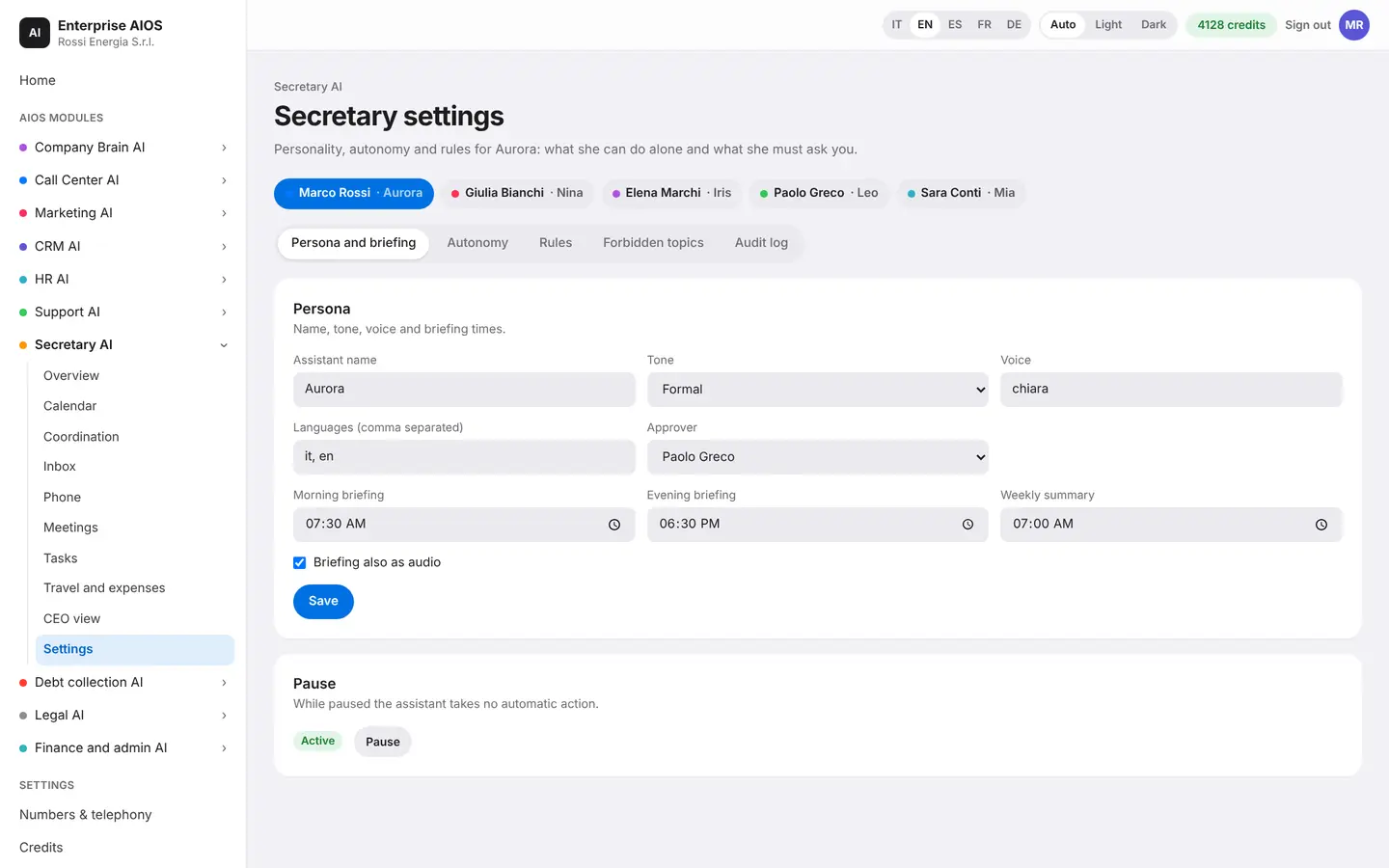
Settings
Aurora, the way you want her.
What it does. You define who Aurora is and how much autonomy she has.
Here you define Aurora's persona, the ElevenLabs voice, the channels and the AI models used for each task. For each type of action you decide what she can do on her own and what she must ask you. The autonomy level is a ceiling: rules can only make it more cautious. Every action stays in the log with its reason.
- Persona, tone and voice
- Autonomy for each type of action
- The strictest rule always wins
- Log with the option to undo
Sold on its own
Want to see it on your company?
Works alone or together with the other modules: data flows from one module to the next without typing it twice. We'll show you the module with examples from your industry, or open the dashboard if you're already a customer.
Customer area
Already a customer? Open your dashboard.
Log in with your company email: you'll find your modules, agents at work, approvals and credits.