Debt Collection AI · Finance
Collect with courtesy. Stay firm.
It follows up with customers who don't pay, without losing its manners. The AI proposes, you decide on sensitive actions, and every contact goes through a compliance check.
- You approve legal actions.Formal notices, hand-overs and write-offs always need a person's approval, whatever the autonomy level.
- Every step has its reason.Risk is explained by factors, with no black boxes. The AI writes only the text: every number comes from the database.
- Always within the rules.The Compliance Guard checks hours, consents and contact limits, and keeps a log of what it stops. You pay in credits, only for what you use.
Every feature
Every screen, explained.
Overview
The collections picture.
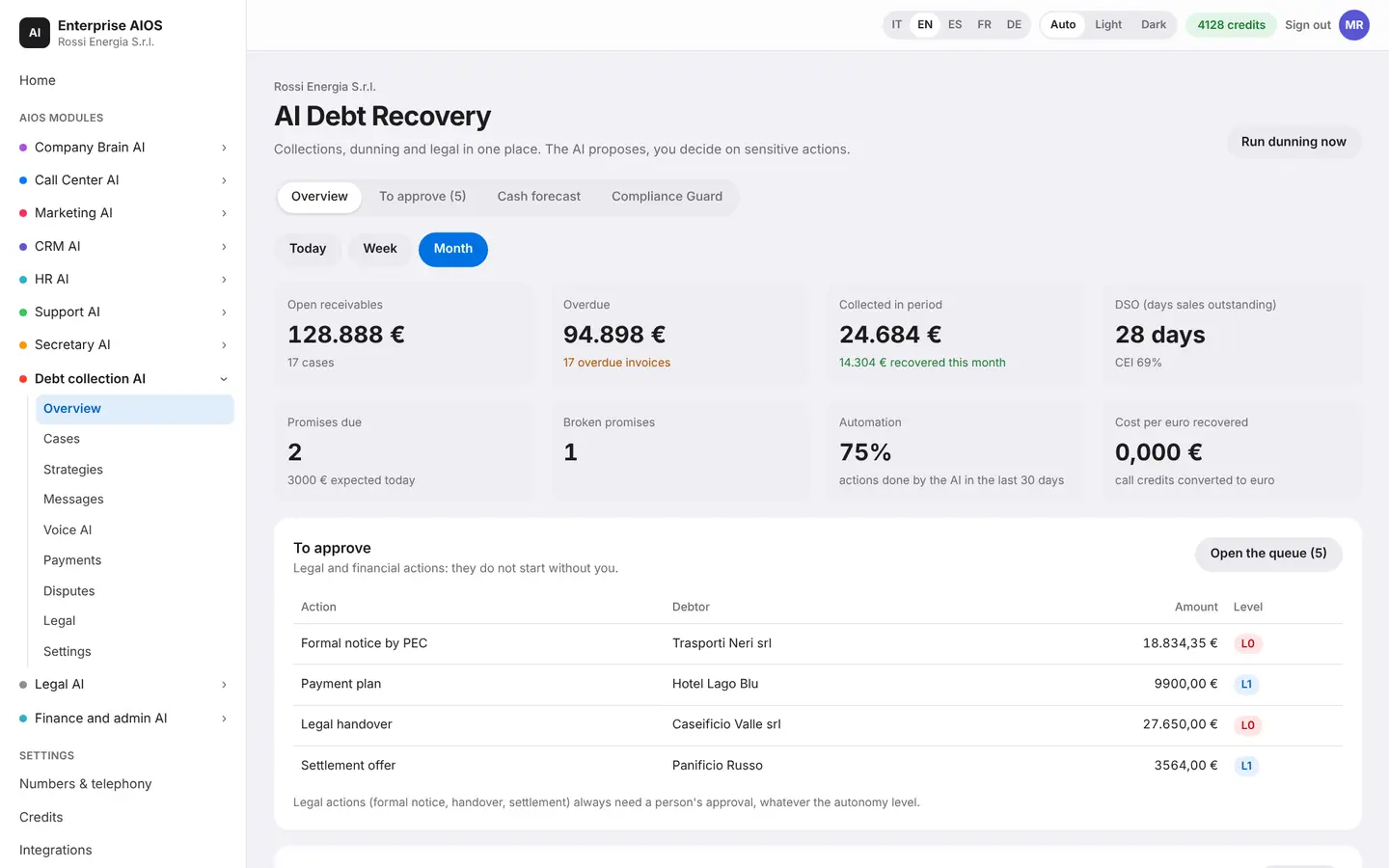
What it does. The dashboard for receivables to recover.
The dashboard shows actions to approve, customers at risk, today's calls, the aging of receivables and the 8-week cash forecast. A compliance check verifies every contact, and the log shows the actions it stopped, each with its reason. Legal and financial actions never go out without you.
- Actions to approve
- The 5 customers most at risk
- Aging of receivables
- 8-week forecast
Cases
One case per debtor.
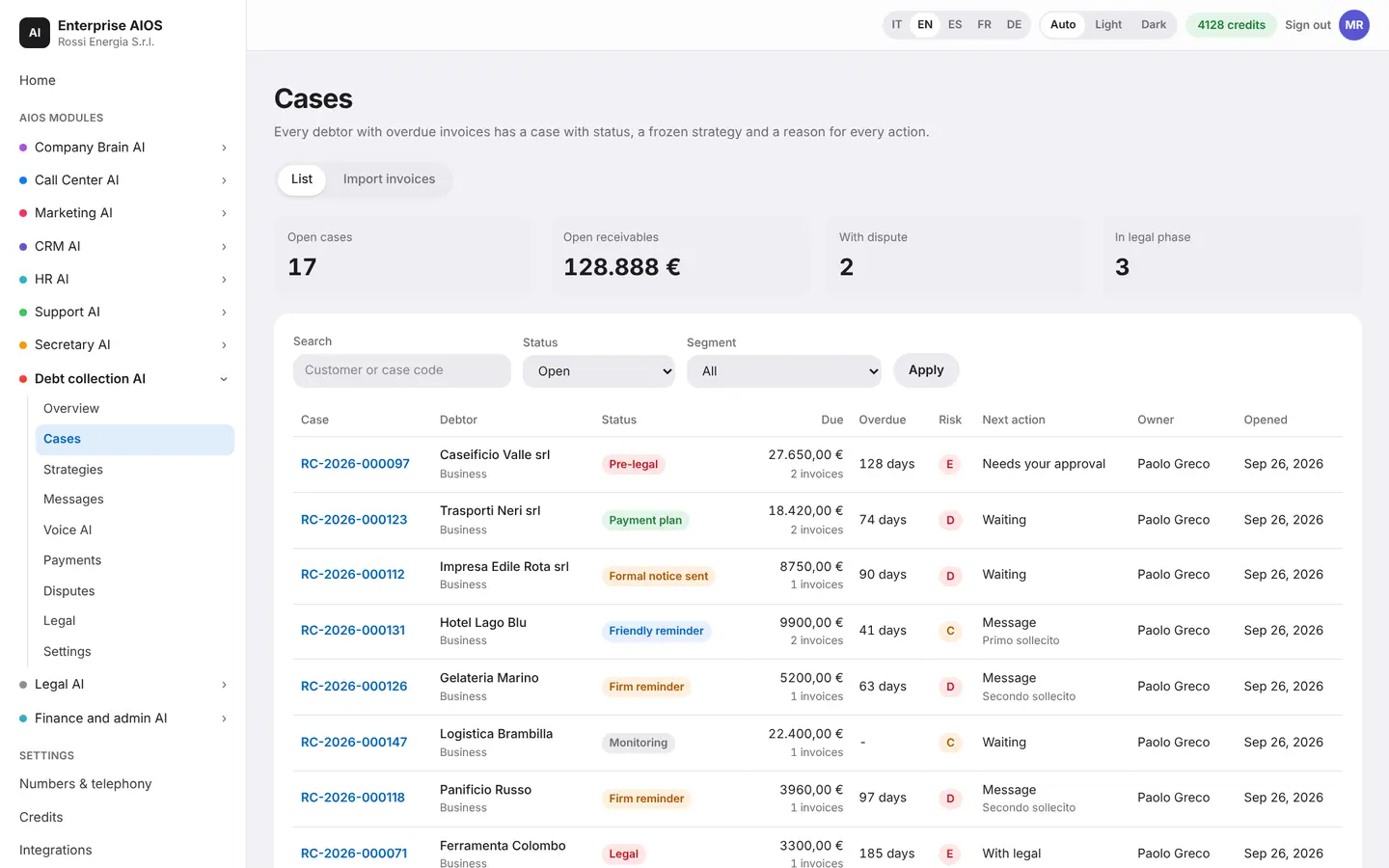
What it does. The day's work list.
Every debtor with overdue invoices has a case. Inside you find the timeline, invoices, agreements, any disputes, documents and the next actions, already proposed by the AI. Every status change shows who made it and why. Invoices can be imported from Finance or from a CSV file.
- Timeline showing who and why
- Invoices, agreements and documents
- Next actions already proposed
- Import from Finance or CSV
Strategies
The reminder path.
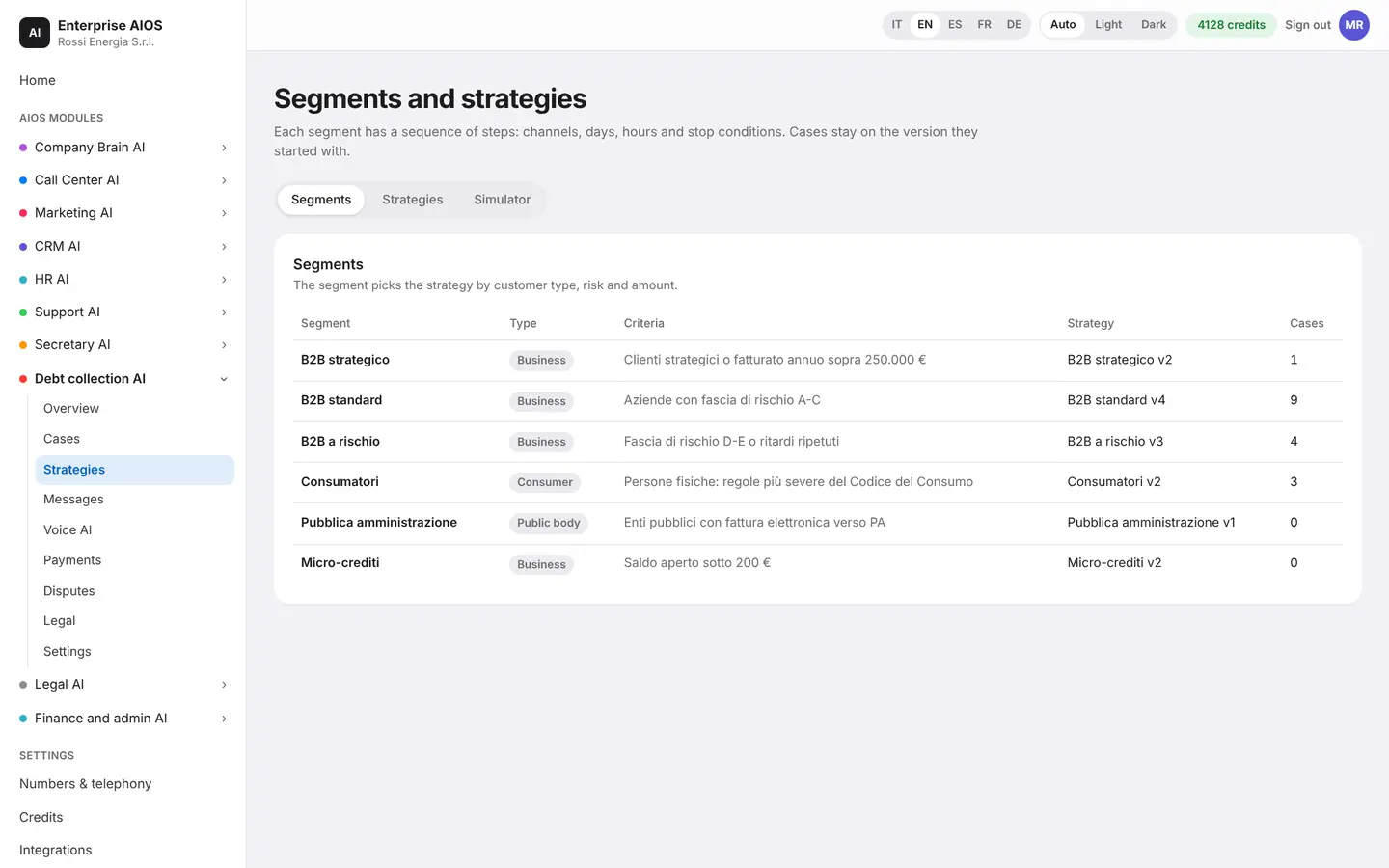
What it does. Rules by segment and AI autonomy.
You split customers into segments and define the path: channels, days, hours, frequency and stop conditions. You decide how much autonomy the AI gets for each type of action. Before activating a strategy you test it in a simulator, without sending anything.
- Segments by customer, risk, amount
- Channels, hours and frequency
- Automatic stop conditions
- Simulator with nothing sent
Messages
Email, SMS and WhatsApp.
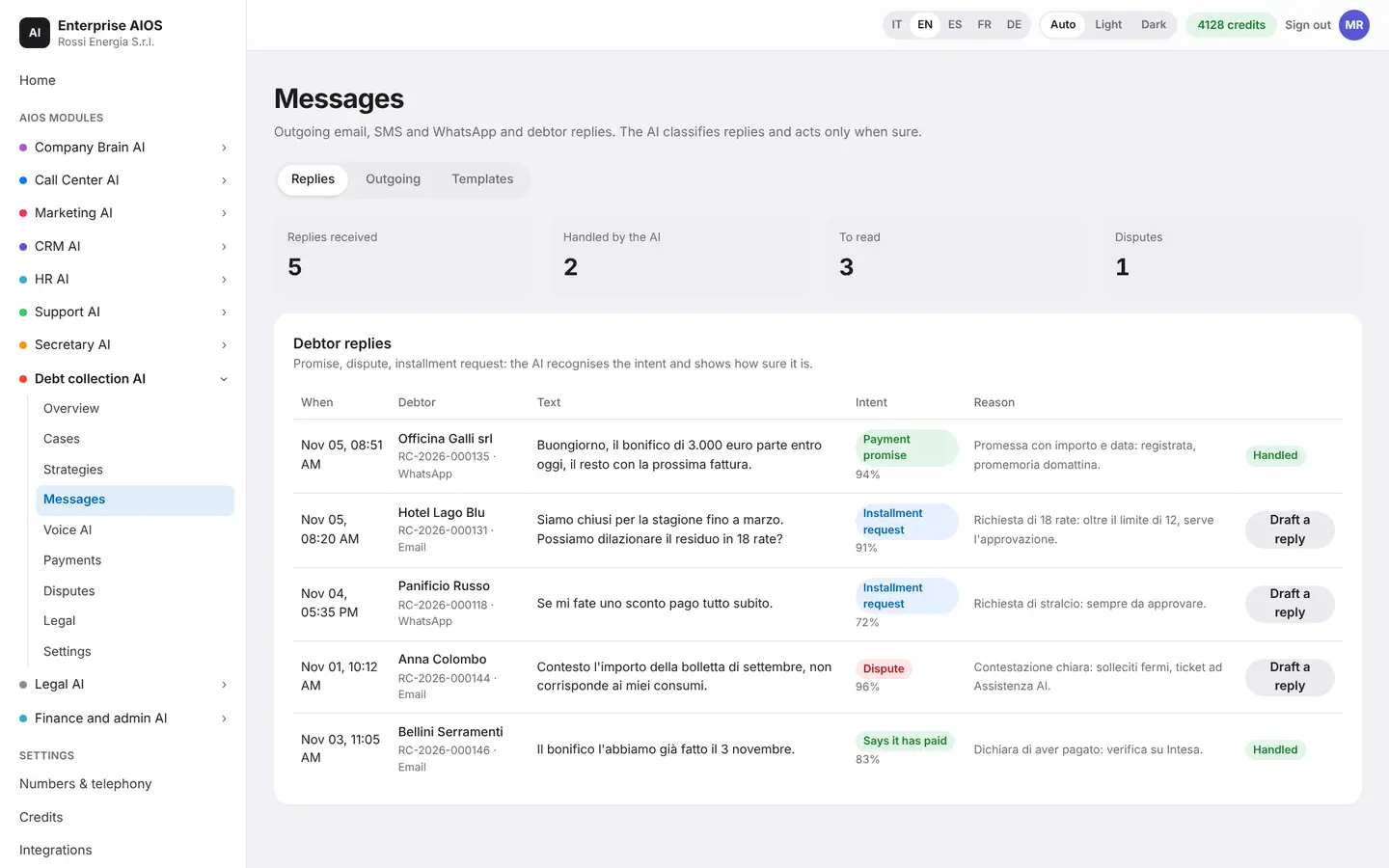
What it does. Reminders and customer replies.
It handles reminder emails, SMS and WhatsApp messages and the customers' replies. The AI understands whether the customer promises to pay, disputes the invoice or asks for more time, and shows you how confident it is. It acts alone only when it is sure, and sensitive drafts wait for your approval.
- Spots promise, dispute, extension
- Shows how confident it is
- Templates by channel and language
- Numbers always from the database
Voice AI
A fair voice agent.
What it does. The agent calls customers who are late.
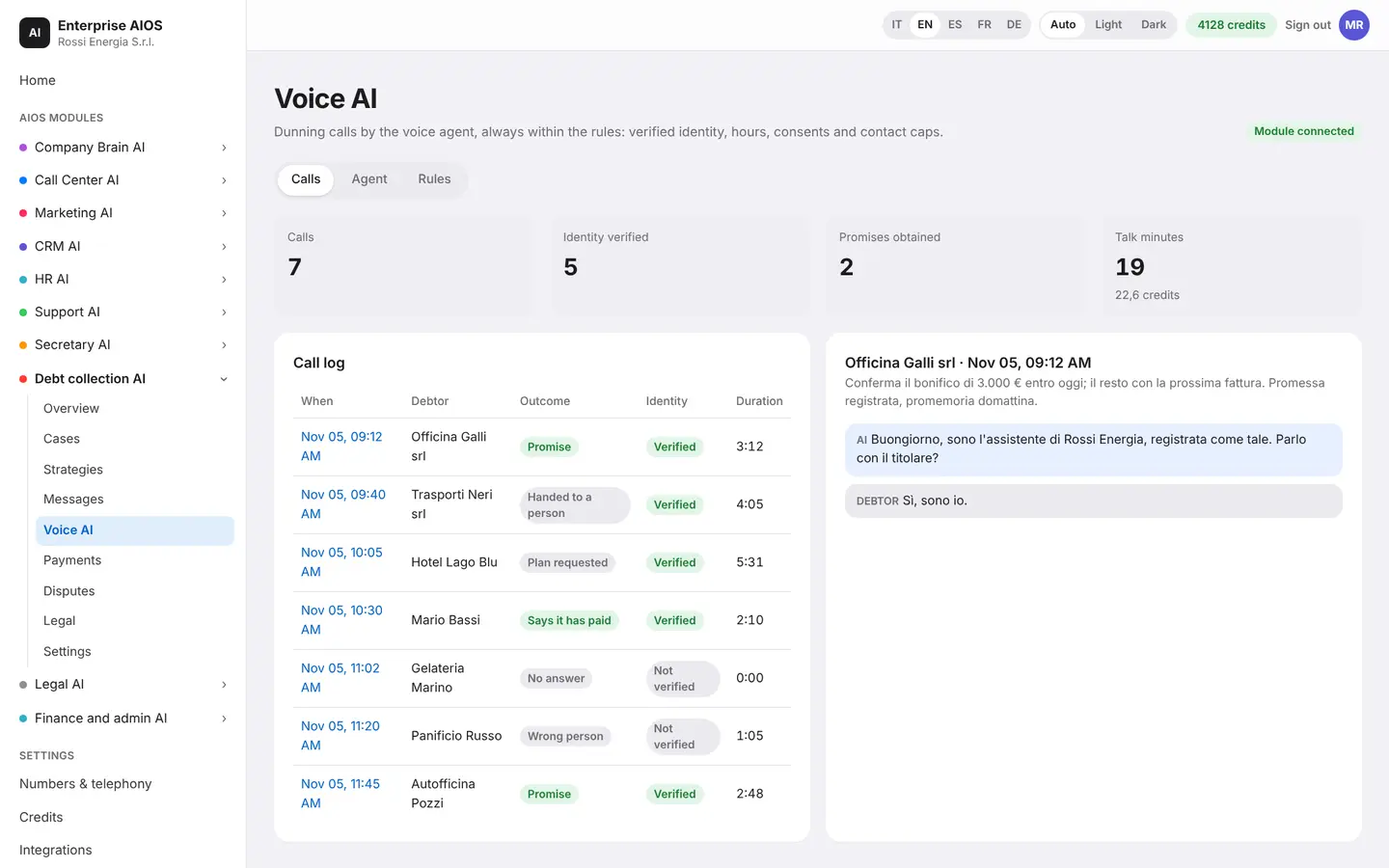
The voice agent calls late customers, reminds them of open invoices, proposes a repayment plan and records promises to pay. It introduces itself at once as a virtual assistant and checks who is on the line before discussing the debt. It hands over to a person as soon as the customer asks.
- Identity verified before the debt
- Only within permitted hours
- Never with an open dispute
- Recording only with notice
Payments
When they pay, reminders stop.
What it does. Promises, installment plans and actual payments.
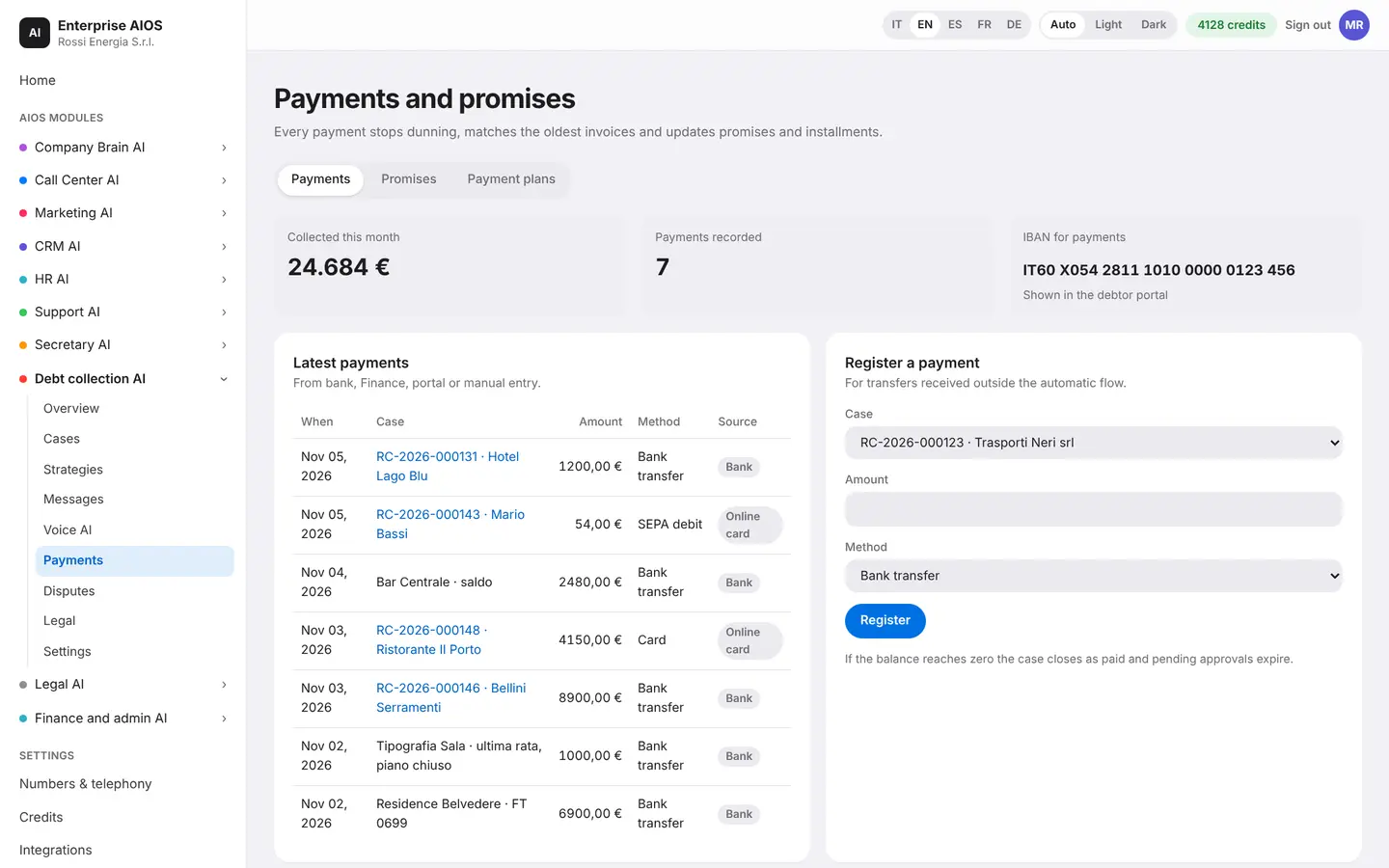
It follows payment promises, installment plans and actual payments, from the bank, Finance, the portal or manual entry. When a payment arrives, reminders stop on their own. Customers also get a portal: they see invoices, pay online, propose a plan or dispute an invoice, on their own and in their language.
- Payments matched to invoices
- Broken promises flagged
- Installment plans within limits
- Debtor portal
Disputes
One dispute, one reply.
What it does. How customer disputes are handled.
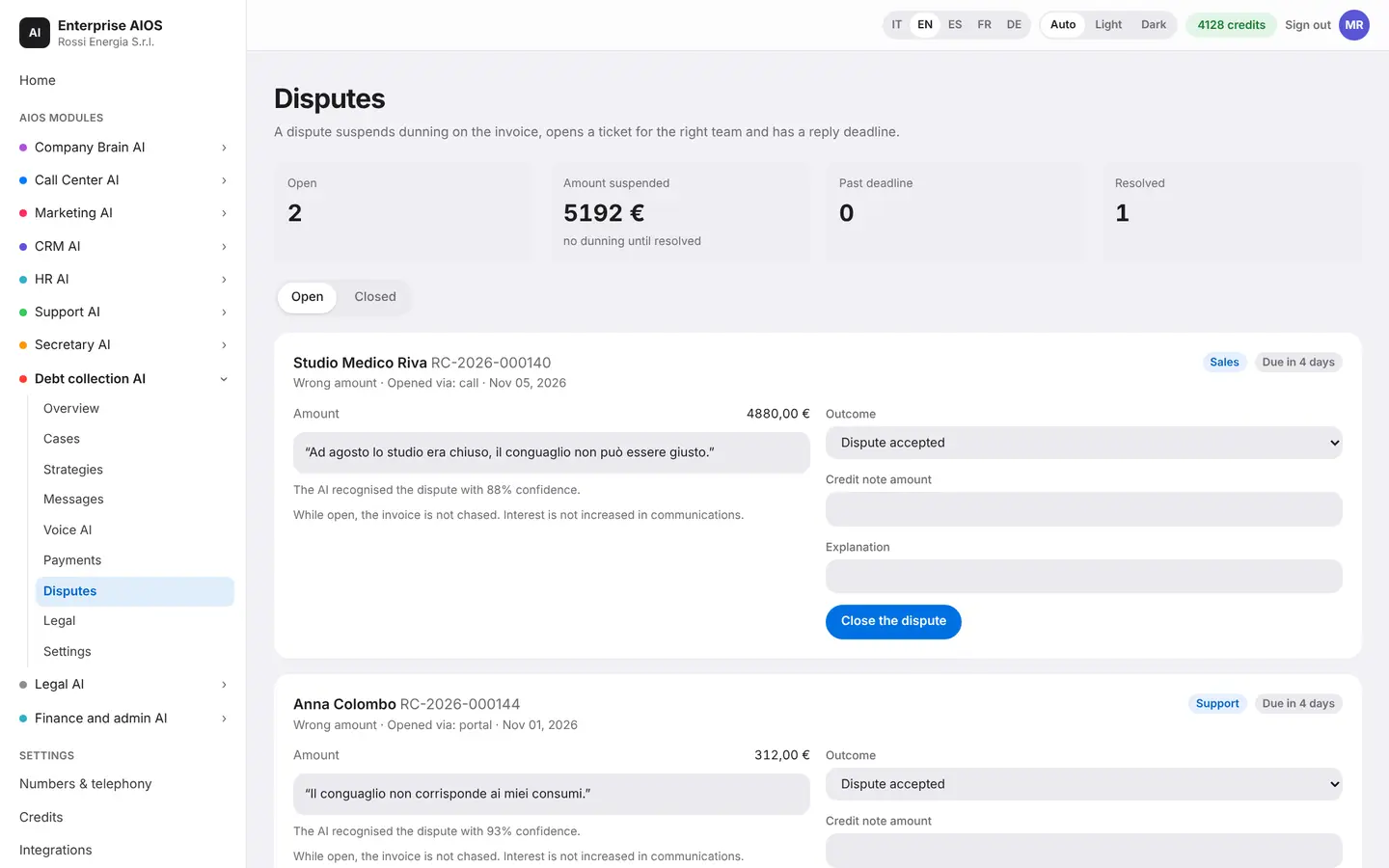
When a customer disputes an invoice, reminders are suspended and none goes out until the case is resolved. The dispute is sent to the right department with a ticket and a reply deadline. The customer receives a reasoned answer.
- Reminders suspended at once
- Ticket to the right team
- Reply deadline
- Reasoned answer to the customer
Legal
The legal side, step by step.
What it does. Formal notice, interest and case file.
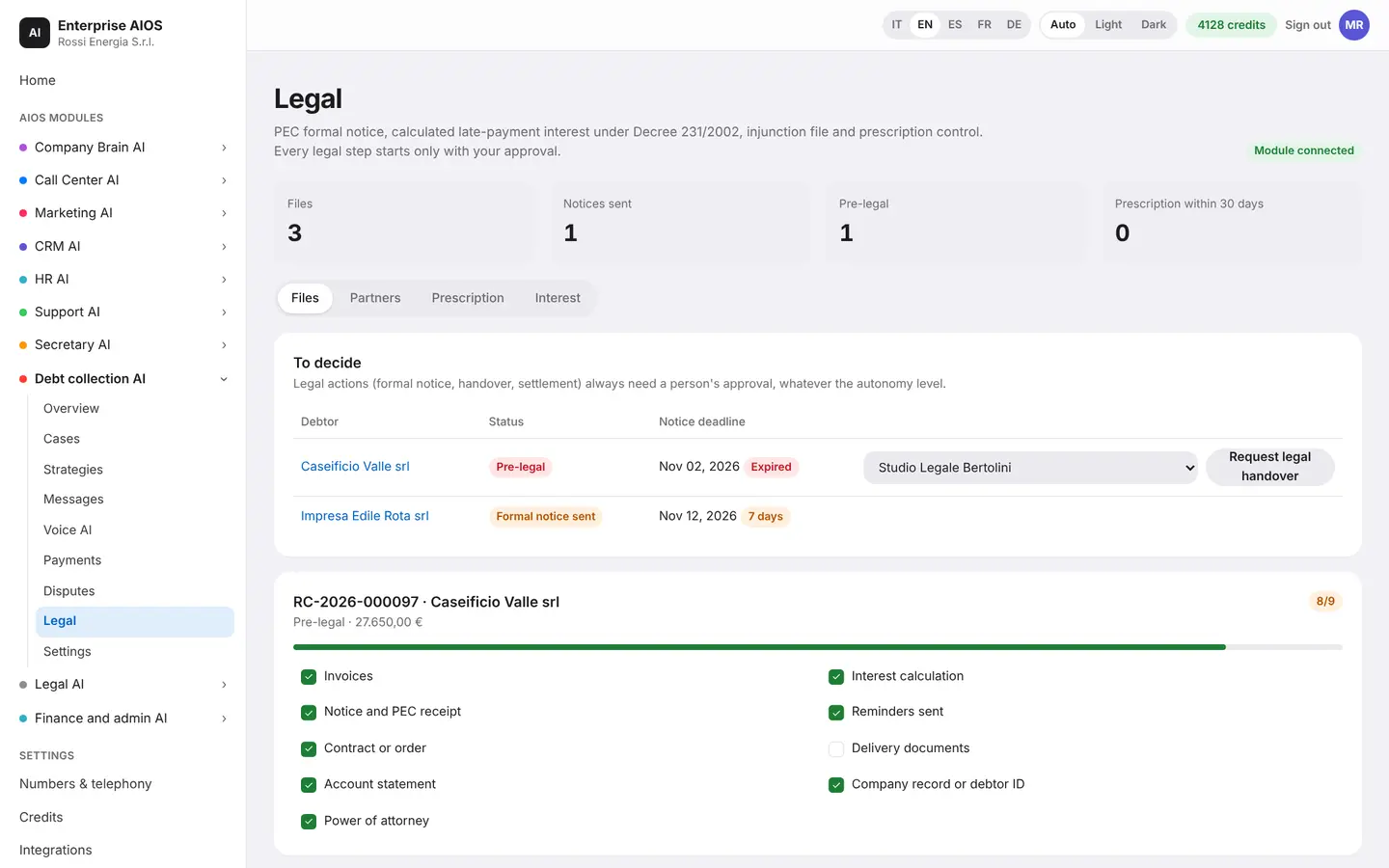
It prepares the formal notice by certified email, calculates late-payment interest and builds the file for a payment order. It hands the file to the lawyer or partner agency and watches the statute of limitations, with alerts at 90 and 30 days. Every legal step is an approval: nothing goes out without you. Dates are indicative, so check them with your lawyer.
- Formal notice by certified email
- Late-payment interest calculated
- File for a payment order
- Statute of limitations check
Settings
It starts with onboarding.
What it does. Autonomy, limits, hours and connections.
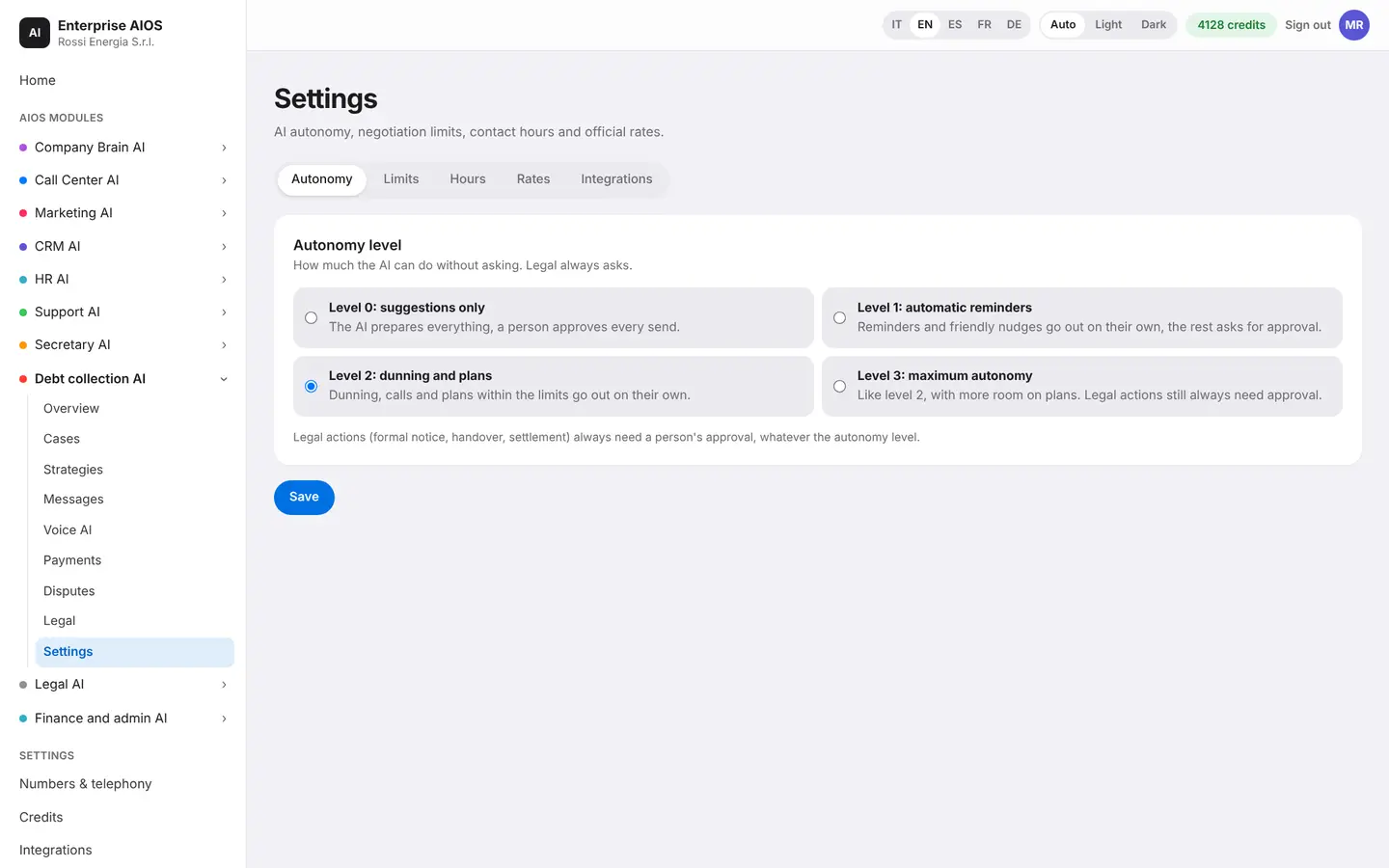
Settings begin with a guided onboarding: connection to invoices and banks, rules, channels and linked modules. Then you define the AI's autonomy, negotiation limits, contact hours and official rates. Beyond the limits the AI does not decide: it asks for approval.
- Four levels of autonomy
- Limits on discounts and installments
- Contact hours and closing days
- Legal actions always need approval
Sold on its own
Want to see it on your company?
Works alone or together with the other modules: data flows from one module to the next without typing it twice. We'll show you the module with examples from your industry, or open the dashboard if you're already a customer.
Customer area
Already a customer? Open your dashboard.
Log in with your company email: you'll find your modules, agents at work, approvals and credits.