Company Brain AI · Knowledge
Your company's memory.
Company Brain AI gathers emails, documents, contracts and conversations into one shared memory. Anyone can ask it a question and get an answer with sources, and every AI agent works from the same information.
- Answers with sources.Every answer shows where it comes from and how far you can trust it. If it doesn't know, it says so.
- Always up to date.The Brain connects to your sources, syncs on its own and never asks anyone to copy data.
- Respects permissions.Everyone sees only what they are allowed to see, even when the Brain answers other agents.
Every feature
Every screen, explained.
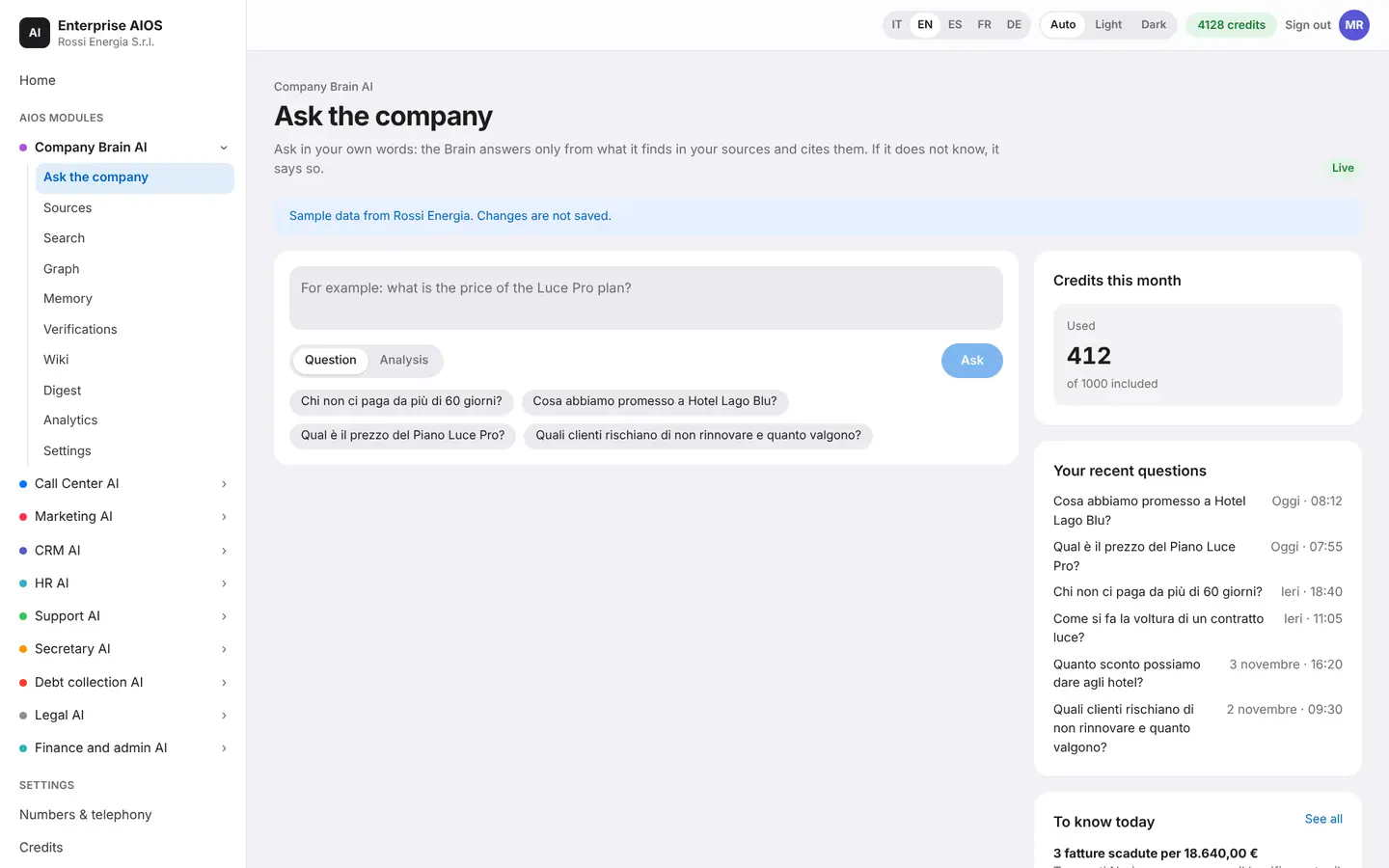
Ask the company
Ask, and the company answers.
What it does. A question in your own words, an answer with sources.
Type or speak, even by phone. The Brain answers by citing emails, documents, contracts and negotiations. For each answer you see how reliable it is, what changed in the company today and which modules feed and use the Brain.
- Answers with cited sources
- Visible reliability level
- Today's news
- Connected modules
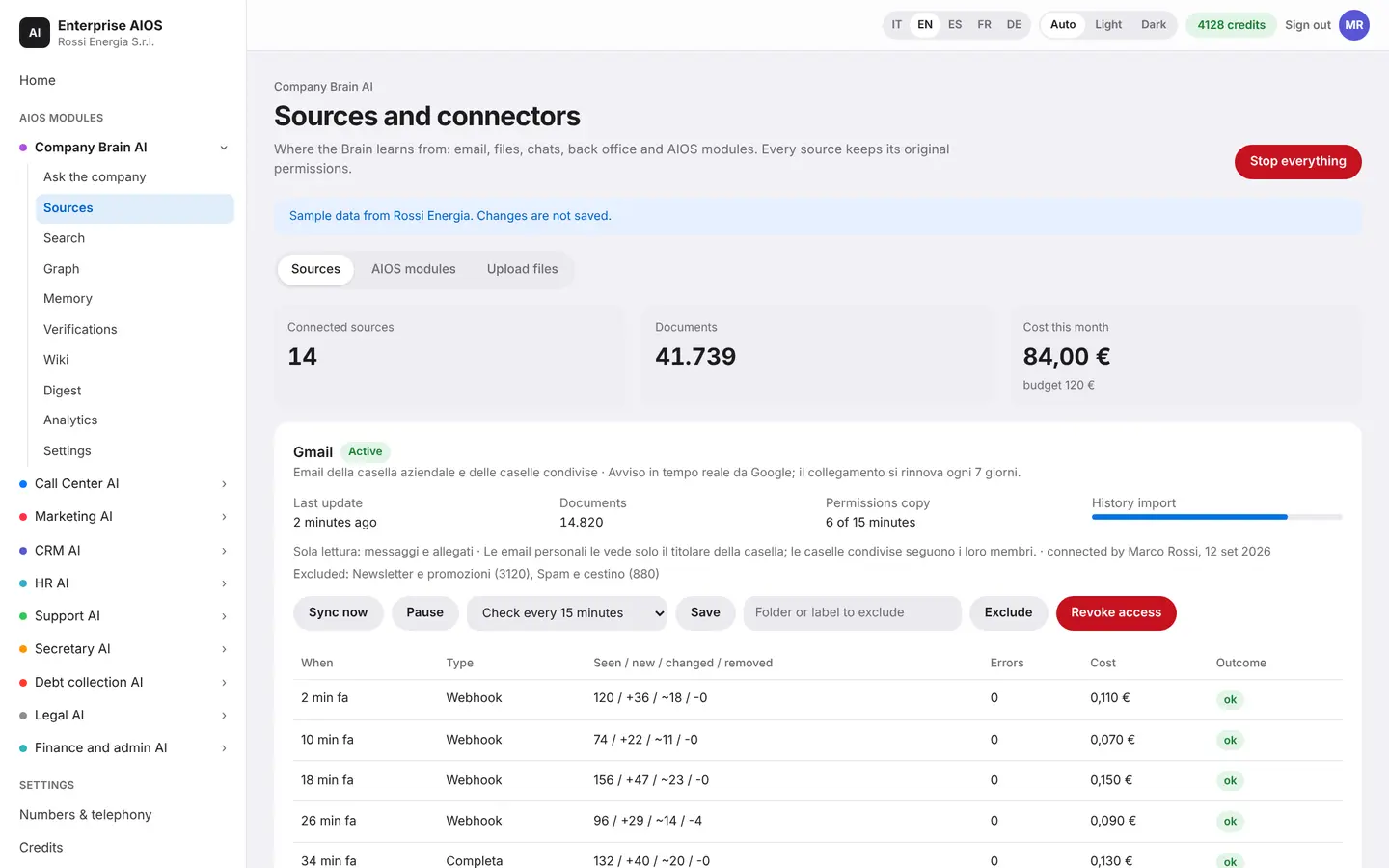
Sources
Everything connected, nothing copied.
What it does. Connect the tools the Brain learns from.
You connect Gmail, Drive, SharePoint, your management software and all AIOS modules. The Brain syncs on its own, keeps a history of every sync and flags errors. Nobody has to move information from one system to another anymore.
- Gmail, Drive, SharePoint, ERP
- Automatic syncing
- History and error alerts
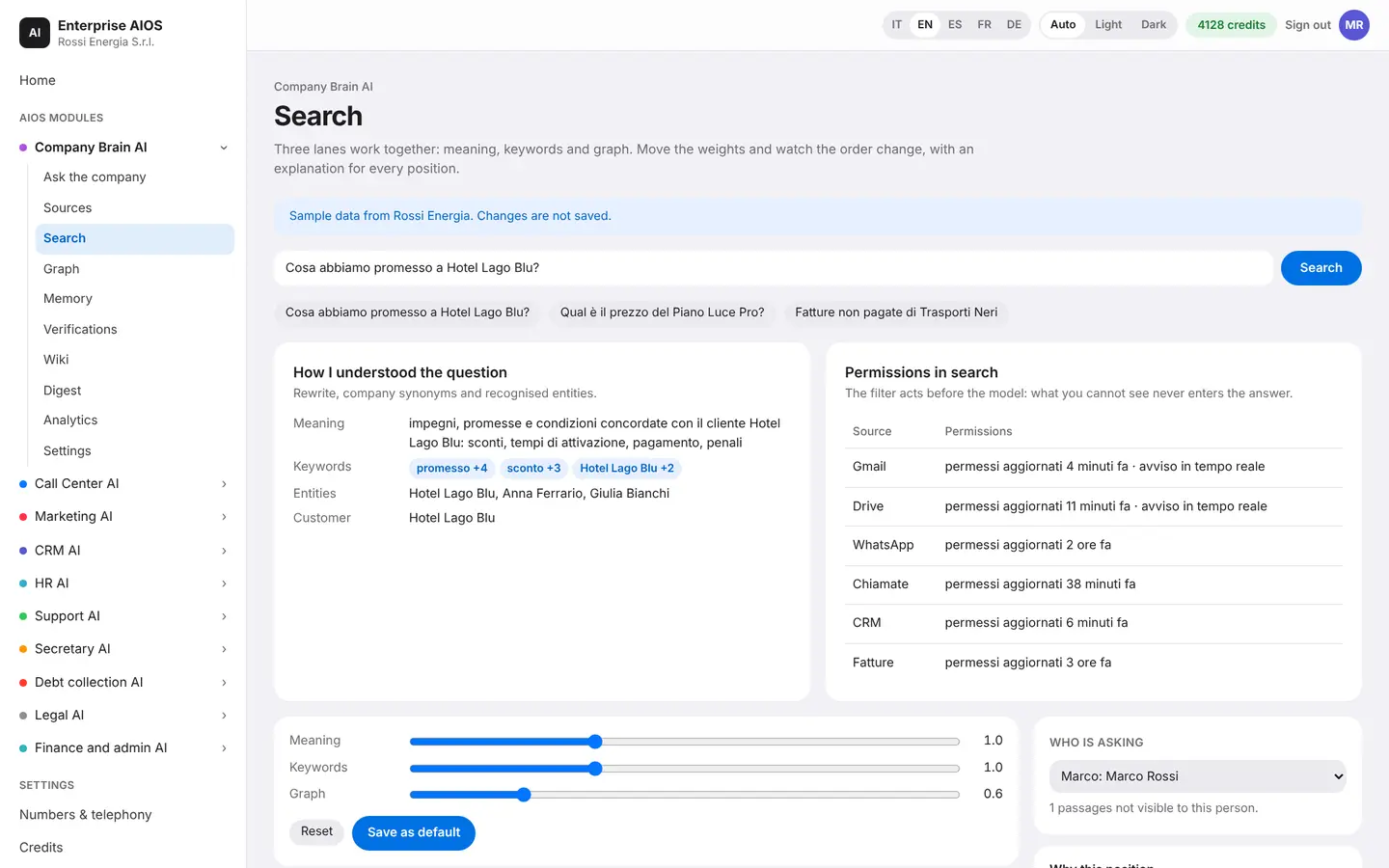
Search
Every answer explains itself.
What it does. Shows how the Brain understood the question and found the results.
You see the steps from question to source. Search works by keywords, by meaning and on the graph, with weights you can adjust. So every answer stays explainable, step by step.
- Keywords, meaning and graph
- Adjustable weights
- From question to source
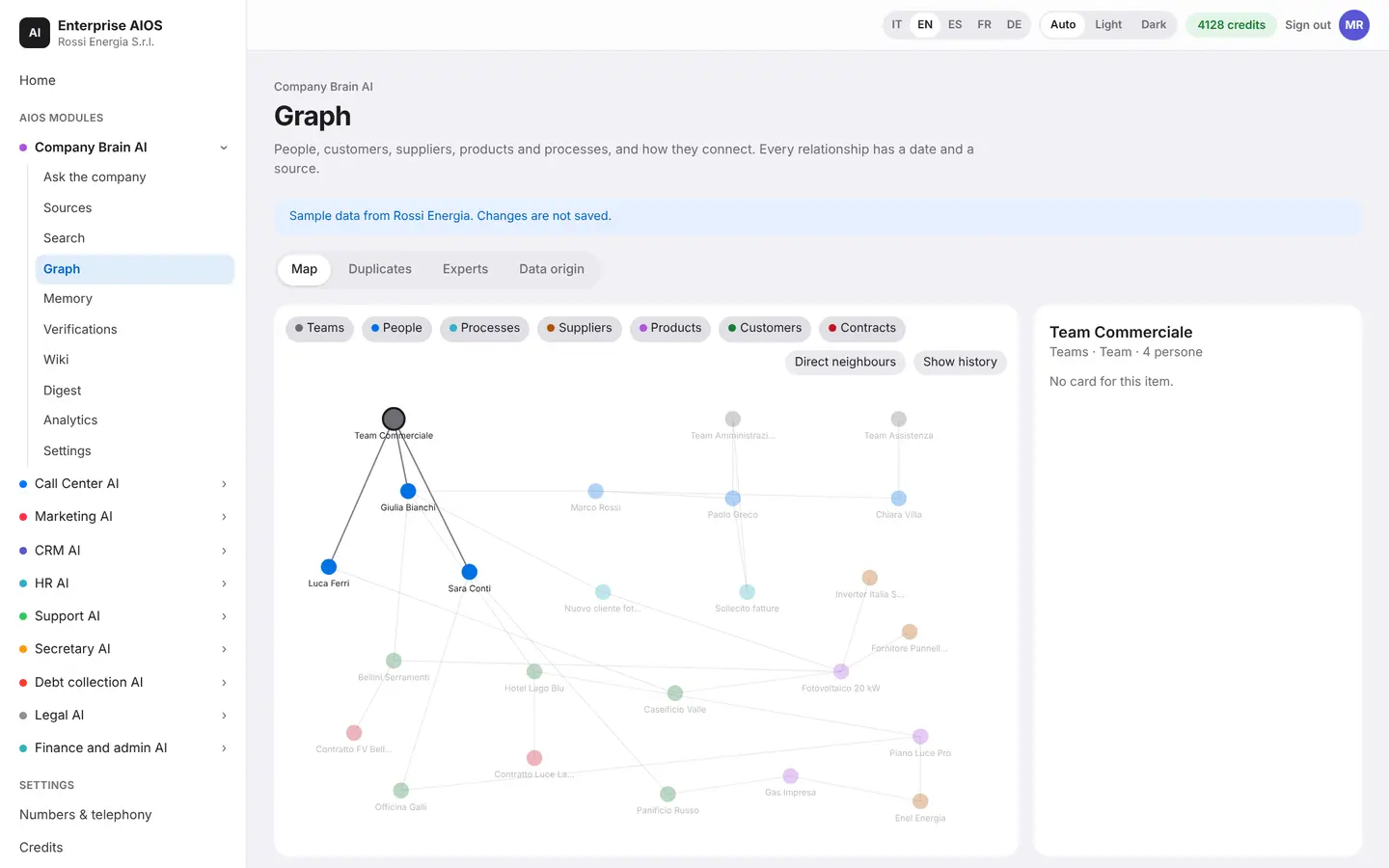
Graph
Every link at a glance.
What it does. Customers, people, contracts, invoices and conversations, all connected.
Select a node, such as a customer, and see its whole network of relationships and what changed recently. The graph updates itself with every new email, call or document.
- Relationship network for each node
- Recent changes
- Automatic updates
Memory
One memory for every agent.
What it does. Company profile, prices, rules and tone of voice, shared.
Each AI agent has its own block of memory. When a piece of data changes, the Brain proposes the update and distributes it to all agents. You don't need to reconfigure them one by one, and every change stays under your control.
- One block for each agent
- Updates proposed by the Brain
- Distributed to all agents
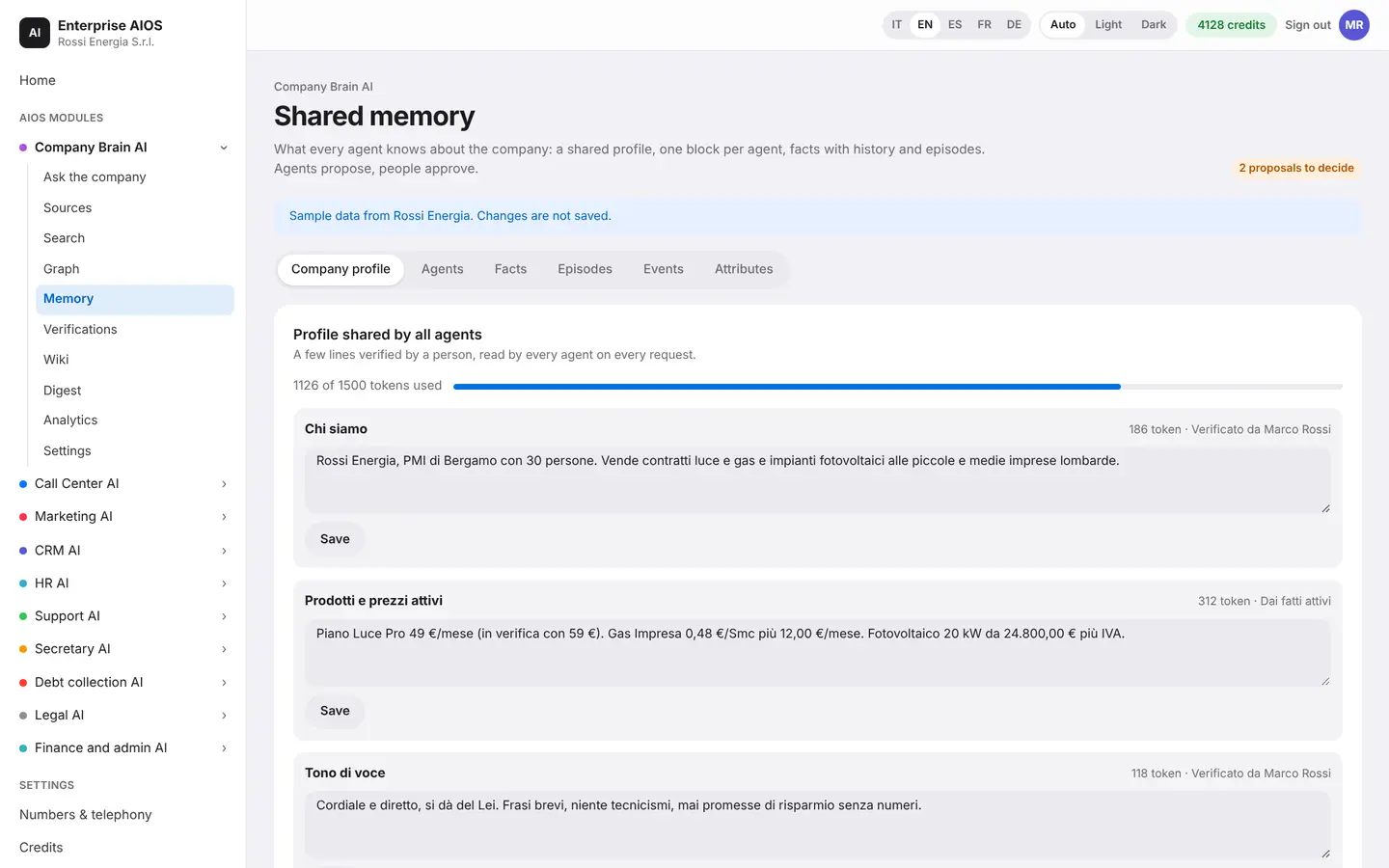
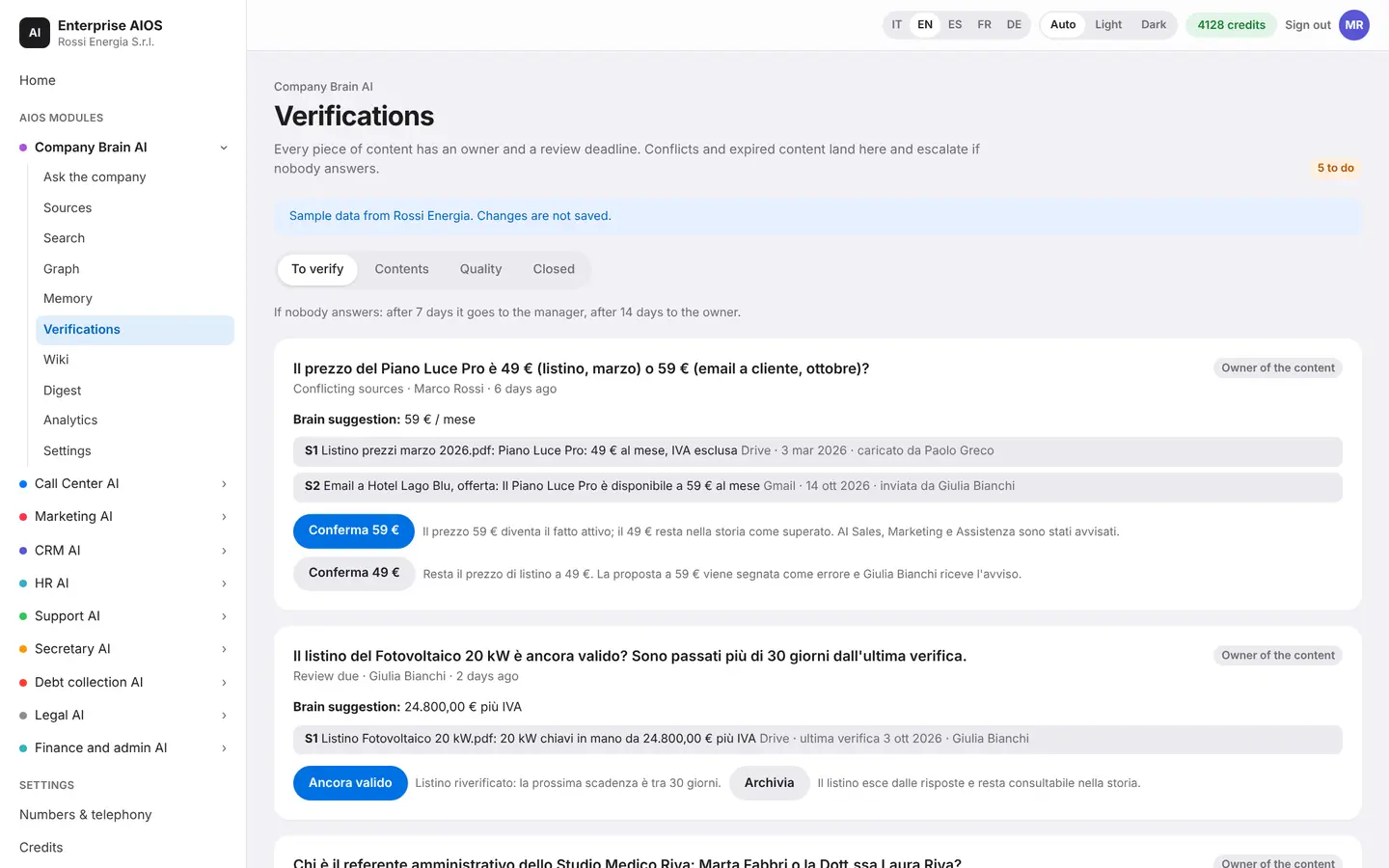
Verifications
Knowledge that stays clean.
What it does. Every item has an owner and a review date.
A quality agent finds outdated or contradictory information and asks the owner to confirm, even by phone. If nobody replies, automatic escalation kicks in. A person always has the final word.
- Owner and deadline
- Outdated or contradictory content
- Automatic escalation
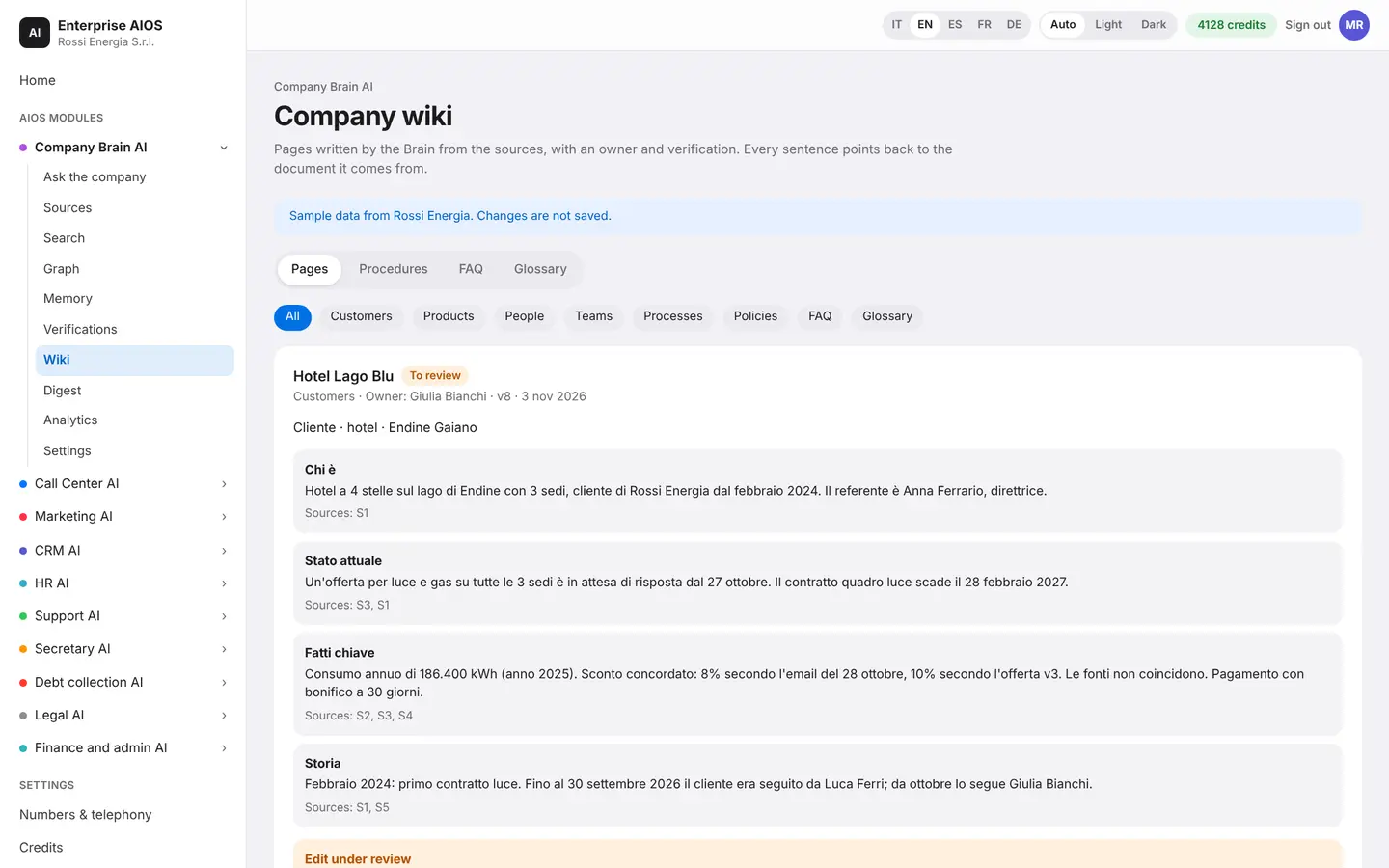
Wiki
A wiki that writes itself.
What it does. One page for each customer, supplier or procedure.
For each one, the Brain creates a page with current status, key facts, history, contact people, documents and frequently asked questions. It is always up to date, because it feeds on the connected sources.
- Current status and key facts
- History and contact people
- Documents and FAQs
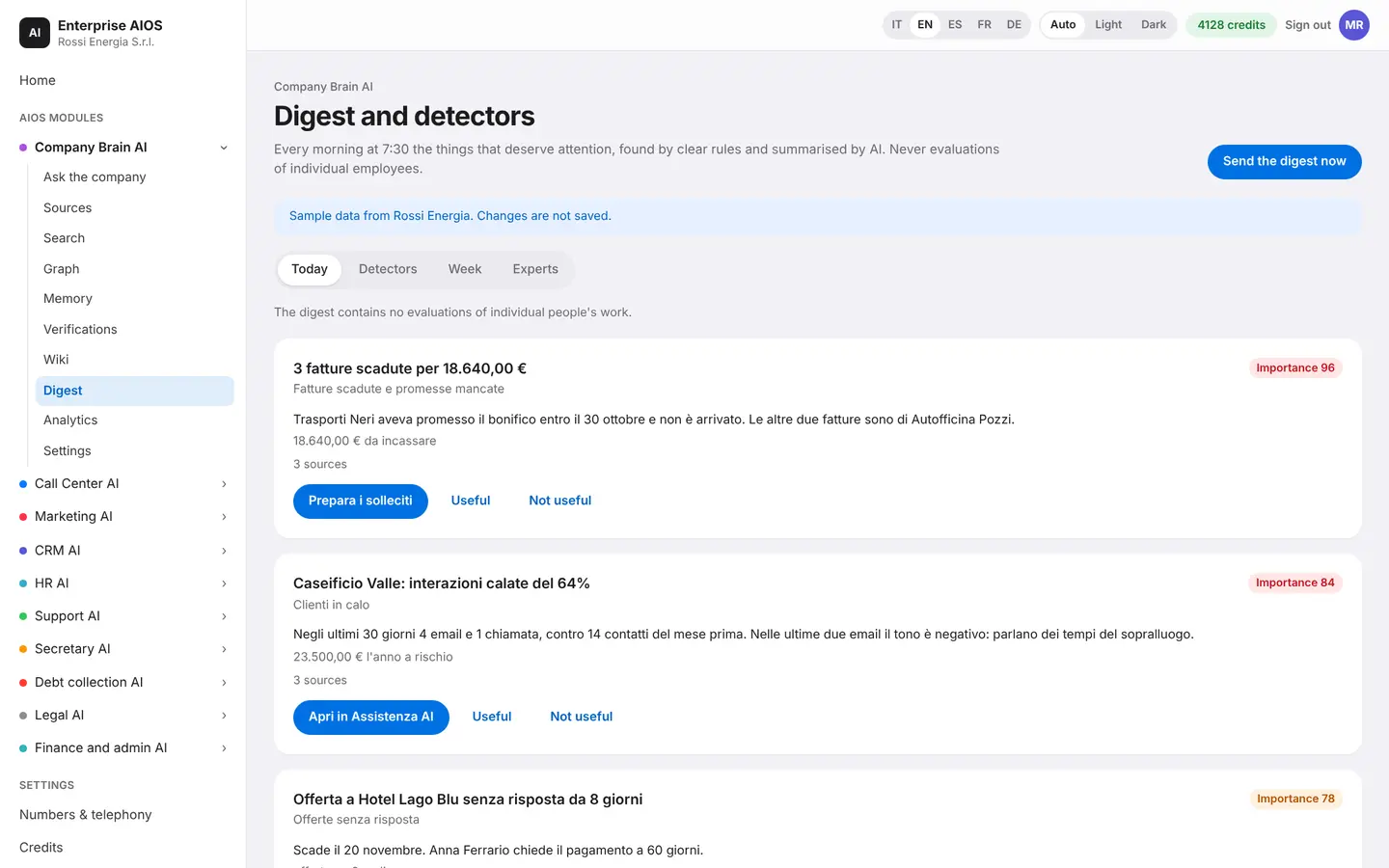
Digest
Every morning, the news that matters.
What it does. A summary of important news and signals you shouldn't miss.
Every morning you receive a digest, and each item comes with its sources. Detectors spot signals such as customers at risk, broken promises or unanswered questions. The Brain also tells you who in the company is the expert on each topic.
- Daily digest with sources
- Customers at risk and broken promises
- An expert for every topic
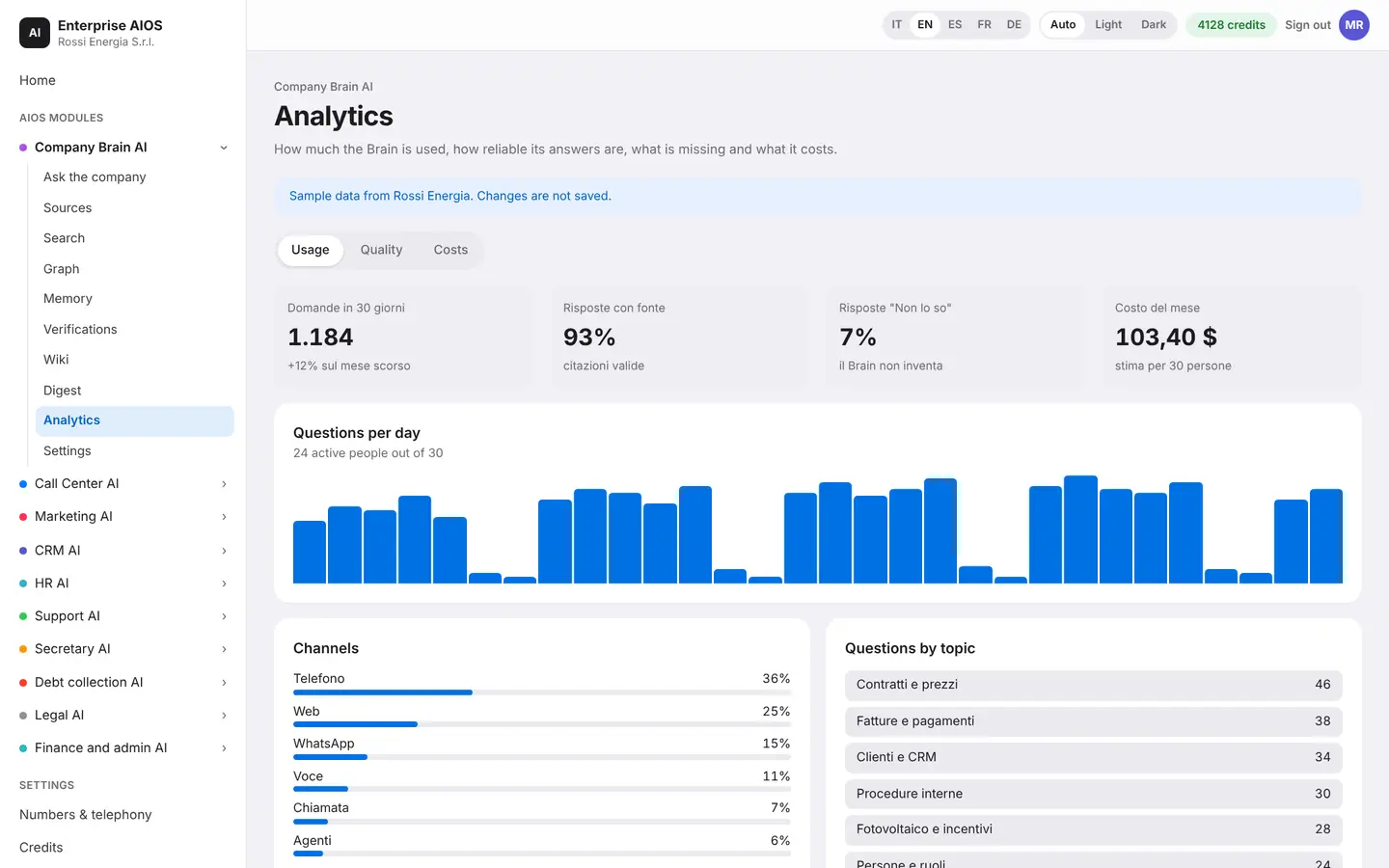
Analytics
Find out what's missing.
What it does. How the Brain is used and where knowledge is thin.
You see how many questions the Brain receives, who uses it, which modules the requests come from and what the most frequent questions are. You immediately know where knowledge is missing and what is worth documenting.
- Questions and users
- Source modules
- Most frequent questions
Settings
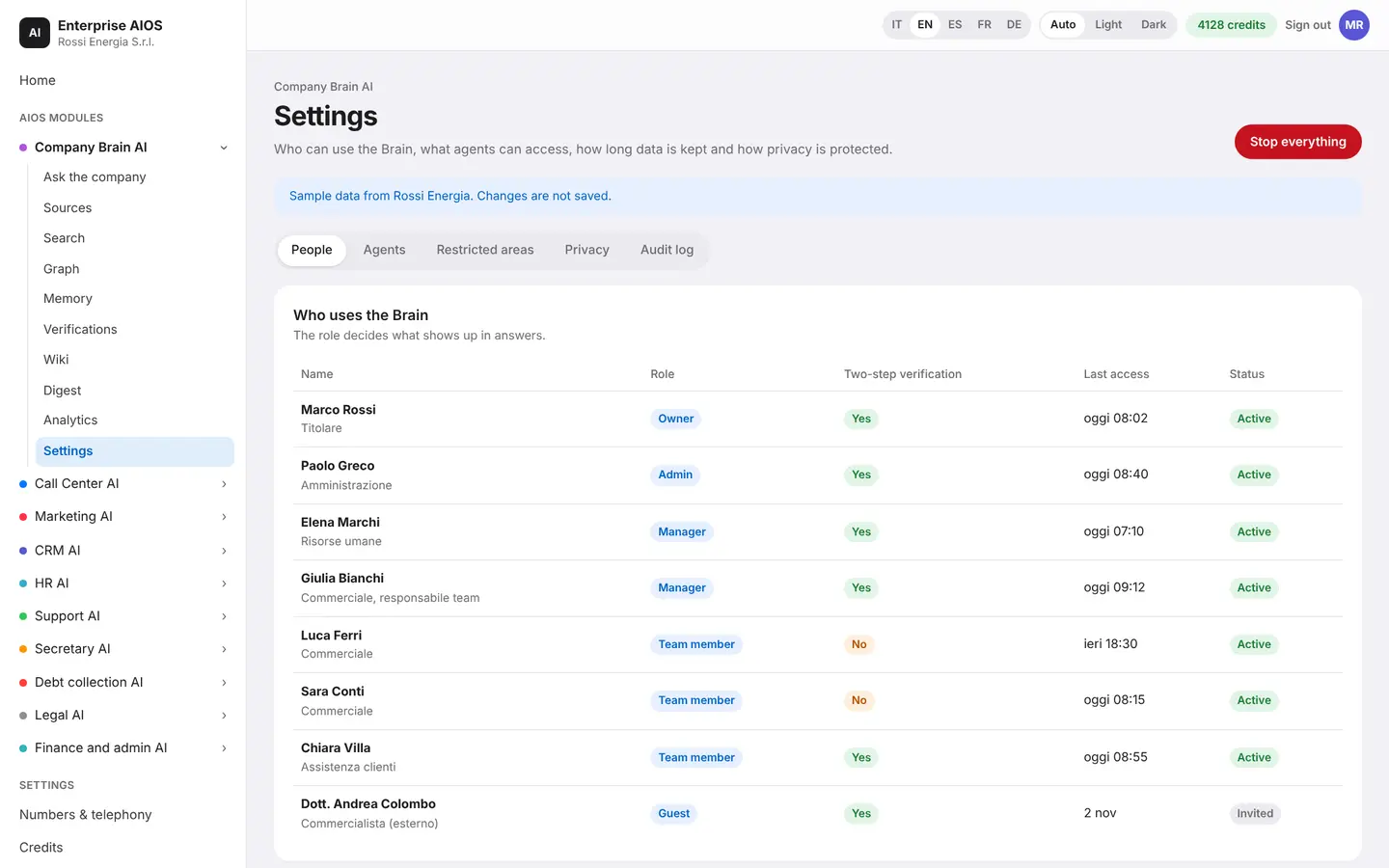
You decide who sees what.
What it does. Permissions, restricted areas, data retention and GDPR rules.
You set permissions by person and by role, define restricted areas and choose how long data is kept. The Brain always respects permissions, even when it answers other agents.
- Permissions by person and role
- Restricted areas
- Data retention and GDPR
Sold on its own
Want to see it on your company?
Works alone or together with the other modules: data flows from one module to the next without typing it twice. We'll show you the module with examples from your industry, or open the dashboard if you're already a customer.
Customer area
Already a customer? Open your dashboard.
Log in with your company email: you'll find your modules, agents at work, approvals and credits.