Support AI · Customers
Customers heard. Always.
Support AI answers customers on every channel, day and night. When needed, it hands the conversation to a person with the full context already summarized.
- Every channel.Chat, WhatsApp, email, phone and social arrive in a single queue.
- A person, when needed.Below the confidence threshold the agent hands over, with the summary ready.
- All under control.Every action has limits and approvals, and every message sent is logged.
Every feature
Every screen, explained.
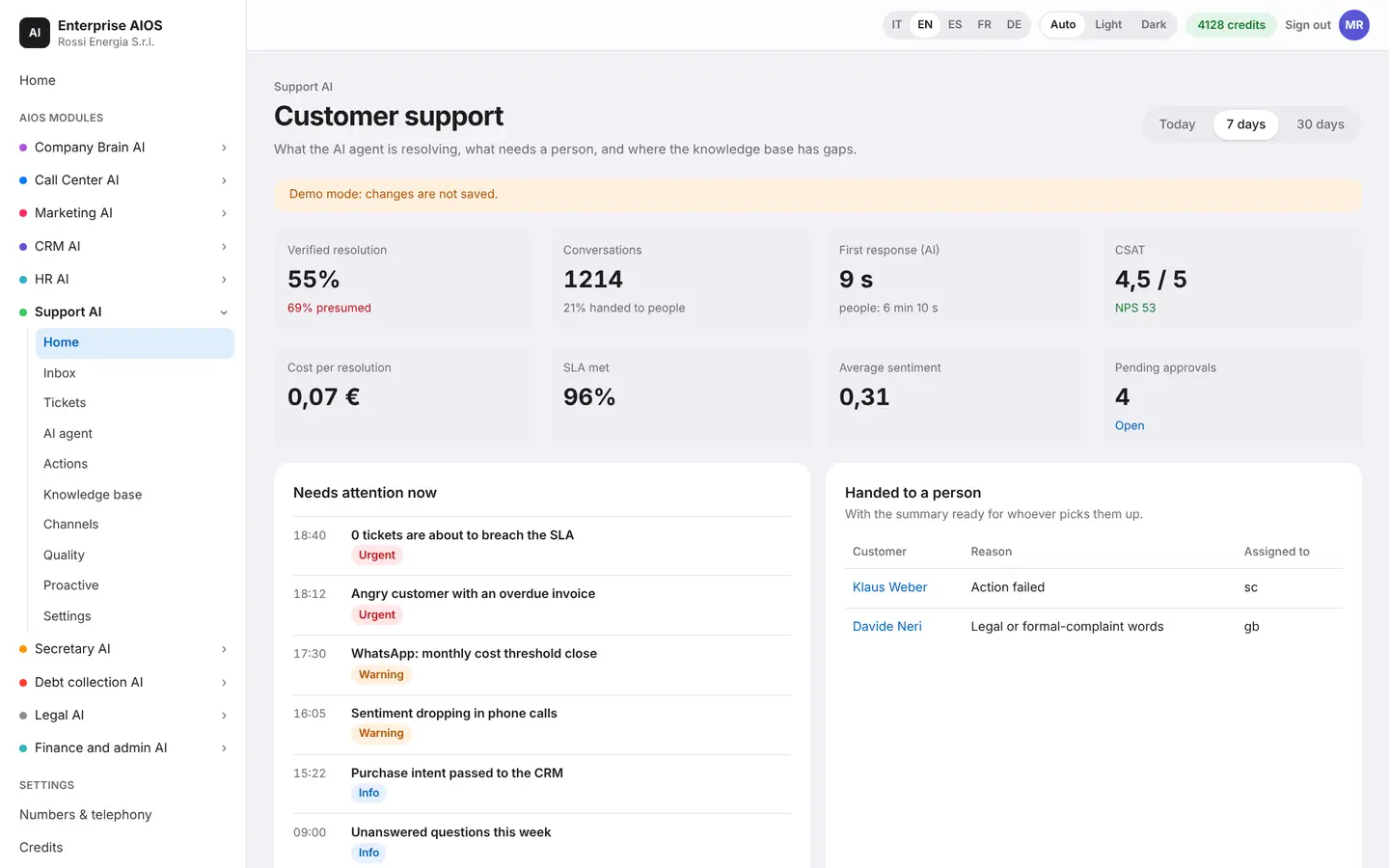
Home
The support dashboard.
What it does. Shows how customer support is going.
The dashboard shows volumes by channel, the main reasons for contact, alerts, goals and the work saved for the human team. You can ask questions of the data in plain language.
- Volumes by channel
- Reasons for contact
- Alerts and goals
- Ask the data in plain words
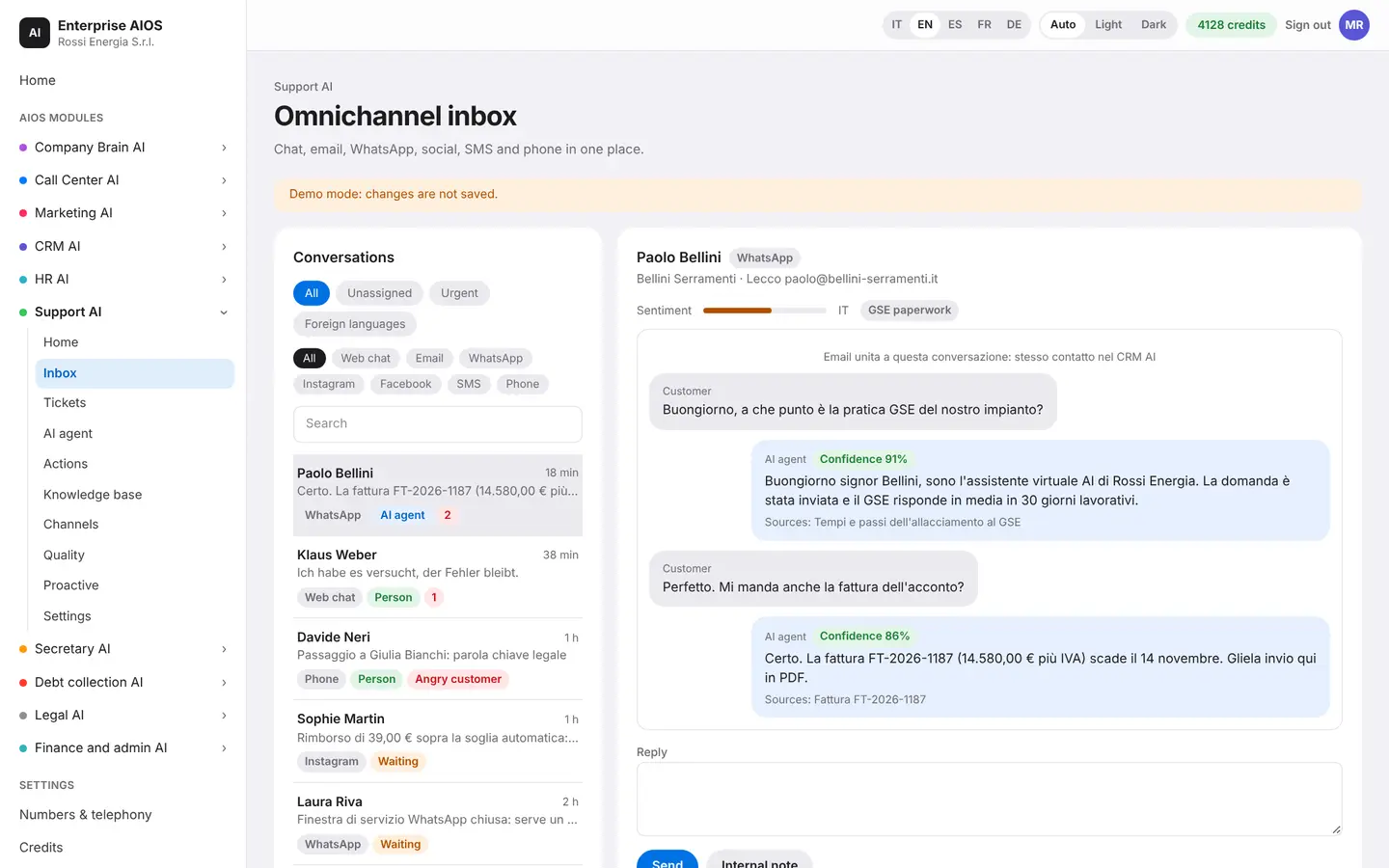
Inbox
One queue for everyone.
What it does. Brings all channels into a single inbox.
The omnichannel inbox gathers website chat, WhatsApp, email, phone and social. The AI answers on its own. When needed, it passes the conversation to an agent with the full context already summarized.
- All channels together
- The AI answers on its own
- Handover to an agent
- Context already summarized
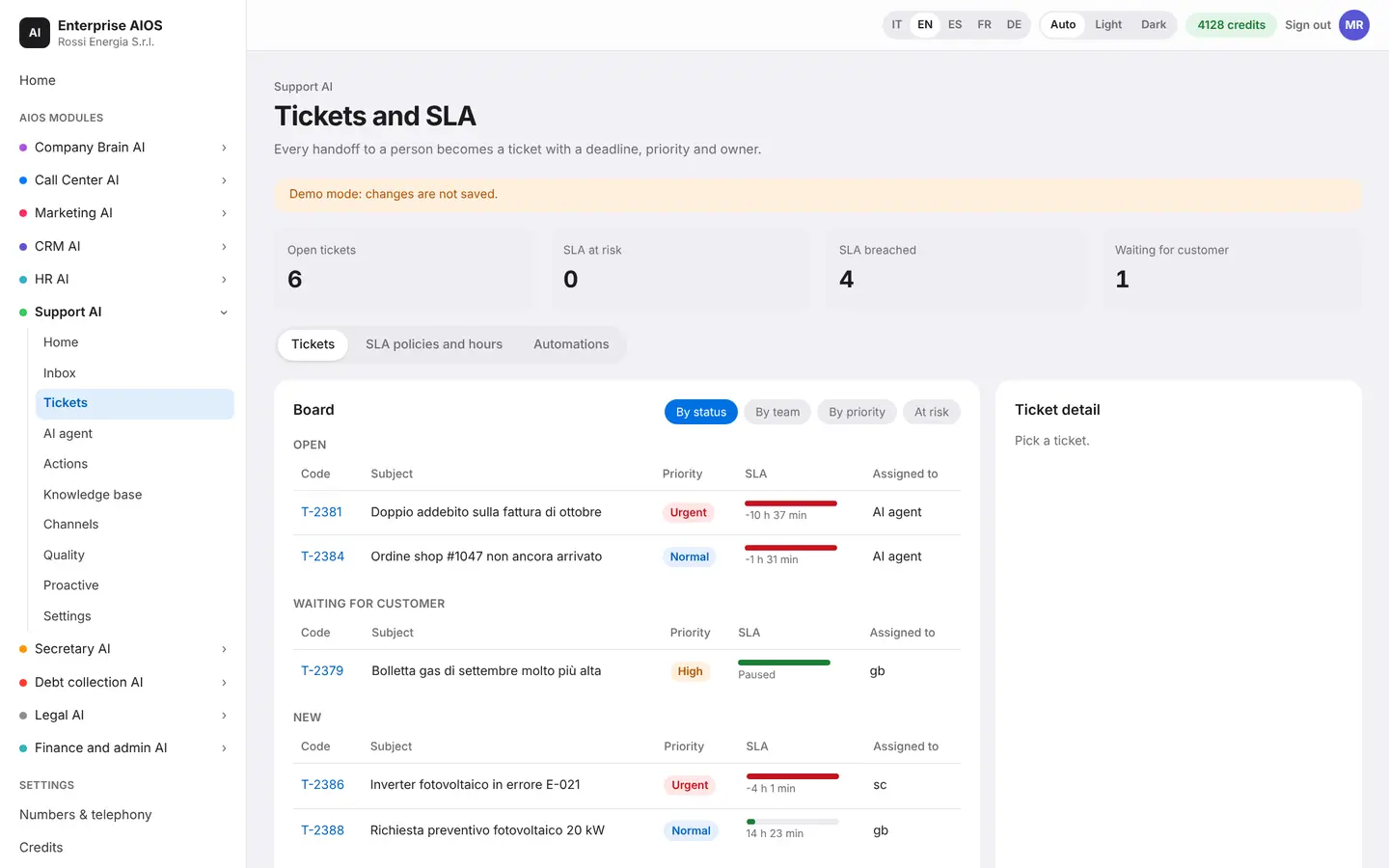
Tickets
Every request, on its own clock.
What it does. Tracks every request with priority and SLA.
Every request has a priority and guaranteed response times. The AI classifies, assigns and warns you before an SLA runs out. The ticket links to invoices, calls and the other modules.
- Priority and SLA
- The AI classifies and assigns
- Warning before the deadline
- Linked to the other modules
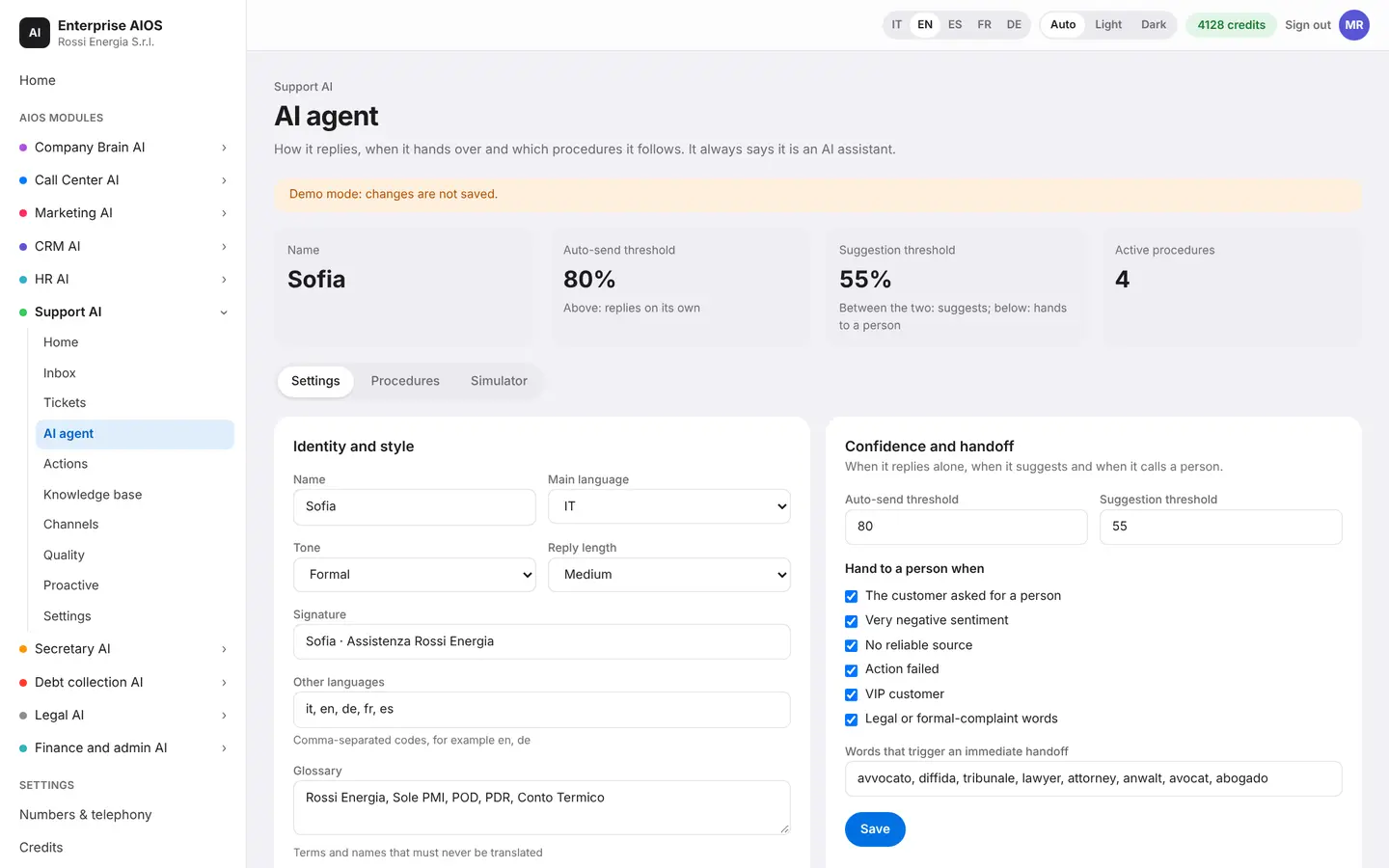
AI agent
Sofia, set up your way.
What it does. Configures the support agent.
Here you choose the persona and languages of Sofia, the support agent. You set the confidence thresholds beyond which she hands over to a human, the disclosure that she is an AI and the customer memory. A live preview shows her answers.
- Persona and languages
- Thresholds to hand over to a human
- Discloses it is an AI
- Live preview
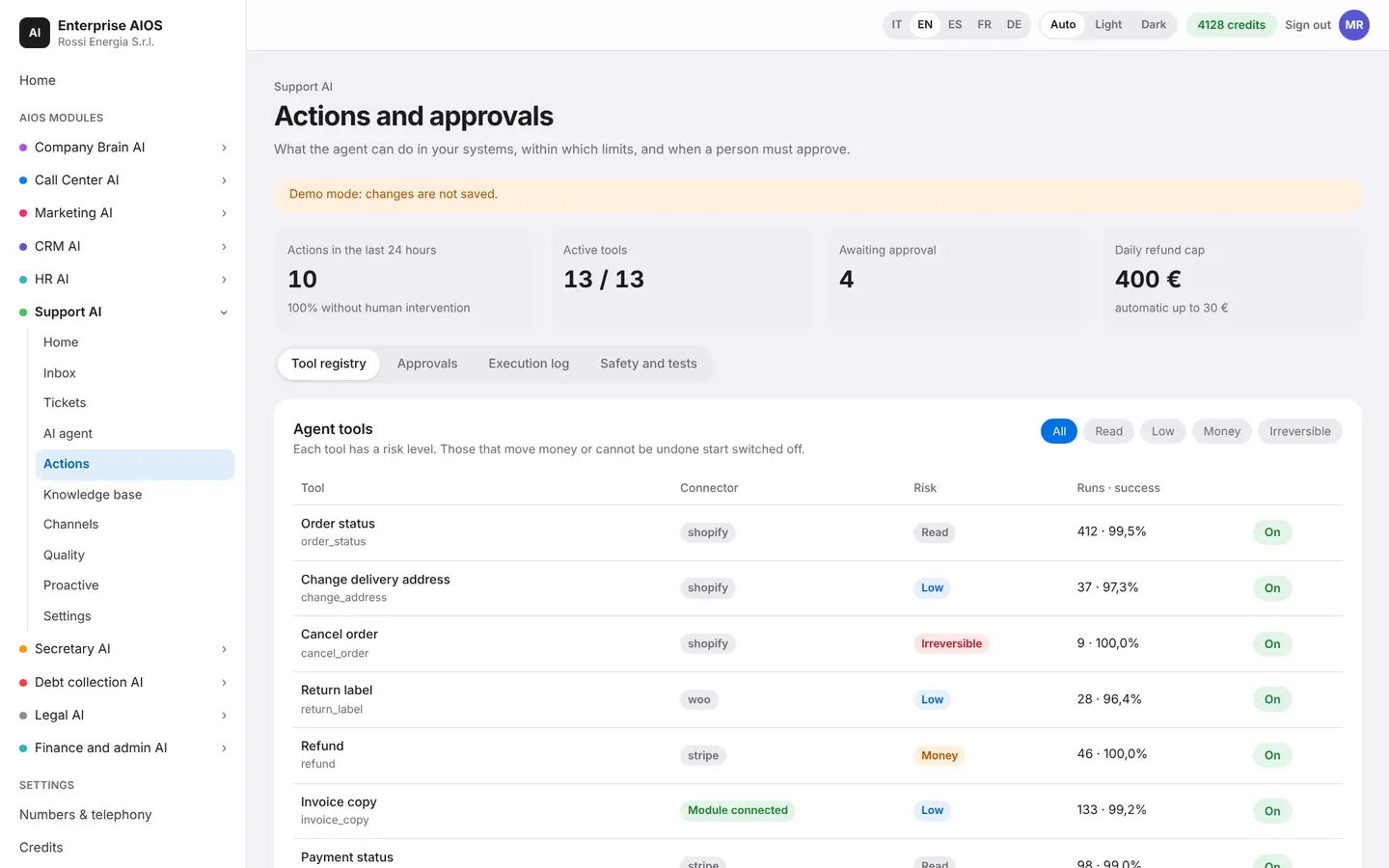
Actions
What it can do, and how far.
What it does. Defines what the agent can really do.
You decide which actions the agent can take, such as refunds, address changes and bookings. Each action has its own limits and approvals. A simulator lets you try out the safety rules.
- Refunds, addresses, bookings
- Limits for every action
- Human approvals
- Rules simulator
Knowledge base
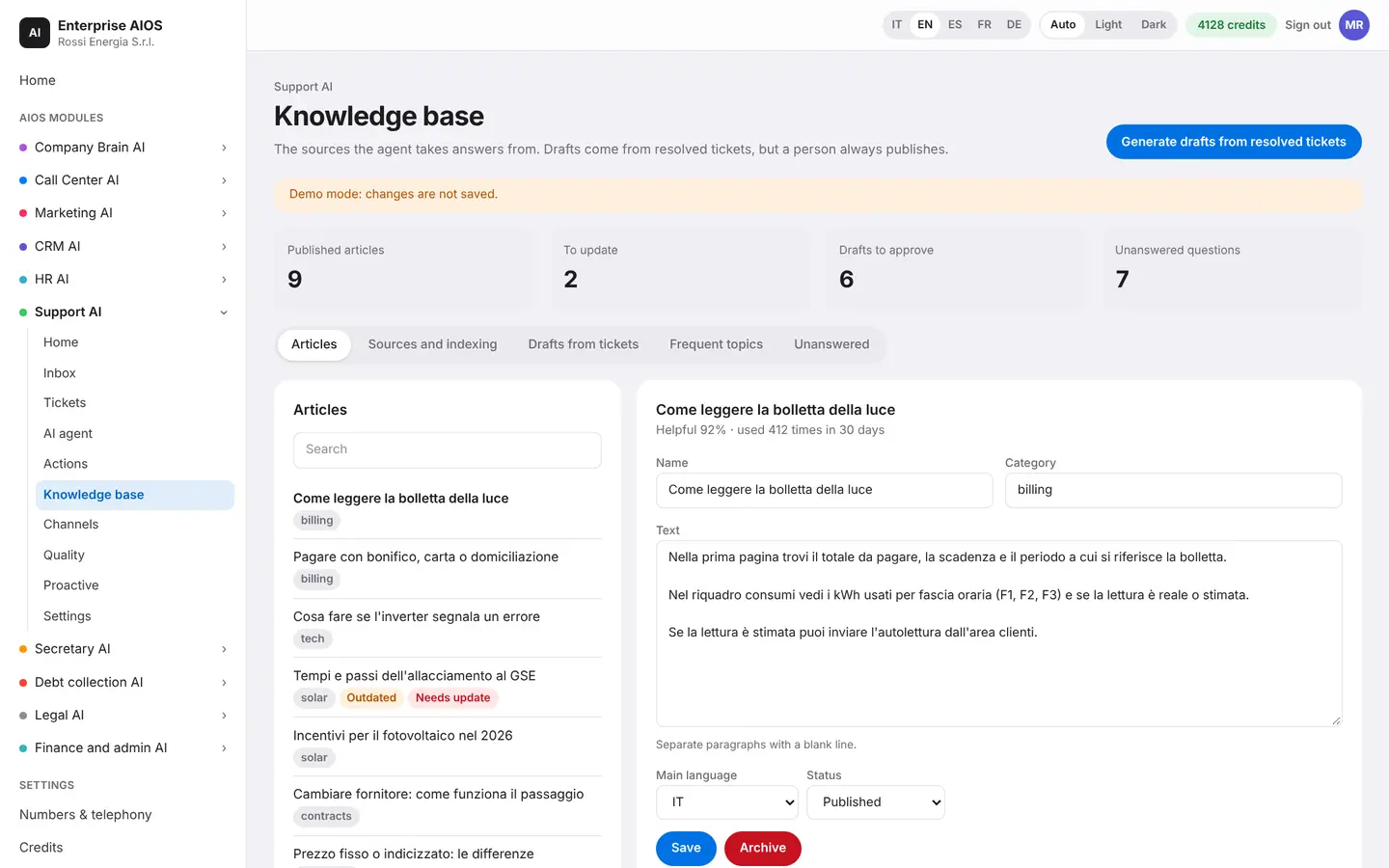
Knowledge that grows by itself.
What it does. A knowledge base that writes itself through use.
The AI drafts articles from resolved tickets. It shows you the most requested topics and the questions still unanswered. You review and publish, so knowledge grows every day.
- Drafts from resolved tickets
- Most requested topics
- Unanswered questions
- You review and publish
Channels
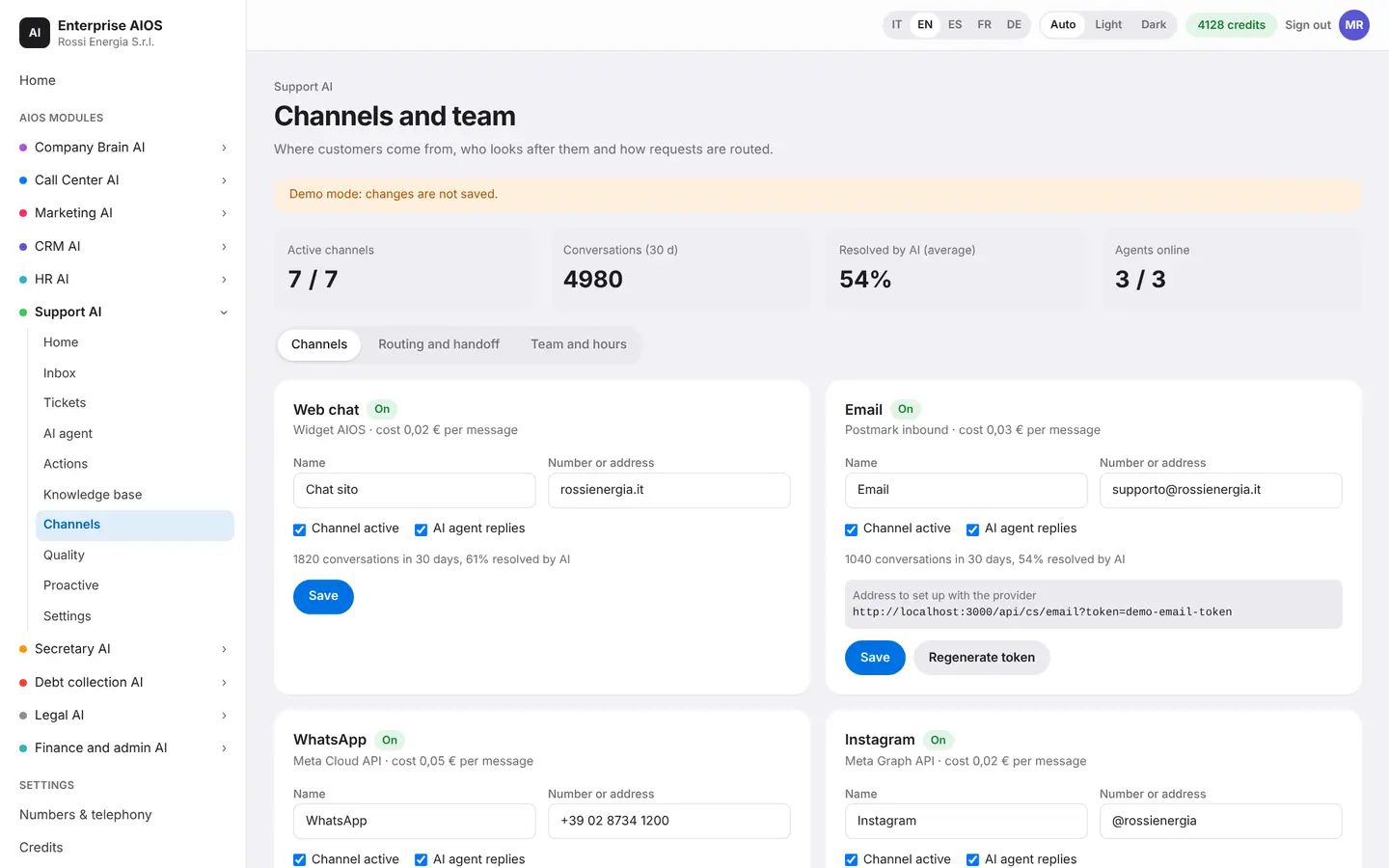
Every channel, one story.
What it does. Connects channels and decides who answers.
You connect chat, WhatsApp, email, phone and social. Routing decides who answers on each channel. Every customer has a single timeline, whatever channel they use.
- Chat, WhatsApp, email, social
- Routing by channel
- One timeline per customer
Quality
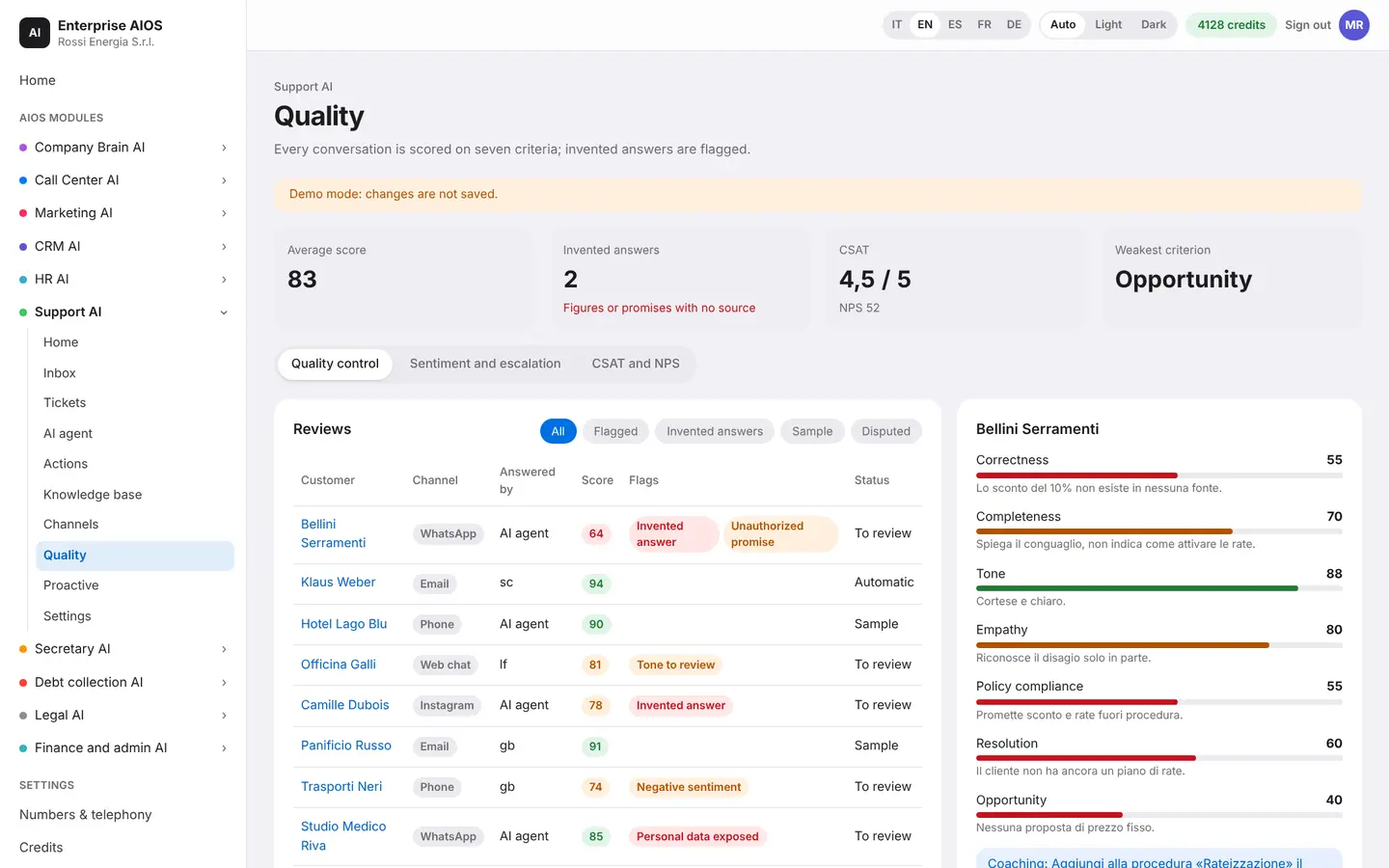
Every answer, reviewed.
What it does. Measures quality and satisfaction across all conversations.
The AI reviews all conversations and flags made-up answers. It measures how well the AI and the human reviewers agree. It produces reports per agent and for the AI.
- All conversations reviewed
- Made-up answers flagged
- Agreement with human reviewers
- Reports per agent and for the AI
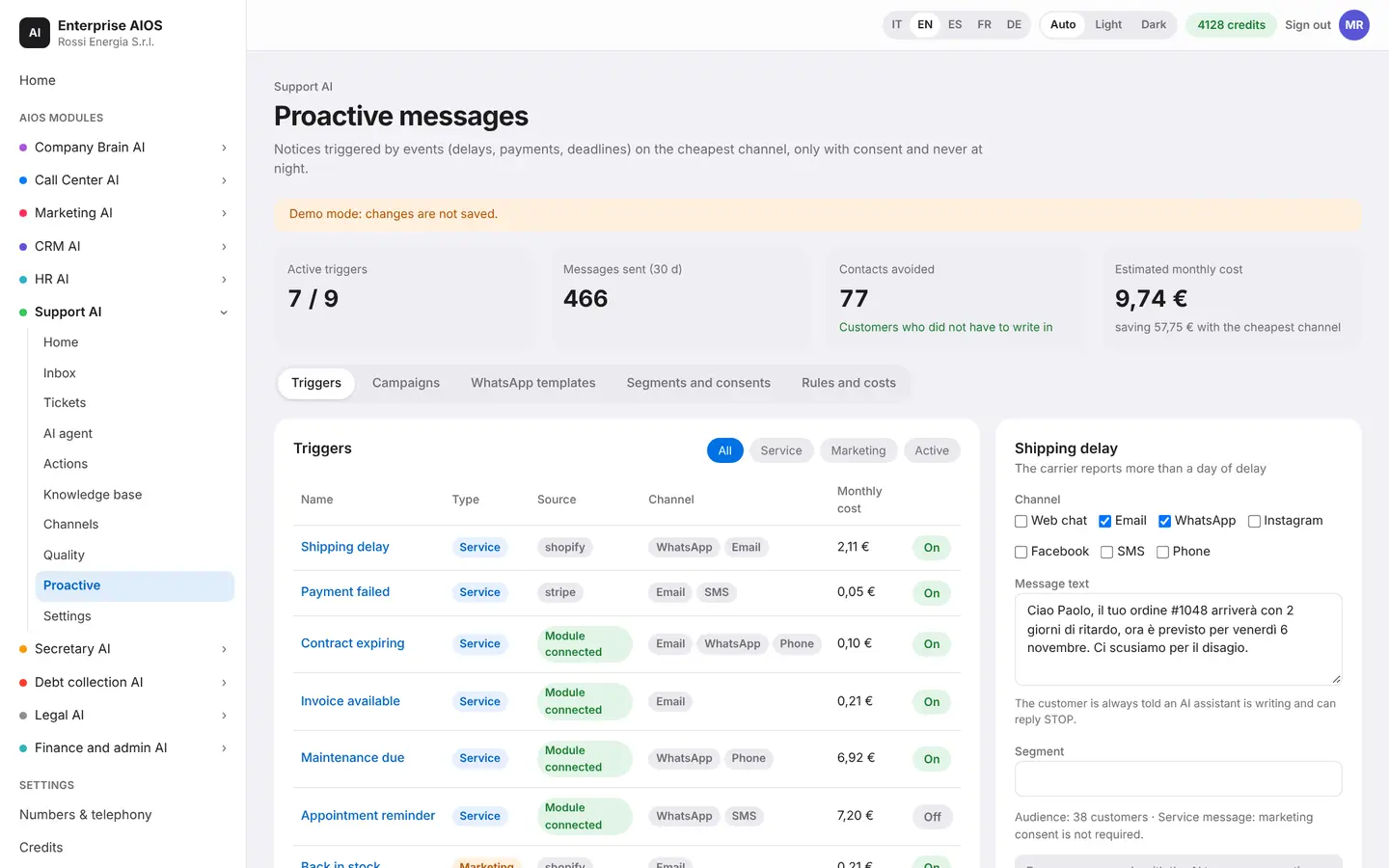
Proactive
Tell them before they call.
What it does. Sends messages to customers before they ask.
Proactive messages warn customers about a late shipment, an outage or a deadline. Triggers start from events in the other modules. Every message sent is logged.
- Shipments, outages, deadlines
- Triggers from other modules
- Every message logged
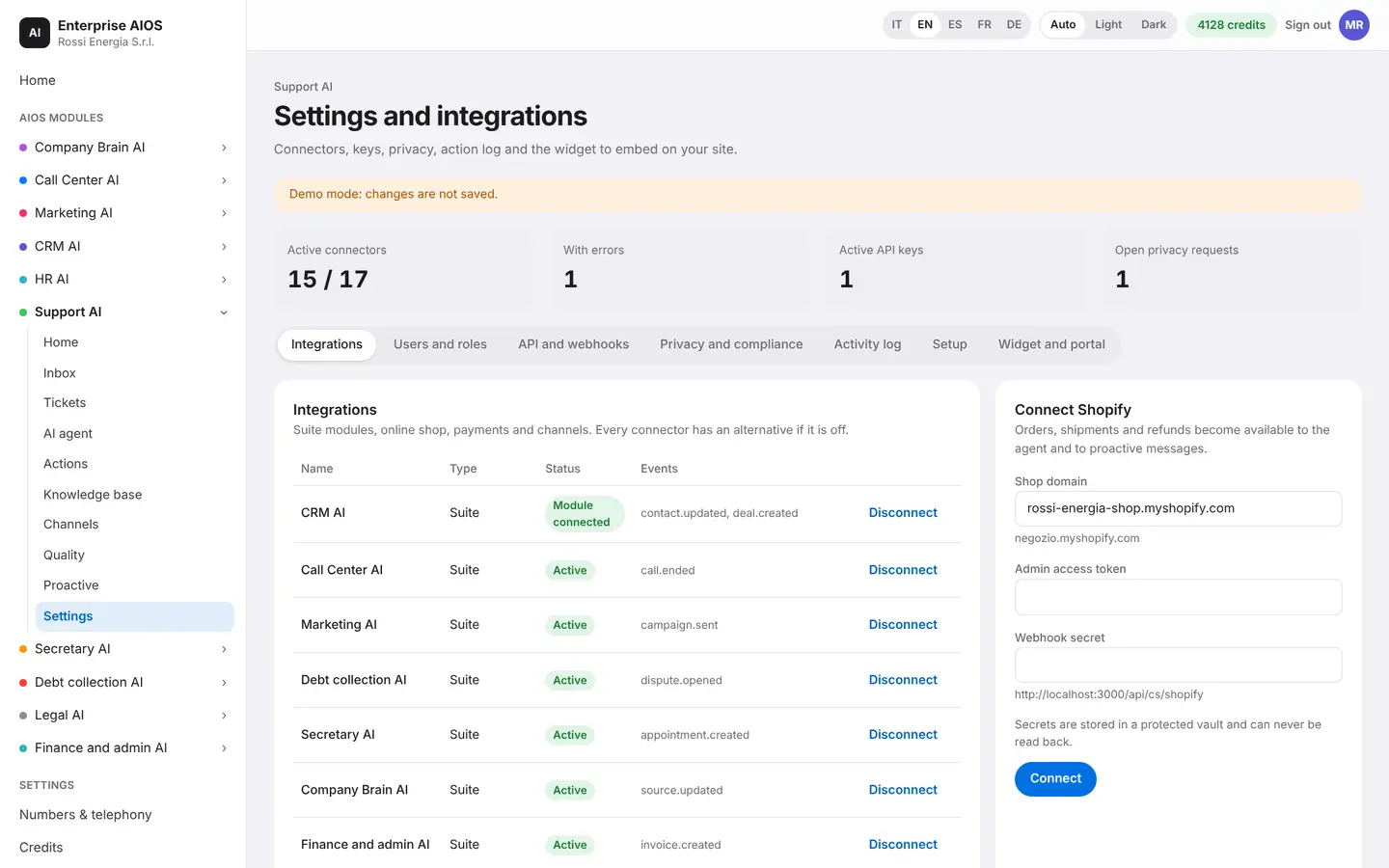
Settings
The tools you already use.
What it does. Connects stores, business systems and external tools.
You connect e-commerce, such as Shopify, business systems and external tools. You also manage users, keys and privacy.
- E-commerce such as Shopify
- Business and external tools
- Users, keys and privacy
Sold on its own
Want to see it on your company?
Works alone or together with the other modules: data flows from one module to the next without typing it twice. We'll show you the module with examples from your industry, or open the dashboard if you're already a customer.
Customer area
Already a customer? Open your dashboard.
Log in with your company email: you'll find your modules, agents at work, approvals and credits.