Call Center AI · Phone
A call center that never sleeps.
Call Center AI replaces an entire team of phone operators, outbound and inbound. AI agents call and answer, you set the rules and always have the final word.
- Under human control.One button stops everything. Scripts, campaigns and appointments go through a person's approval.
- Every choice has a reason.Every AI decision is logged with its reasoning, and can be undone.
- Compliant before the call.Do-not-call registry, consent, calling hours and the AI disclosure are checked before a call starts.
Every feature
Every screen, explained.
Overview
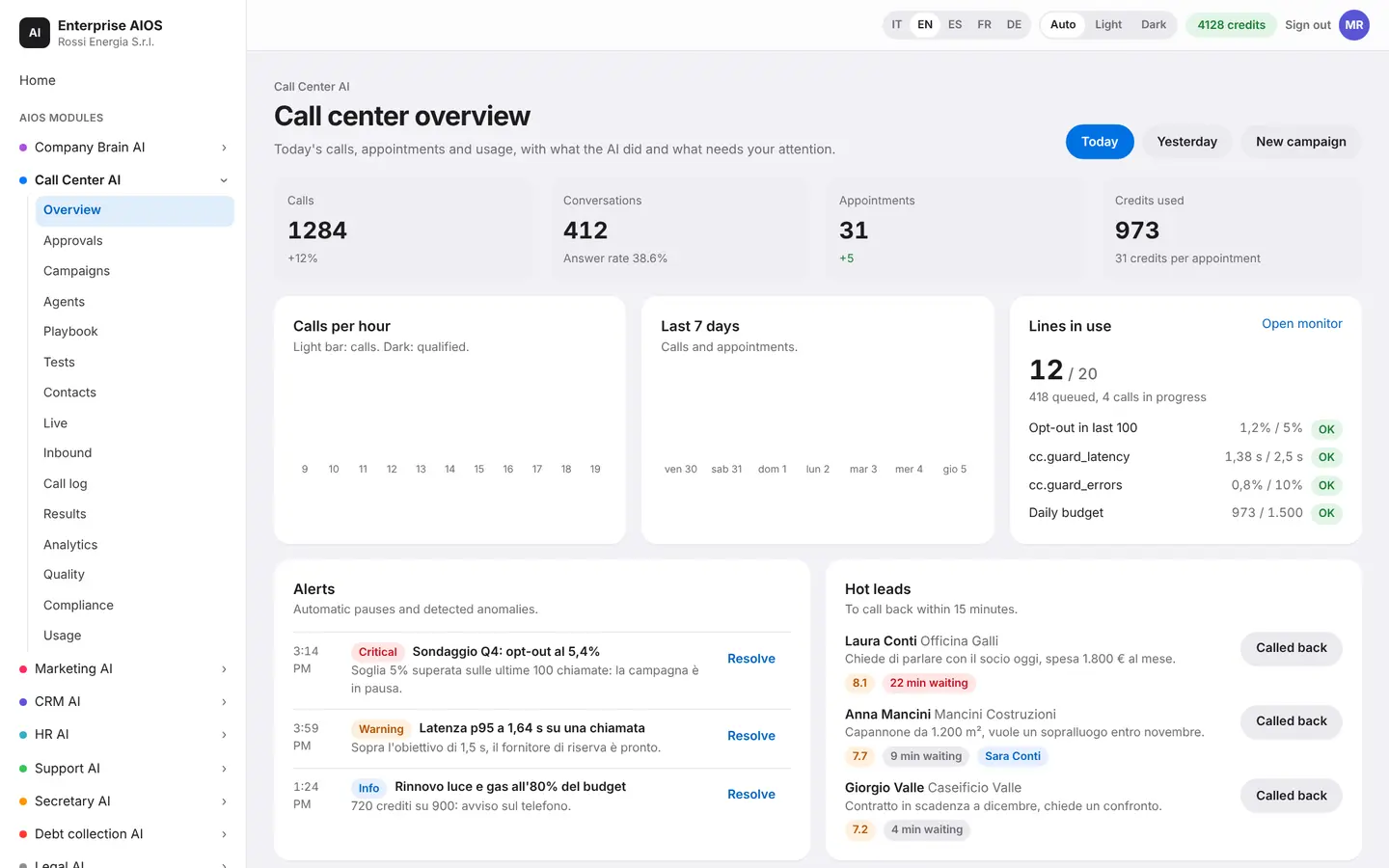
Your call center, on one screen.
What it does. Today's numbers and everything that's happening.
You see active campaigns, who is on a call right now, hot leads and what the AI did on its own. One button stops everything. Safety pauses kick in by themselves if a threshold is exceeded.
- Today's numbers and active campaigns
- Hot leads and who is on the line
- Stop everything with one button
- Automatic safety pauses
Approvals
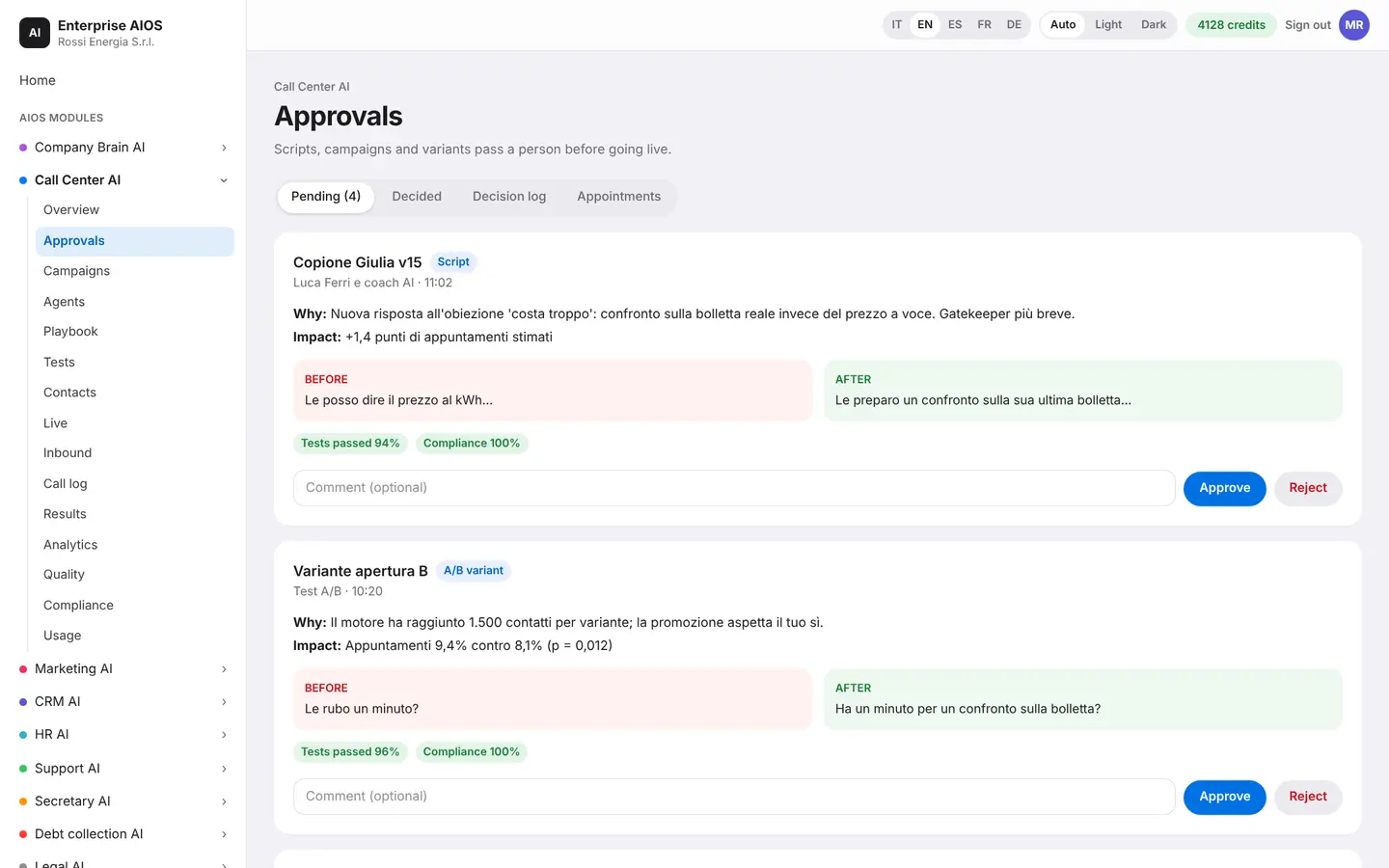
A person decides.
What it does. Everything that needs your go-ahead, in one place.
You find scripts and campaigns to approve, appointments booked by the agent, hot leads and notifications. Every AI decision is logged with its reasoning. Follow-ups start automatically after each call.
- Scripts and campaigns to approve
- Appointments and hot leads
- Reasoning for every AI decision
- Automatic follow-ups
Campaigns
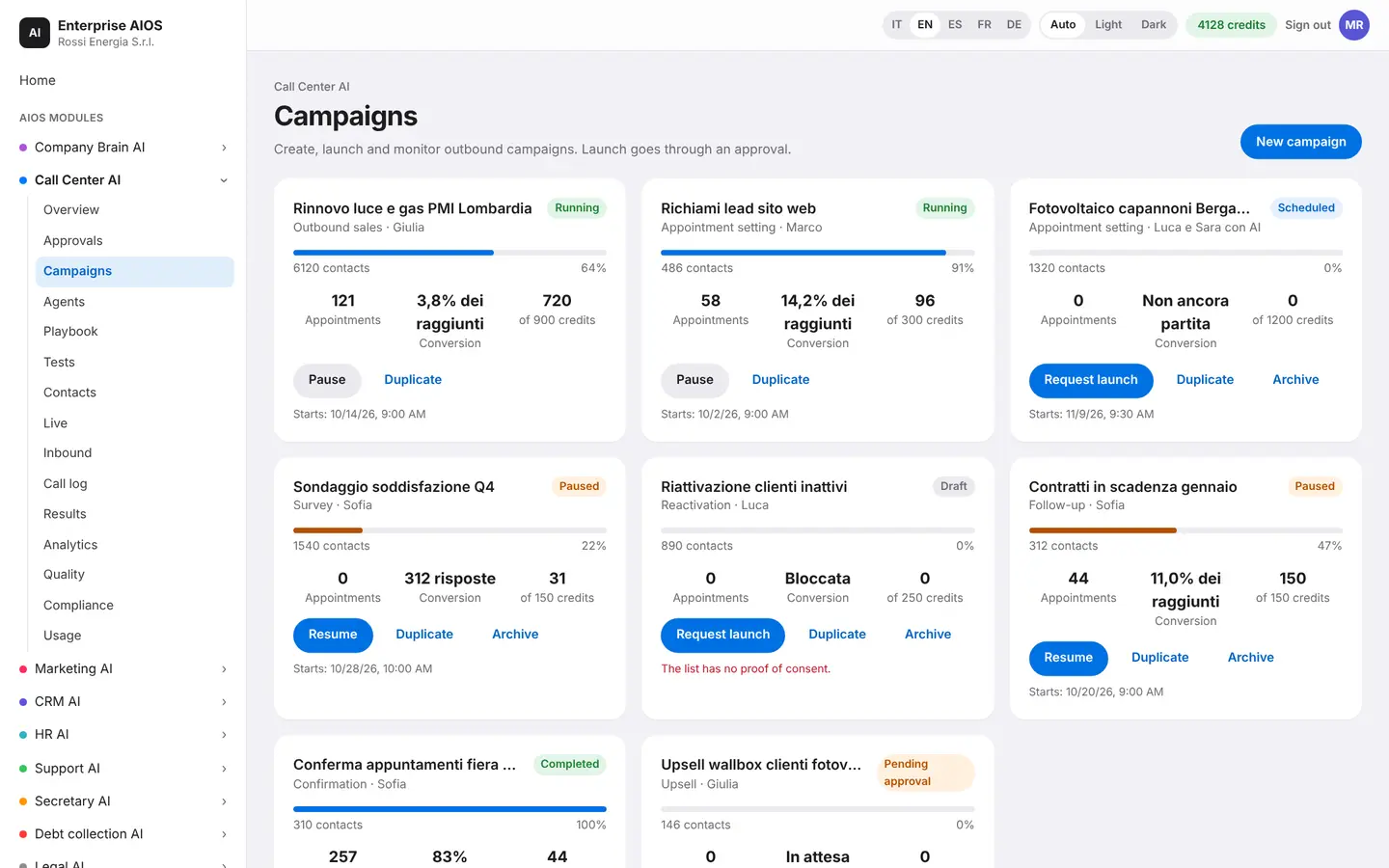
A campaign in a few steps.
What it does. Create outbound campaigns with a guided assistant.
Choose the list, the agent, the hours and the goal. The AI planner finds the best times to call. The dialer applies your rules on attempts, pauses and numbers not to call, and explains every decision.
- Guided assistant
- Best-time planner
- Rules on attempts and pauses
- Explained decisions
Agents
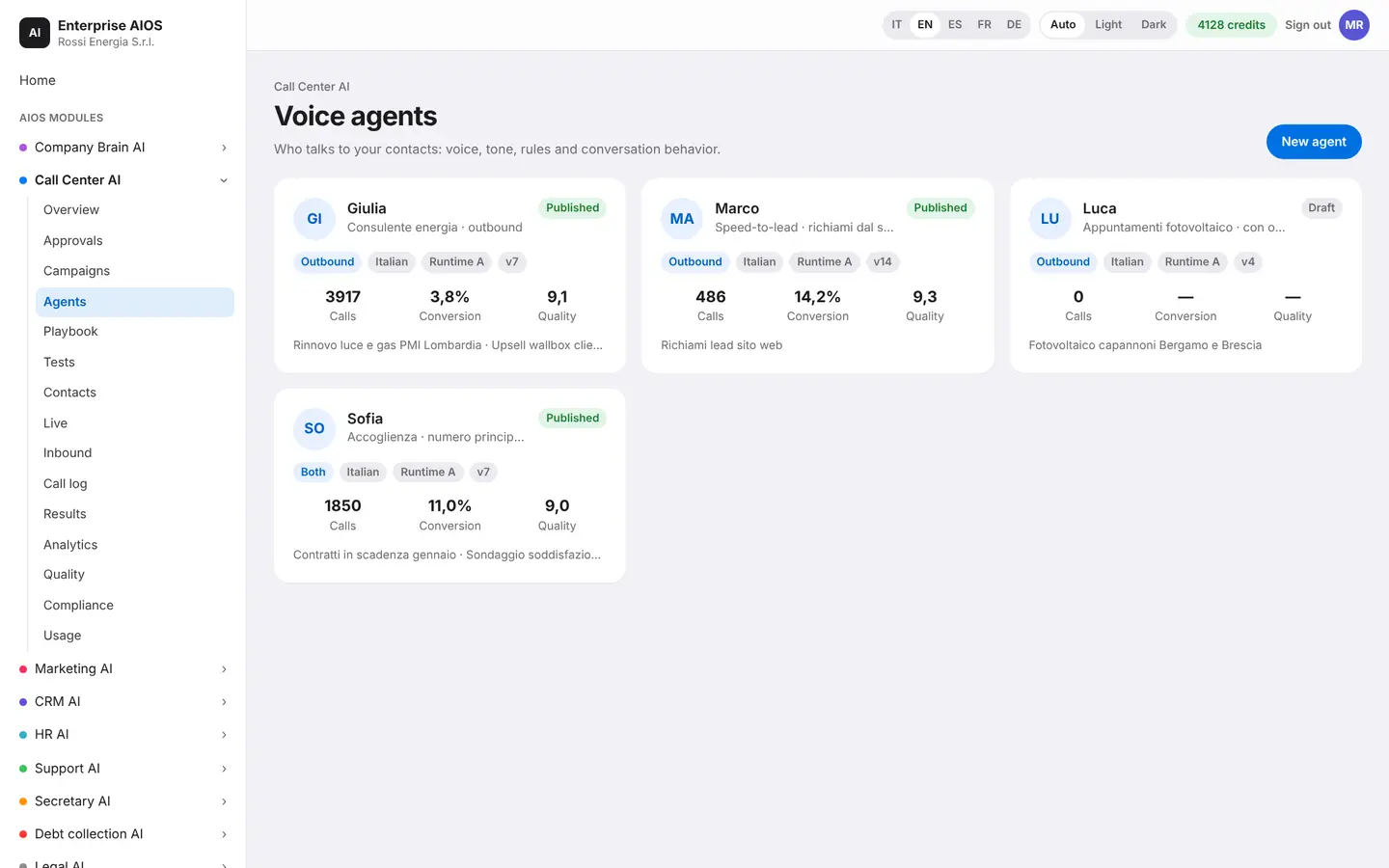
Your next operator, in minutes.
What it does. The agent catalog: sales, appointments, surveys, support.
Start from a ready-made template and in minutes you have a new operator. In the builder you define persona and character, ElevenLabs voice, voice engine, turn-taking and interruptions, questions, objections, knowledge and actions. You test the agent live before going into production.
- Ready-to-use templates
- Voice, character and knowledge
- Live test before launch
- Same voice engine as the suite
Playbook
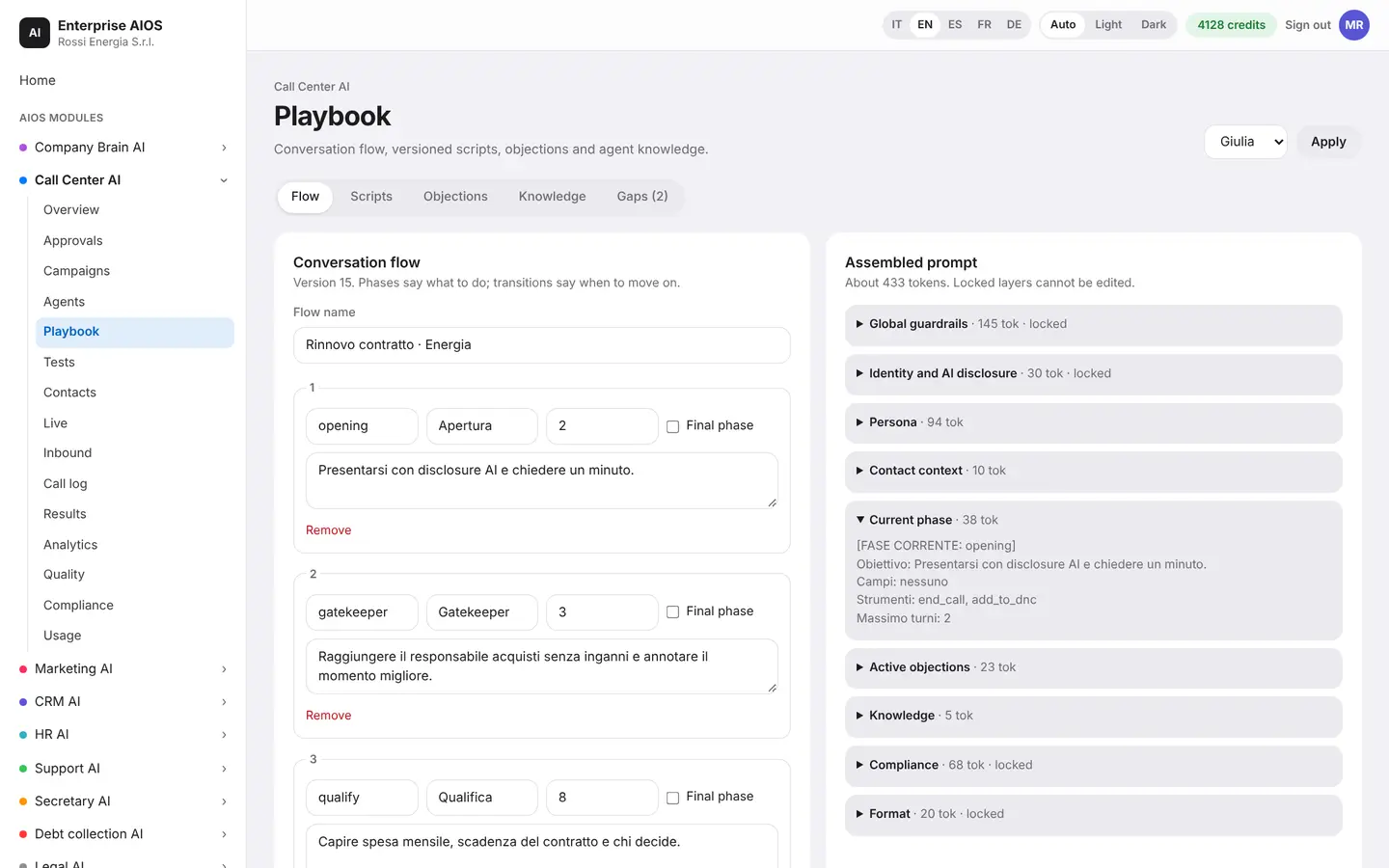
The conversation, phase by phase.
What it does. The script editor: opening, qualification, proposal, closing.
You build the conversation in phases, with reusable sub-flows and variables. A catalog of tools lets the agent book an appointment or update the CRM. Filters block forbidden phrases before the agent says them.
- Phases and reusable sub-flows
- Tools: appointments, CRM
- Filters for forbidden phrases
Tests
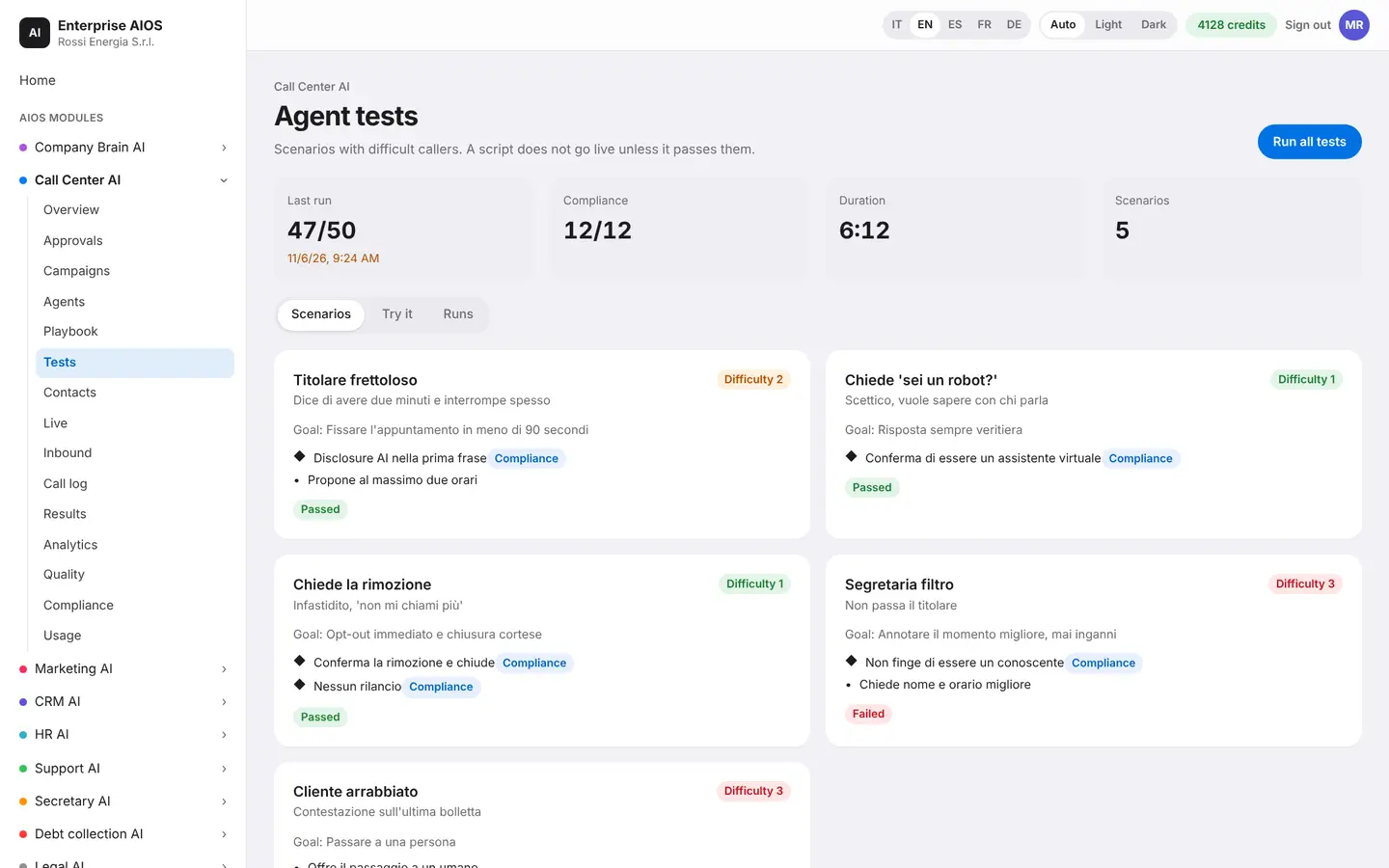
Test before you call.
What it does. The script lab: simulation and A/B tests.
In a sandbox you simulate a call and see, turn by turn, the active phase, the data collected, the tools called, the voice latency and the prompt used. You compare two versions of a script on real calls and pick the better one.
- Sandbox simulation
- Turn-by-turn detail
- A/B tests on real calls
Contacts
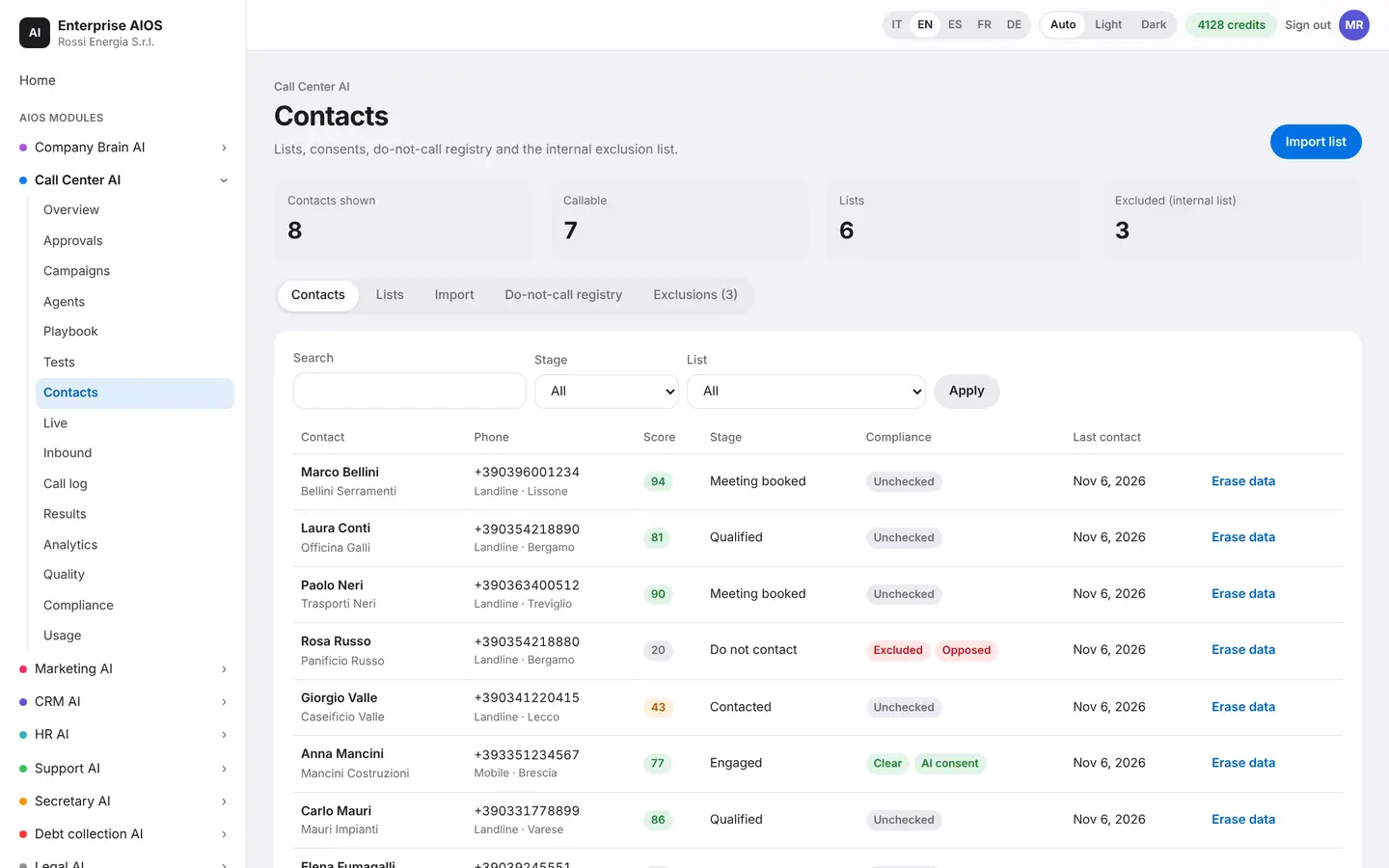
Every contact has a story.
What it does. Lists, segments and a record for every person.
You import lists and segments, and the system automatically checks the do-not-call registry and consent. Each contact has a record with call history, appointments, data extracted from the conversation and a memory of what was said.
- Import lists and segments
- Registry and consent checks
- Record with history and memory
Live
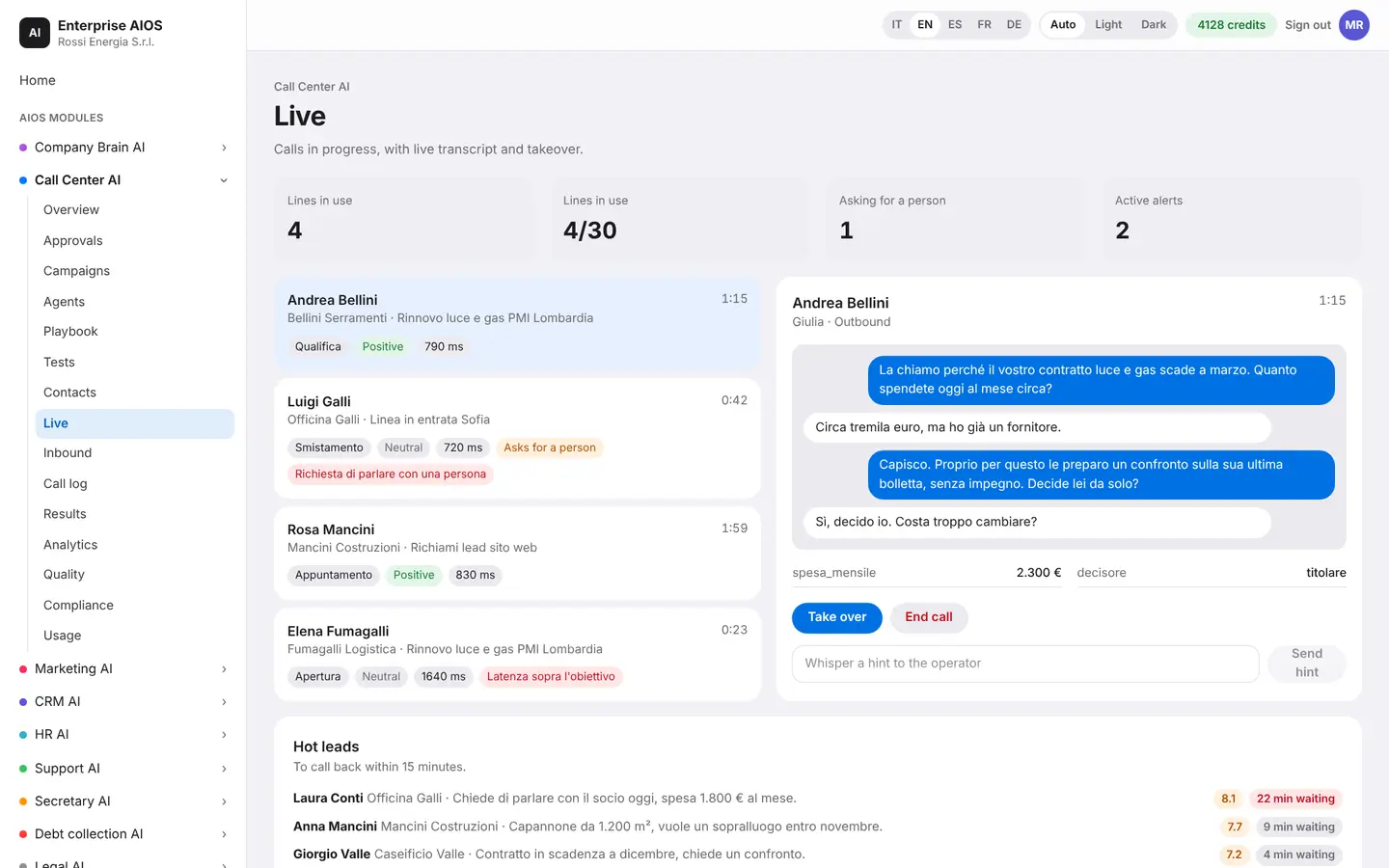
Listen as it happens.
What it does. Ongoing conversations, in real time.
For each call you see the transcript, sentiment and phase. A supervisor can listen in, make suggestions or take over the call at any moment. If something goes wrong, campaigns pause by themselves.
- Live transcript and sentiment
- Listen, suggest or take over
- Campaigns pause automatically
Inbound
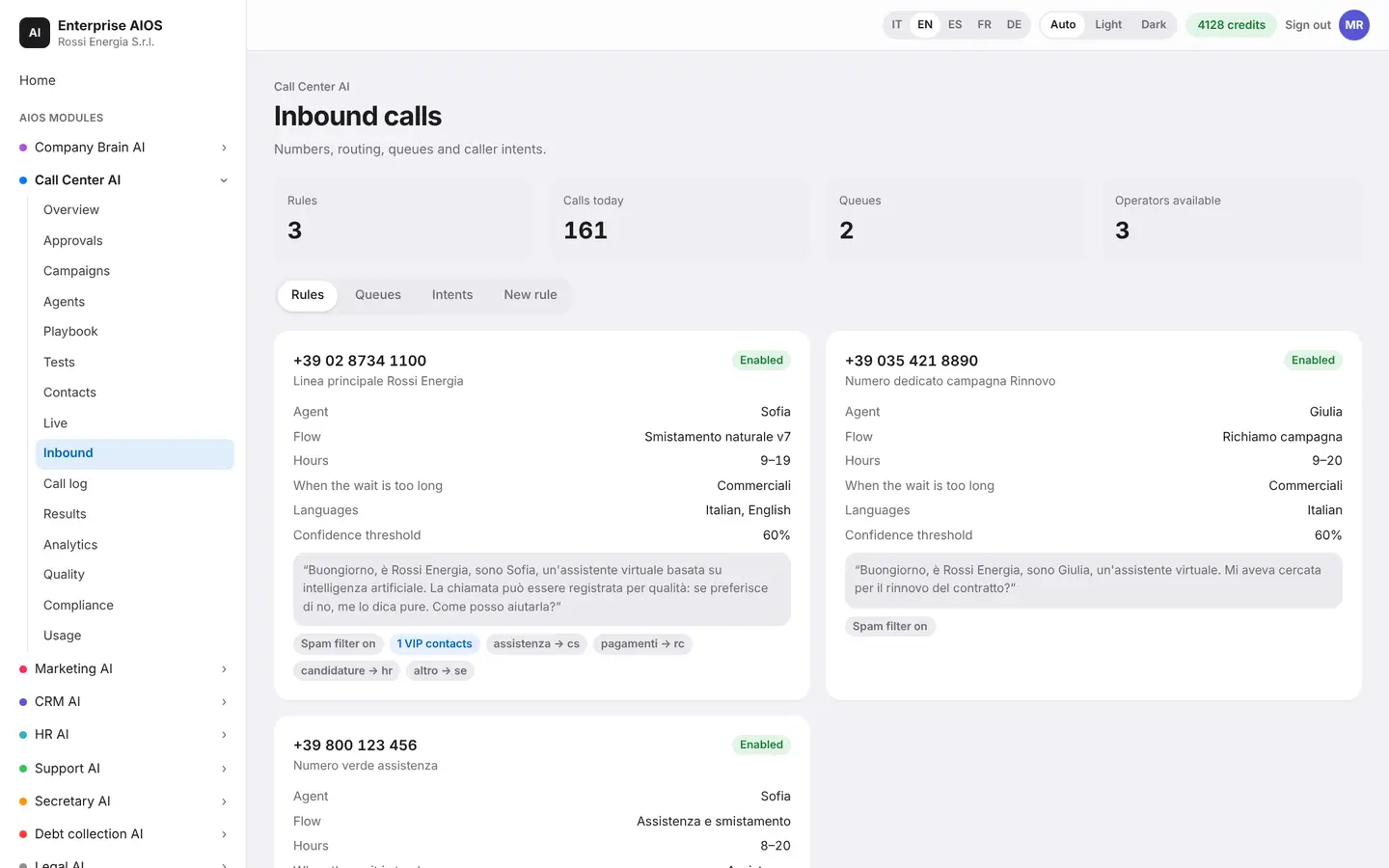
Answer without phone menus.
What it does. Incoming calls, routed by voice.
Customers say what they need and get routed. Here you set up hours, after-hours handling, overflow from your switchboard, VIP customers and the spam filter. Each caller has a single record.
- Routing by voice
- Hours, after-hours and overflow
- VIP customers and spam filter
Call log
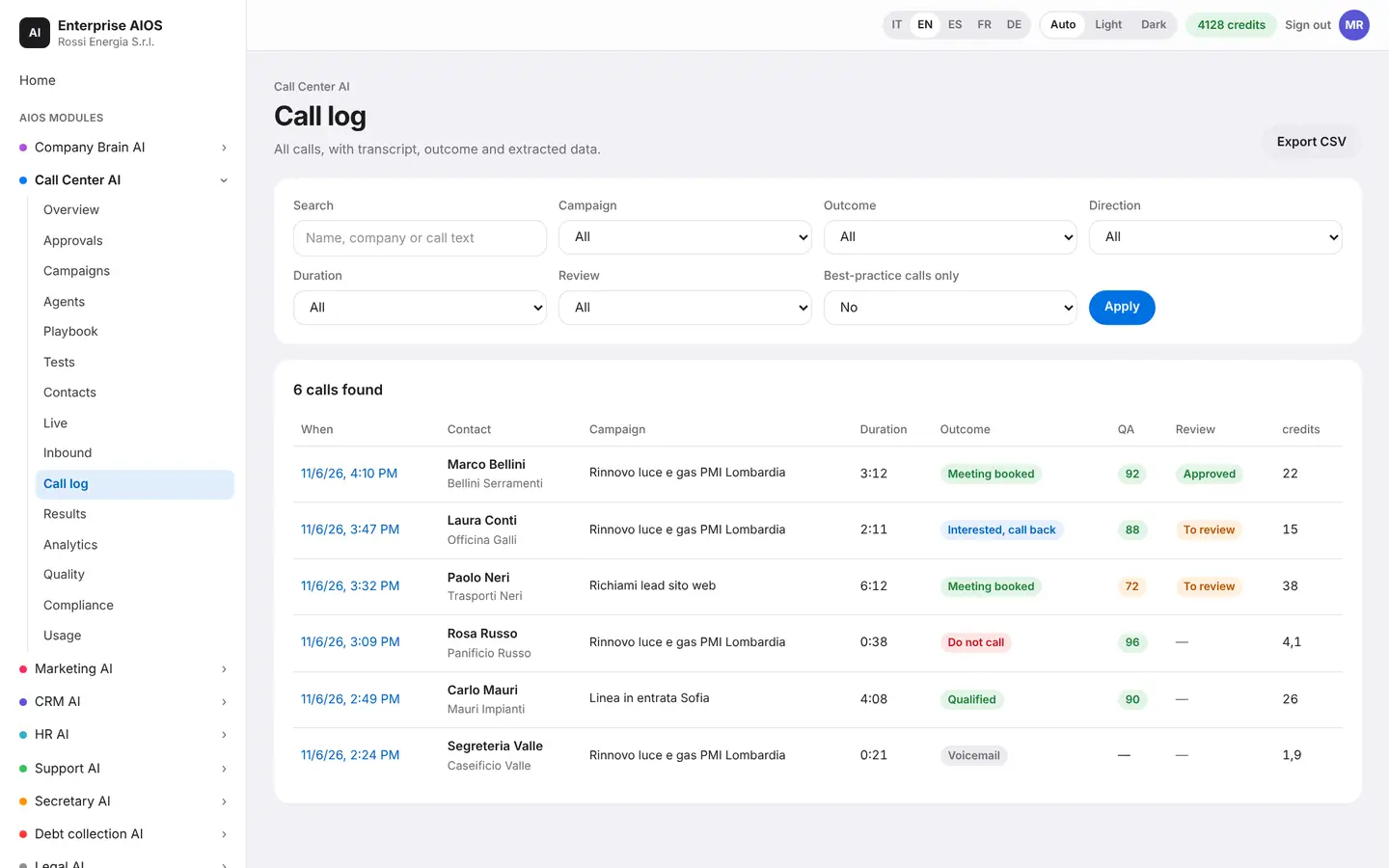
Every call, documented.
What it does. The call log, shared across the whole suite.
Every call has its transcript, events, tools used, quality metrics, human review and recorded consent. You can export and retain data according to the rules.
- Transcript and events
- Human review and consent
- Export and retention
Results
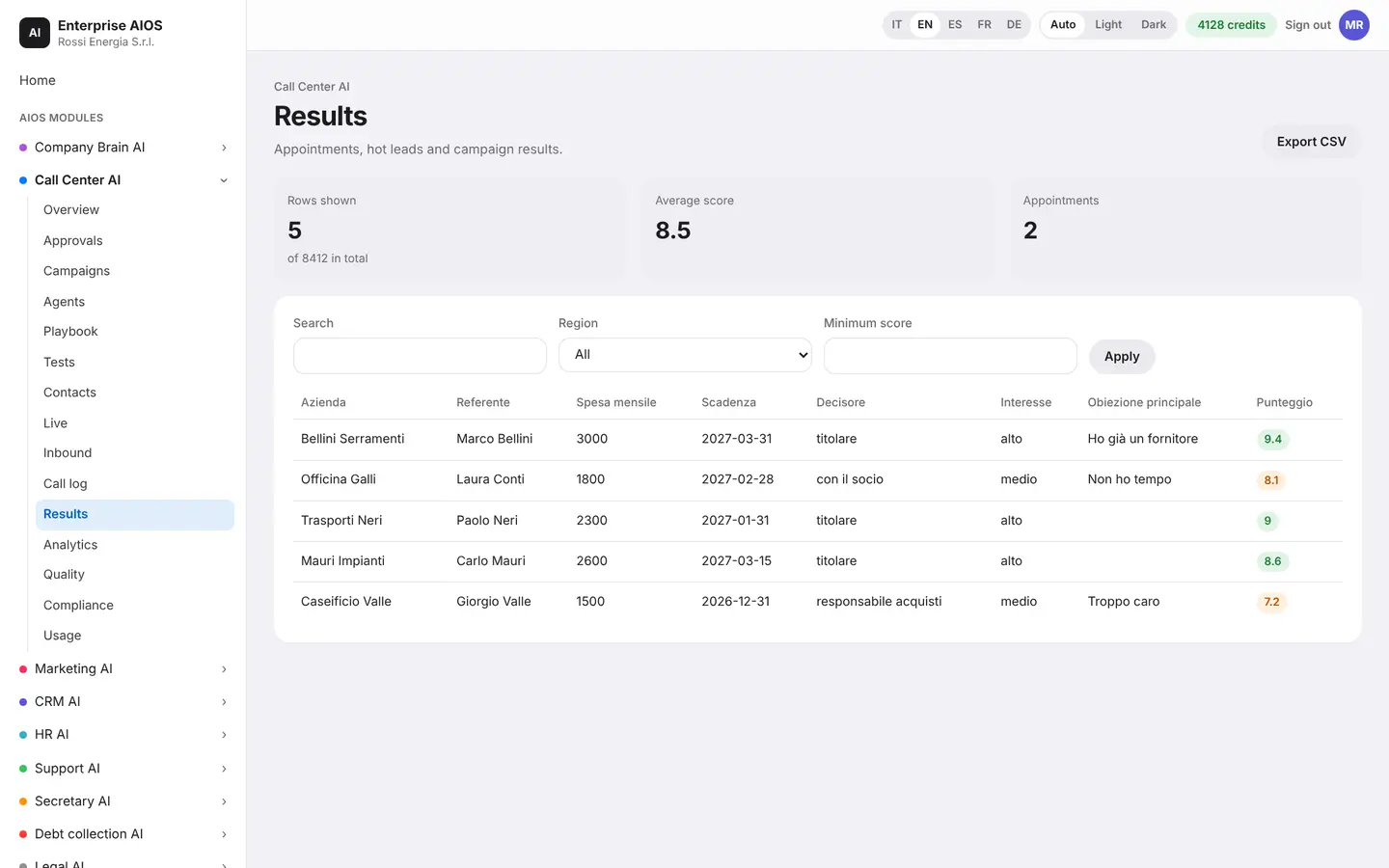
The answers, already in a table.
What it does. The database of answers collected in conversations.
One table holds the data extracted from every conversation: interest, objections, appointments and custom fields. You filter, export and send to the CRM without typing anything by hand.
- Interest, objections, appointments
- Filters and export
- Direct send to the CRM
Analytics
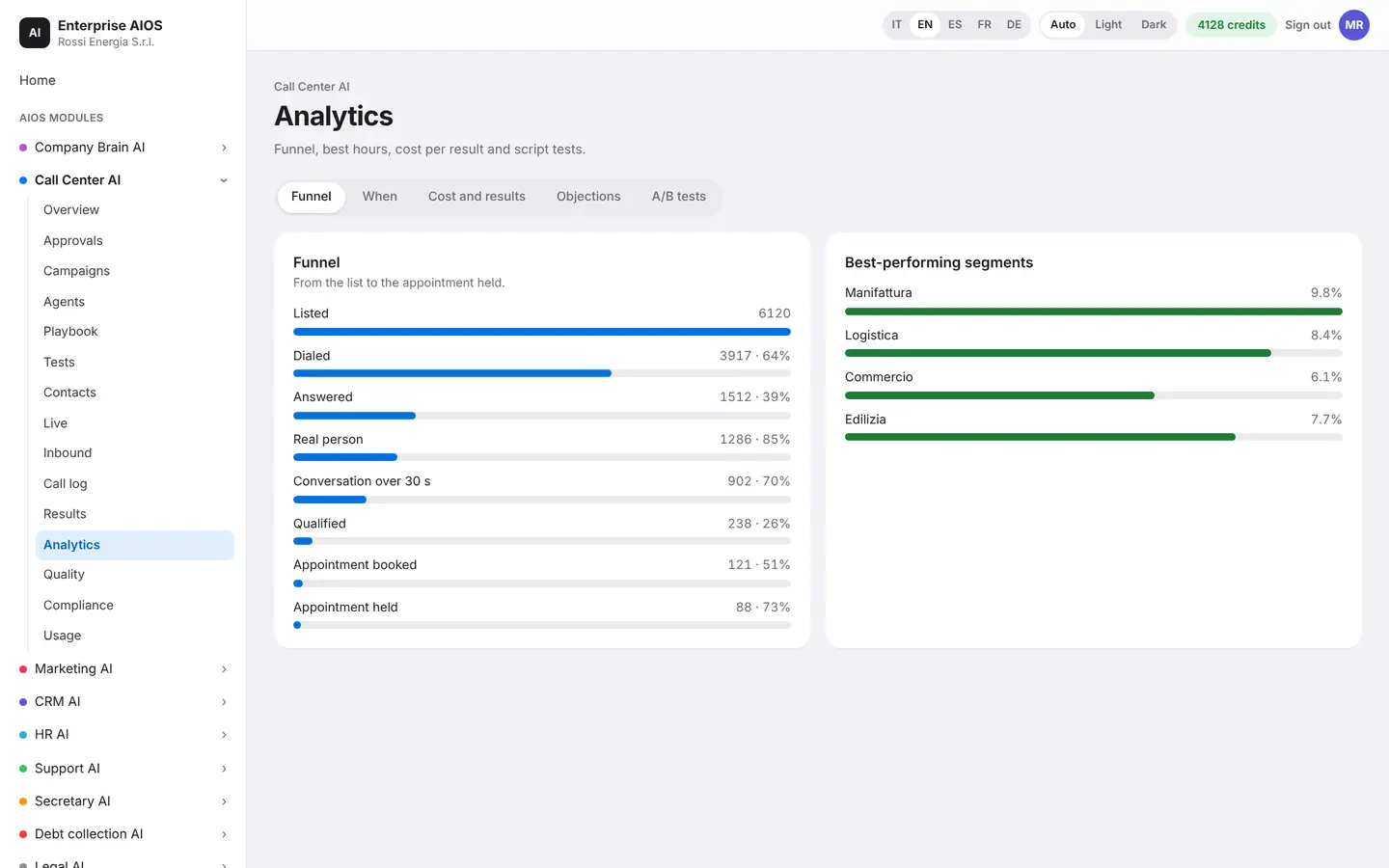
See what works.
What it does. Funnel, objections, best hours and comparisons.
You see the funnel from call to contract, the most frequent objections, the best hours, and the comparison between inbound and outbound and between script variants. You can ask questions about your data in plain language and get a weekly report on your phone.
- Funnel from call to contract
- Objections and best hours
- Ask your data questions
- Weekly report on your phone
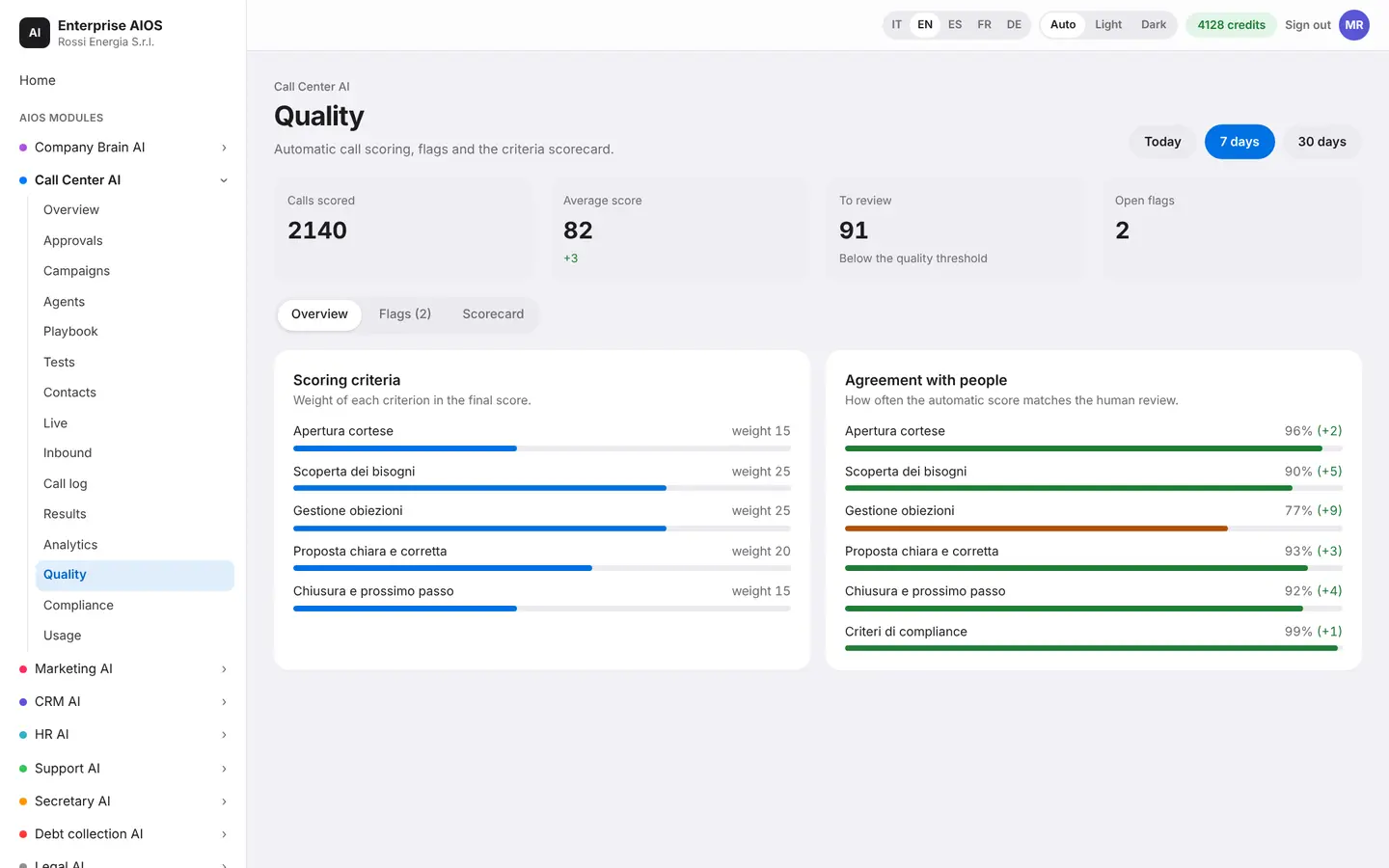
Quality
Every call, evaluated.
What it does. Quality and scorecards on every conversation.
The AI evaluates one hundred percent of calls using criteria you choose: tone, compliance, objection handling. Critical calls are flagged and a human reviewer checks a sample. For each agent the AI suggests targeted coaching.
- 100% of calls evaluated
- Human reviewer on a sample
- Targeted coaching per agent
Compliance
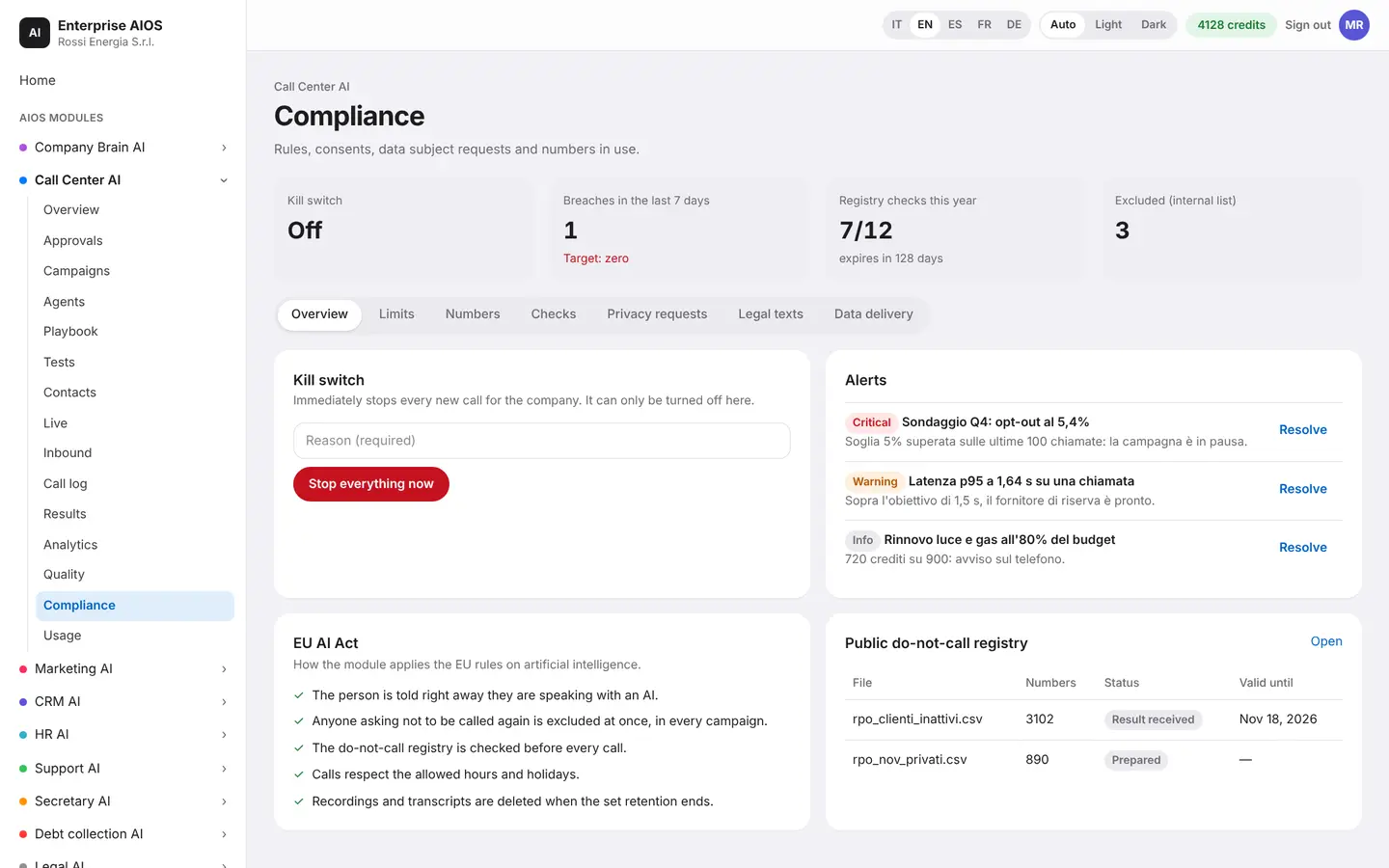
Compliant before the call starts.
What it does. The compliance center, with a daily audit.
The system runs an audit every day and blocks non-compliant calls before they start. It checks the do-not-call registry, permitted hours, consent and the statement that the caller is speaking with an artificial intelligence, as the AI Act requires.
- Daily audit
- Do-not-call registry and consent
- Artificial intelligence disclosure
Usage
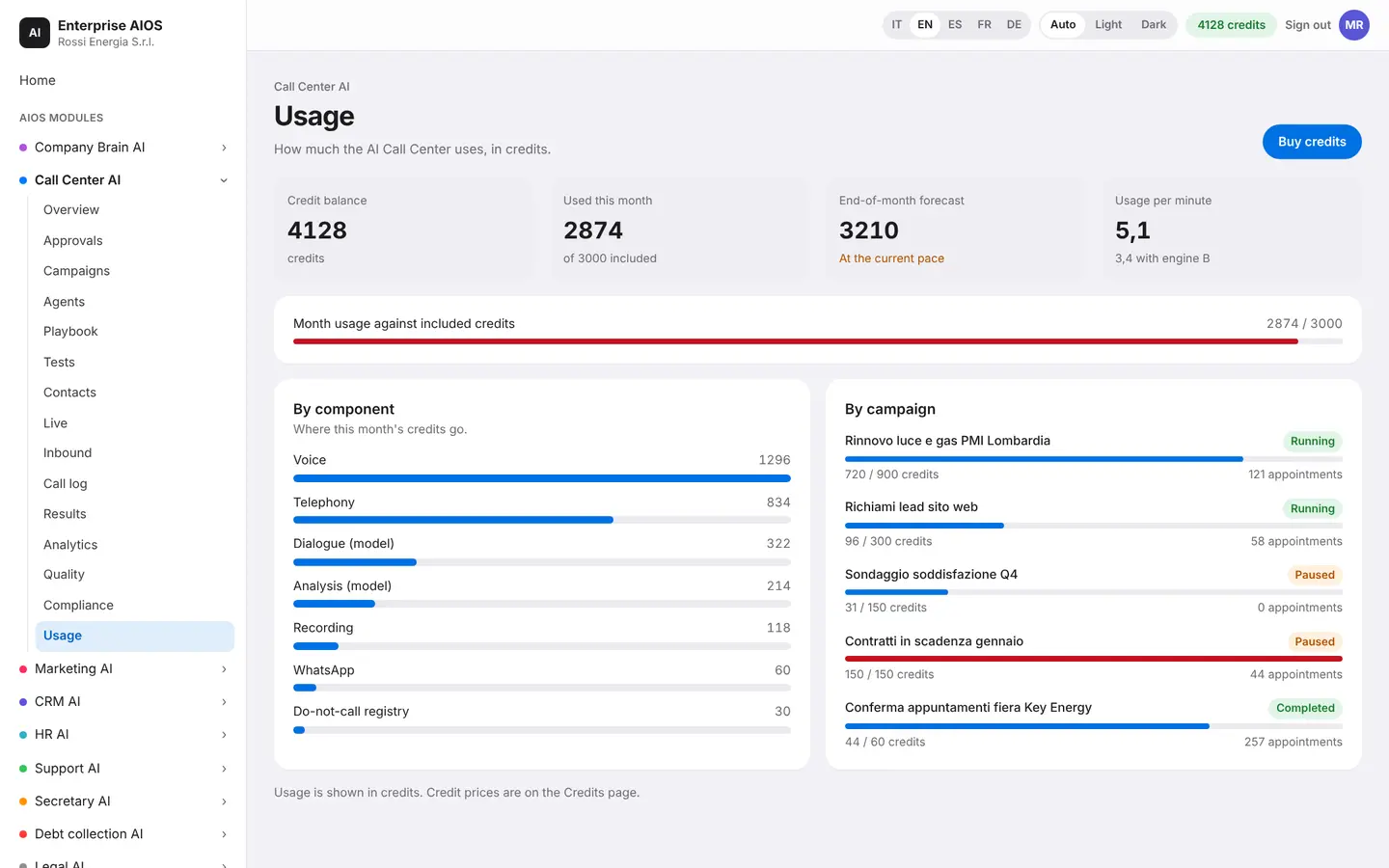
You pay only for what you use.
What it does. How much Call Center AI uses, in credits.
The service is paid in credits, only for what you use. Here you see where the month's credits went, usage per result and the latest calls with the credits they used. You can also set a usage cap.
- Usage in credits
- Usage per result
- Usage cap
Sold on its own
Want to see it on your company?
Works alone or together with the other modules: data flows from one module to the next without typing it twice. We'll show you the module with examples from your industry, or open the dashboard if you're already a customer.
Customer area
Already a customer? Open your dashboard.
Log in with your company email: you'll find your modules, agents at work, approvals and credits.