CRM AI · Sales
A simple CRM, already connected.
Built for small businesses, it is already connected to Call Center AI, Marketing AI and the other modules. An assistant answers any question about your customers.
- Already connected.Deals appear on their own from Call Center AI calls and Marketing AI leads.
- No customer forgotten.Follow-up cadences schedule the next contact on their own when a lead does not reply.
- Always under control.Sensitive actions always need a person's approval. Every automation run is logged.
Every feature
Every screen, explained.
Overview
Today's sales at a glance.
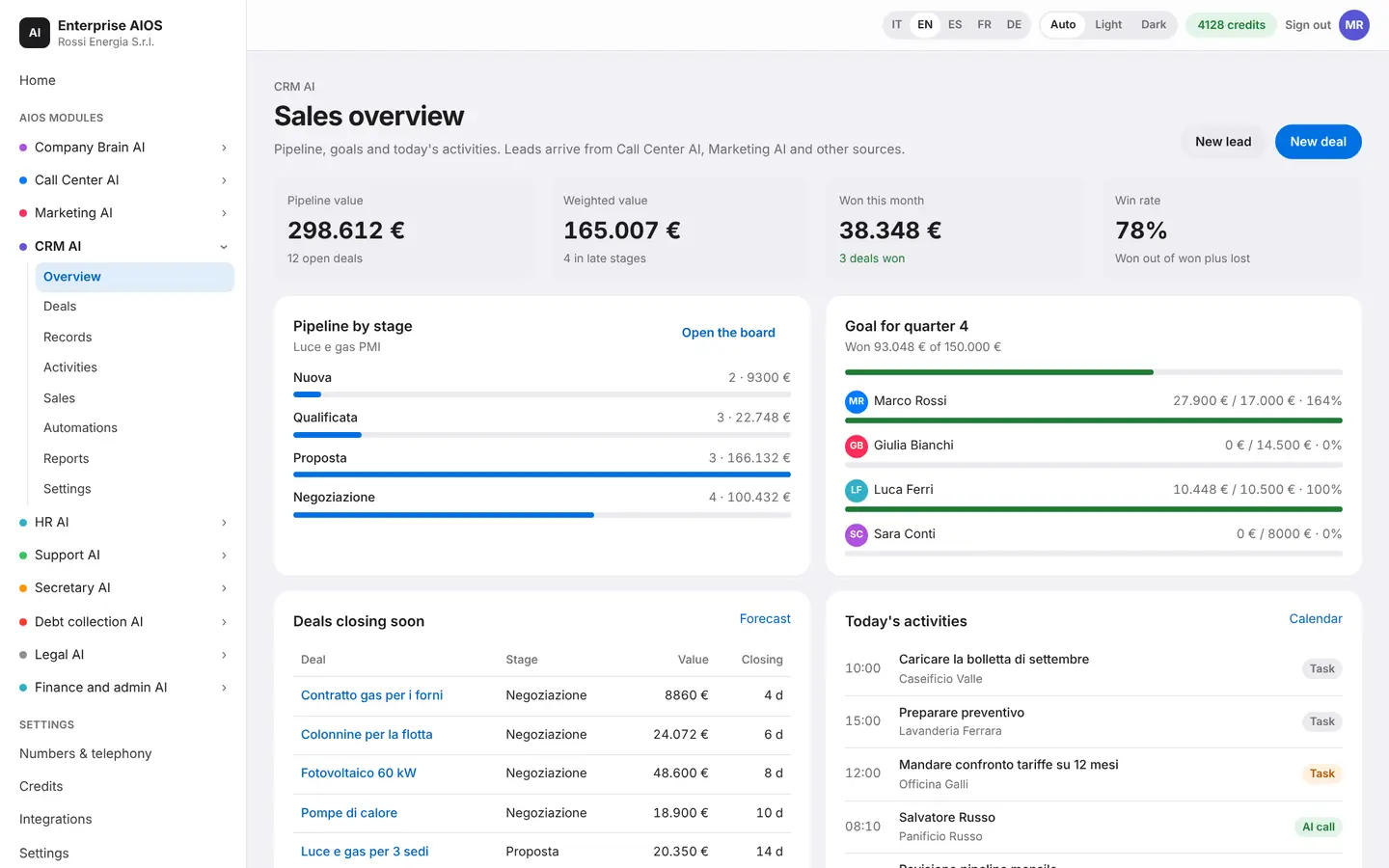
What it does. Pipeline, activities, goal and leads on a single screen.
You see the pipeline by stage, today's activities and the quarter's goal. Further down you find incoming leads and deals about to close. An assistant answers questions about your customers. Its answers are generated by the AI from your CRM data, so check them before you act.
- Pipeline by stage
- Quarter goal
- Leads and deals about to close
- Assistant for your customers
Deals
The pipeline in columns.
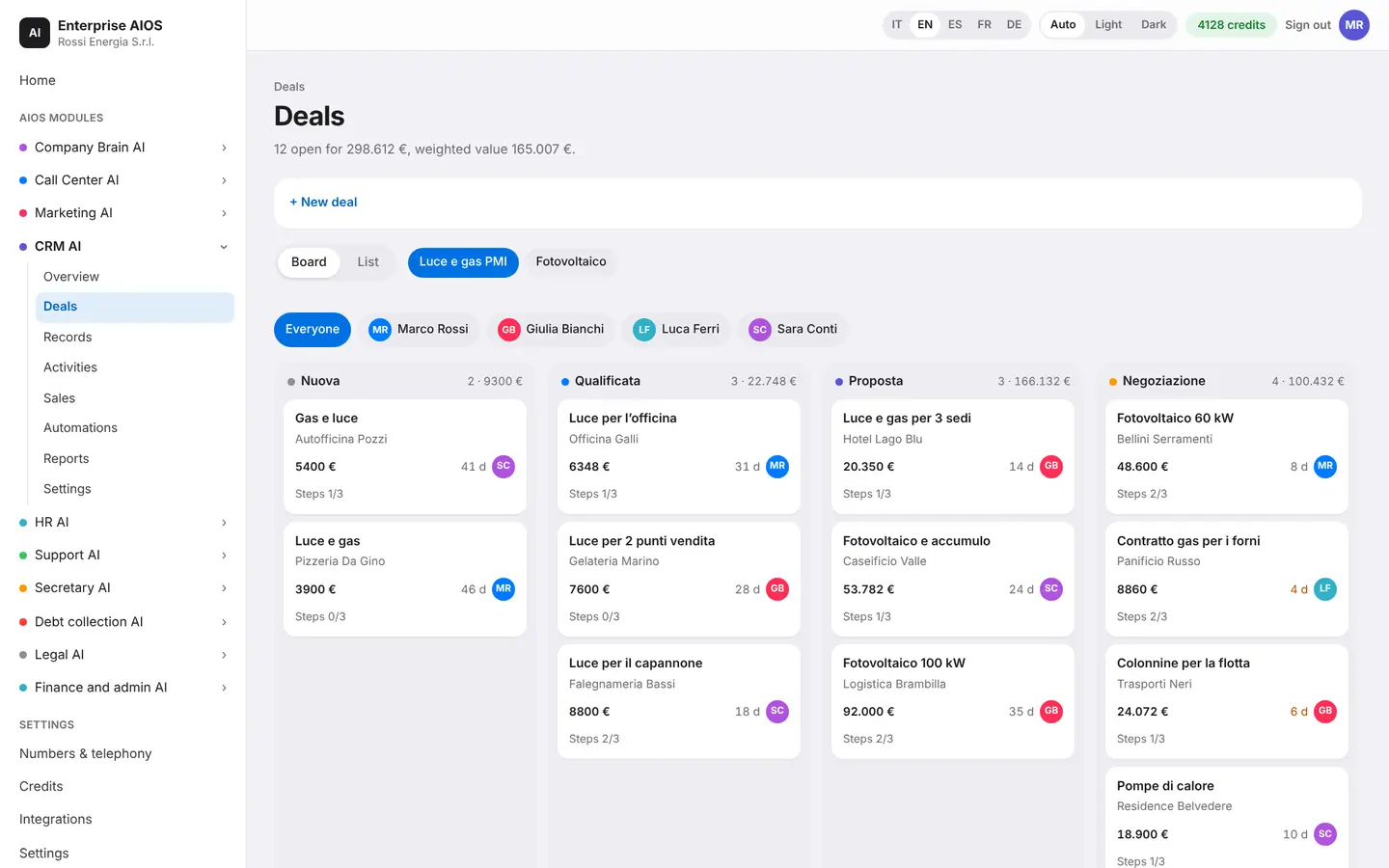
What it does. Drag deals from one stage to the next.
Each card shows calls, emails, quotes and next steps. Some stages require mandatory steps: until they are done, the deal cannot move on. Deals appear on their own from Call Center calls and Marketing leads.
- Drag between stages
- Calls, emails, quotes
- Mandatory steps per stage
- Born from calls and leads
Records
Records that stay clean.
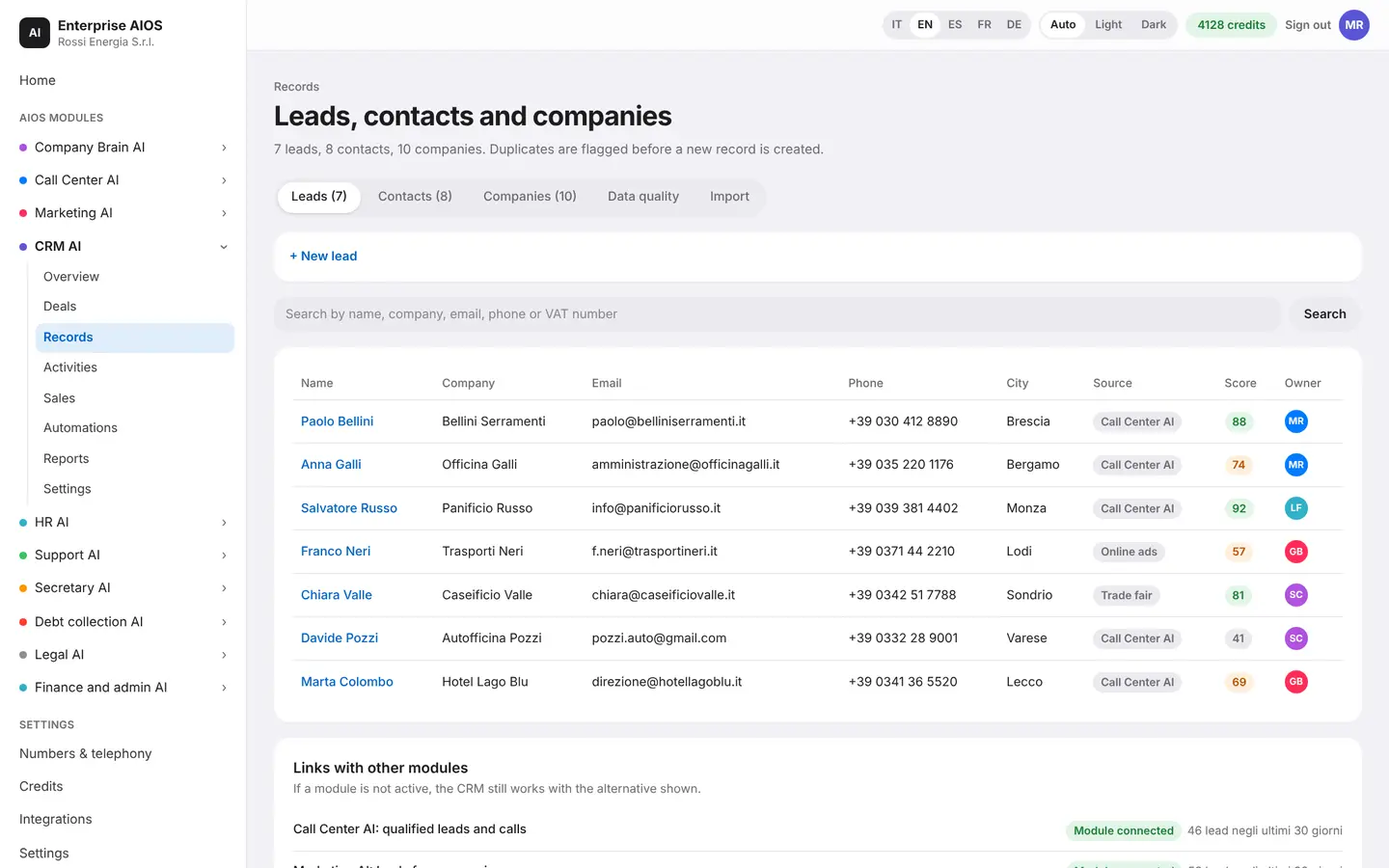
What it does. Leads, contacts and companies in one place.
For each lead you see where it came from. The quality check flags duplicates, missing fields and wrong numbers, and duplicates are flagged before a new record is created. The assistant enriches and merges records.
- Source of every lead
- Duplicates and missing fields
- Wrong numbers flagged
- Records enriched and merged
Activities
No customer forgotten.
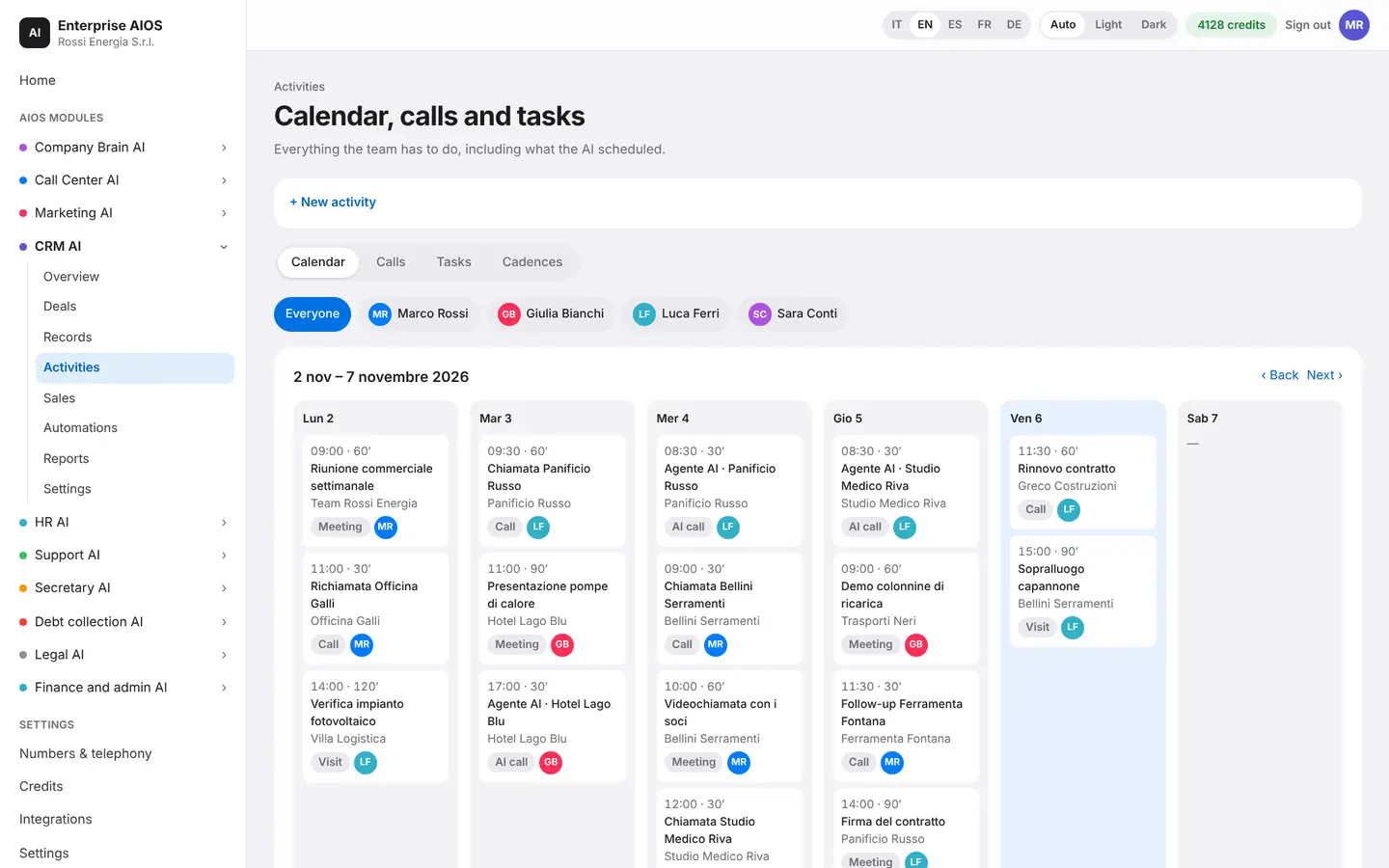
What it does. Organizes calls, appointments and reminders.
The calendar gathers what the team has to do during the week, including activities scheduled by the AI. If a lead does not reply, follow-up cadences schedule the next contact on their own. You also see calls by operators and the AI agent, with score and summary.
- Calls, appointments, reminders
- Follow-up cadences
- Next contact scheduled for you
- Calls with a score
Sales
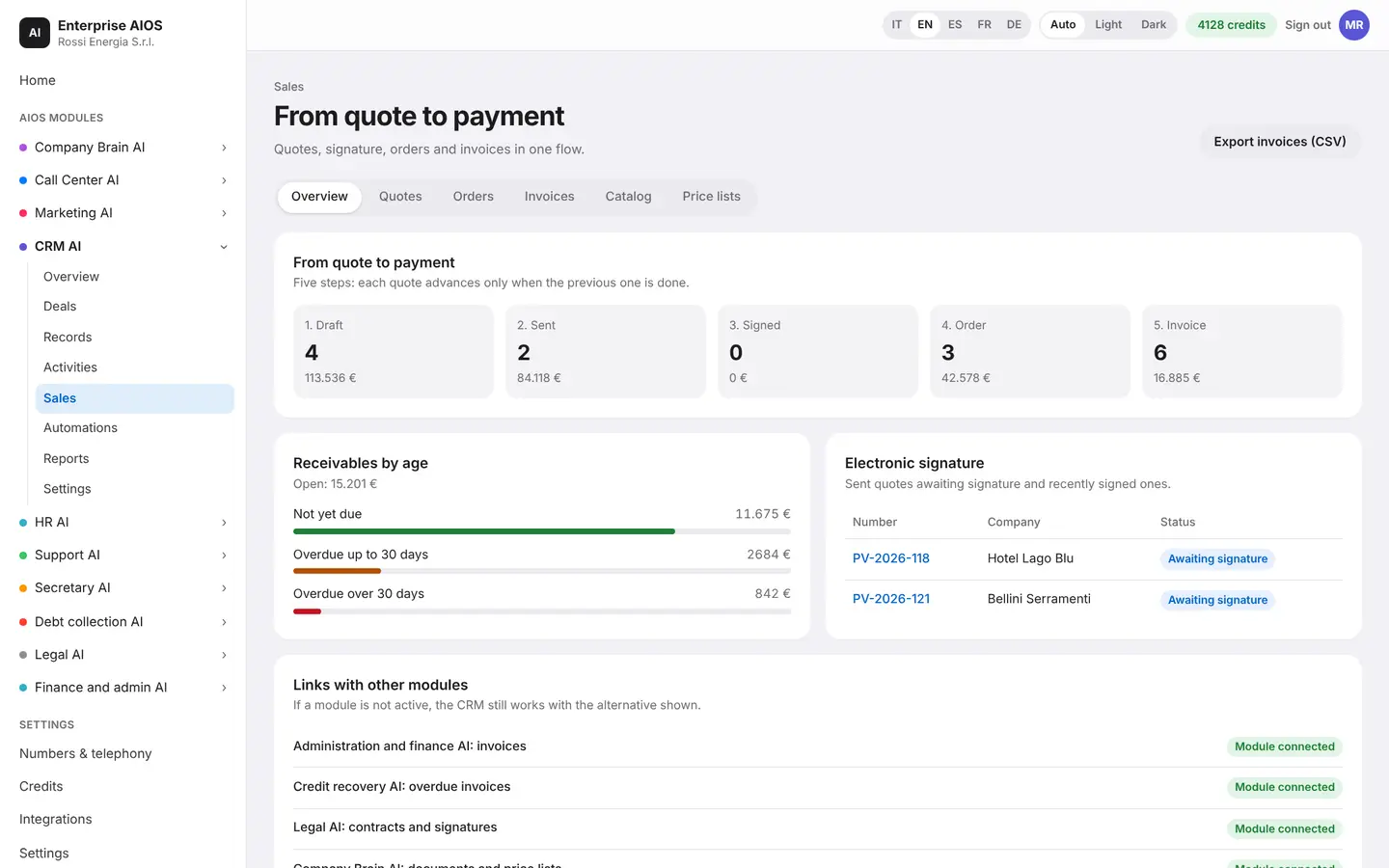
From quote to payment.
What it does. Follows quotes, signature, invoice and transactions.
The quote is born from the deal. You send it for electronic signature and see which ones are still waiting. When the customer signs, the deal closes on its own. Above certain thresholds, a quote does not go out without a person's approval.
- Quotes from the deal
- Electronic signature
- Invoice and transactions
- Deal closes at signature
Automations
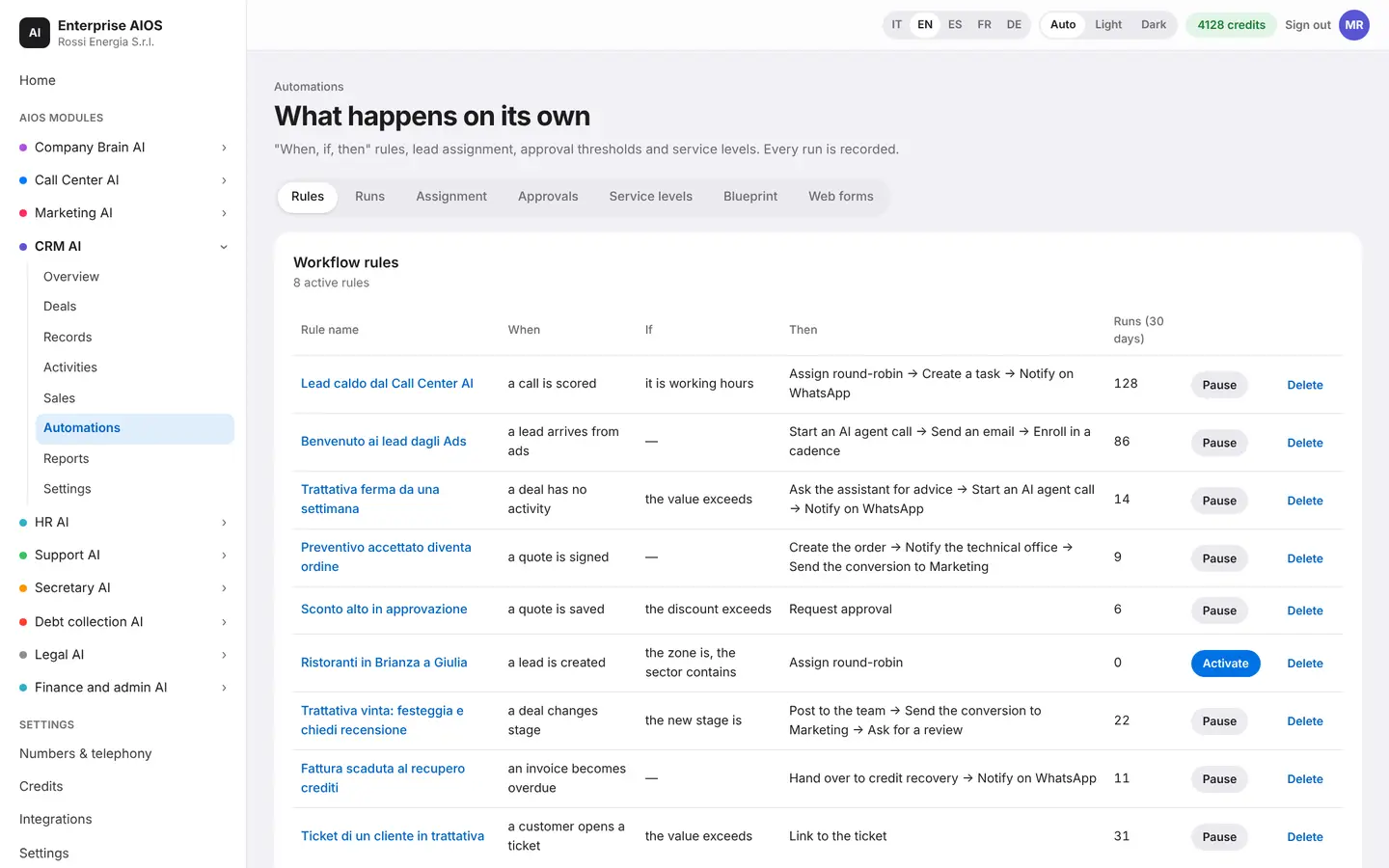
Rules without coding.
What it does. Create rules: when something happens, do this.
You build the rules for your work without writing code. The assistant suggests useful ones and you install one with a click. The latest runs show what the AI did and with what result. Sensitive actions always need a person's approval.
- When, if, then
- Assistant suggestions
- Latest runs visible
- Sensitive actions need approval
Reports
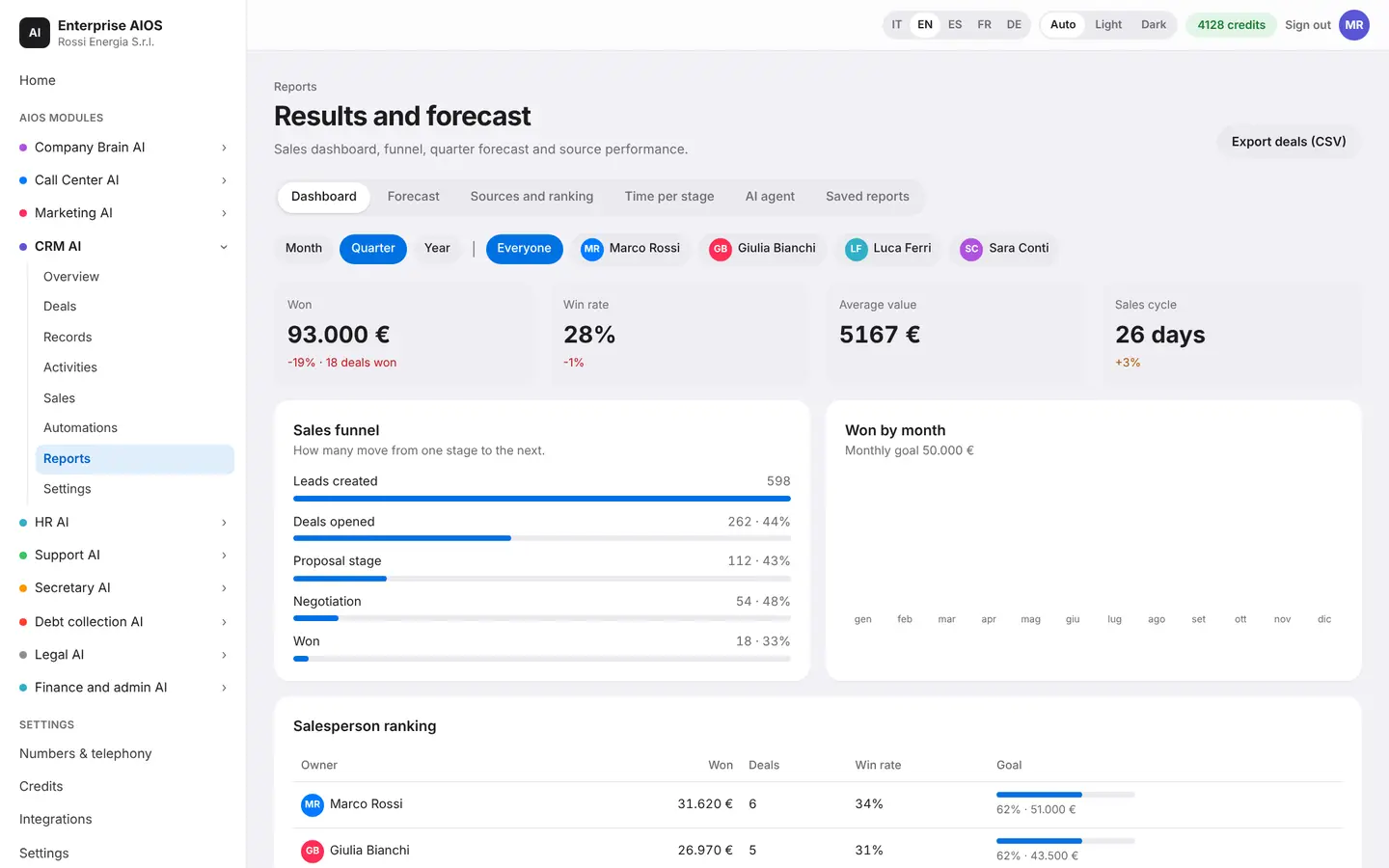
The sales dashboard.
What it does. Shows the funnel, forecasts and team performance.
You see the funnel, wins by month and the quarter forecast. You understand where leads come from, who leads the sales ranking and where deals get stuck. You also find how the AI agent's calls perform.
- Funnel and quarter forecast
- Lead sources
- Sales team ranking
- Average time per stage
Settings
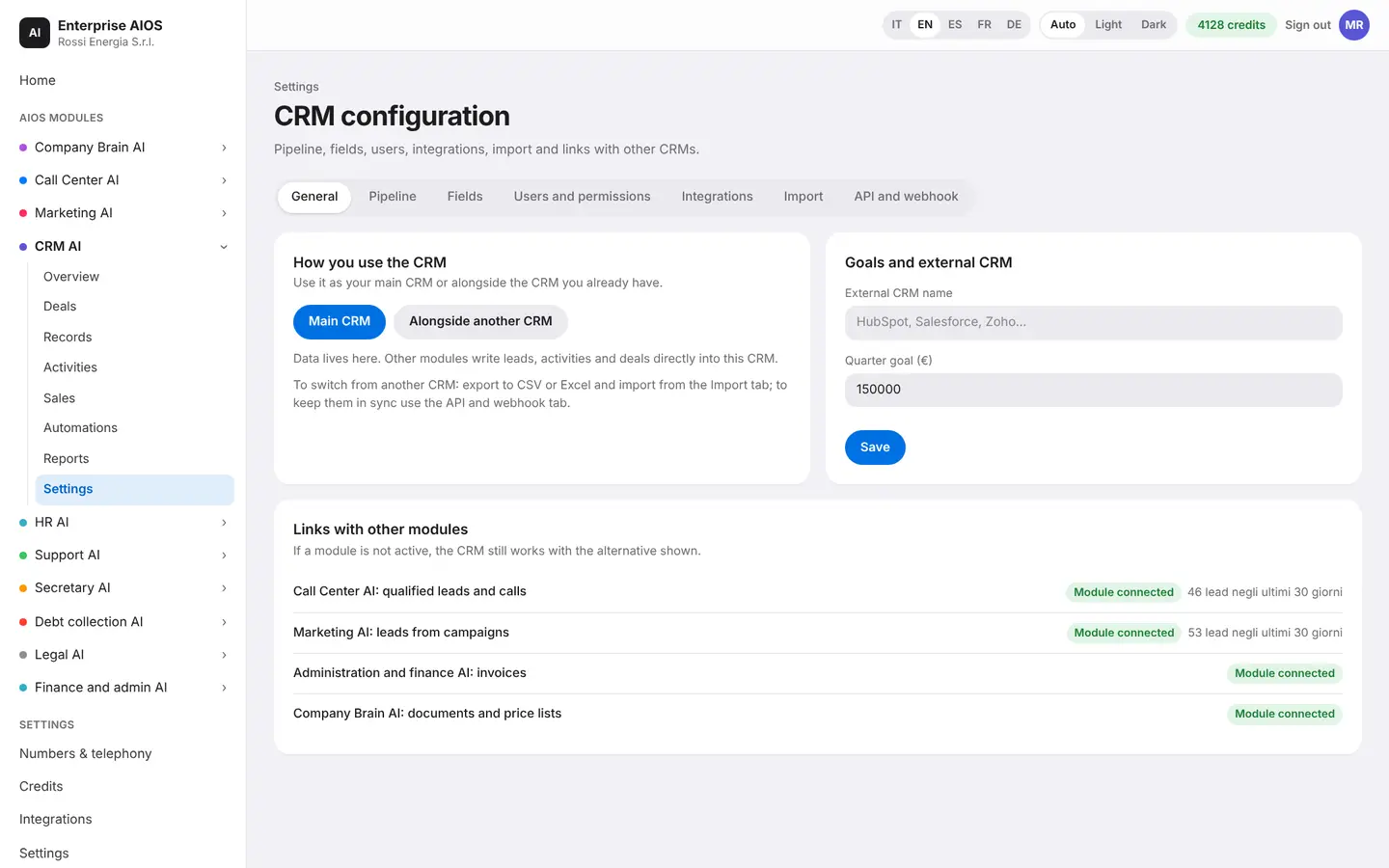
Made to fit your business.
What it does. Customize fields, stages, users and permissions.
You adapt the pipeline stages and fields to your industry. You choose who works in the CRM and what they can see. You import from Excel or migrate from another CRM in a few steps, without losing your history. Before you confirm, you see a preview with the duplicates.
- Fields and stages to fit
- Users and permissions
- Import from Excel
- Migration with full history
Sold on its own
Want to see it on your company?
Works alone or together with the other modules: data flows from one module to the next without typing it twice. We'll show you the module with examples from your industry, or open the dashboard if you're already a customer.
Customer area
Already a customer? Open your dashboard.
Log in with your company email: you'll find your modules, agents at work, approvals and credits.