Marketing AI · Marketing
A whole agency, in one module.
It decides where to spend, creates the ads, posts on social media and explains every choice. You approve, the AI does the work.
- You stay in control.Three modes: advice only, with approval, or autopilot. An emergency stop halts every automatic change at once.
- Every choice has a reason.The log shows every change with its reason and the data used. You can undo it within 7 days.
- Ads that follow the rules.Every ad goes through compliance checks before it is published. You pay in credits, only for what you use.
Every feature
Every screen, explained.
Creative
One brief. Every ad, in every format.
Describe what you want to promote in one line: Marketing AI creates images and copy for Instagram, Stories, TikTok, Facebook, LinkedIn and Google, checks them and asks for your approval.

rossienergia Panels, inverter and battery installed by local technicians. Quote within 48 hours.

Light bills.Heat pump from €79 a month
Our technicians install your heat pump in one day, anywhere in Lombardy. Free survey and paperwork included.

Warehouses and offices: charging for your electric fleet and business solar with a single contact. Free energy audit.

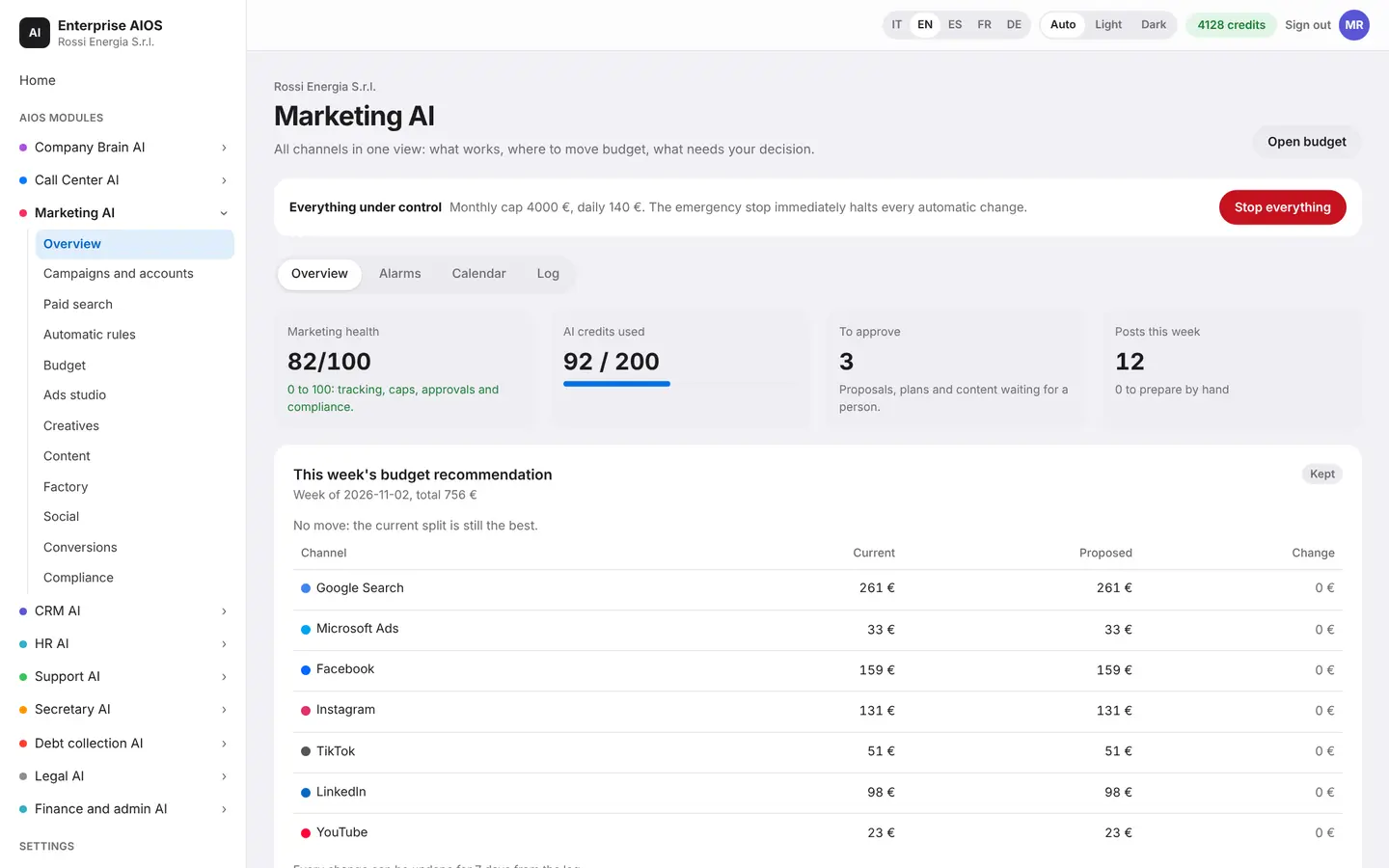
Overview
All your marketing in one view.
What it does. Shows every channel, the AI's suggestions and alerts.
The overview brings all your channels onto one screen. You see the AI suggestions waiting for your approval, the alerts that need attention and the Italian marketing calendar. At the bottom, you follow the path from ad to contract.
- Every channel in one view
- Suggestions to approve
- Alerts and Italian calendar
- From ad to contract
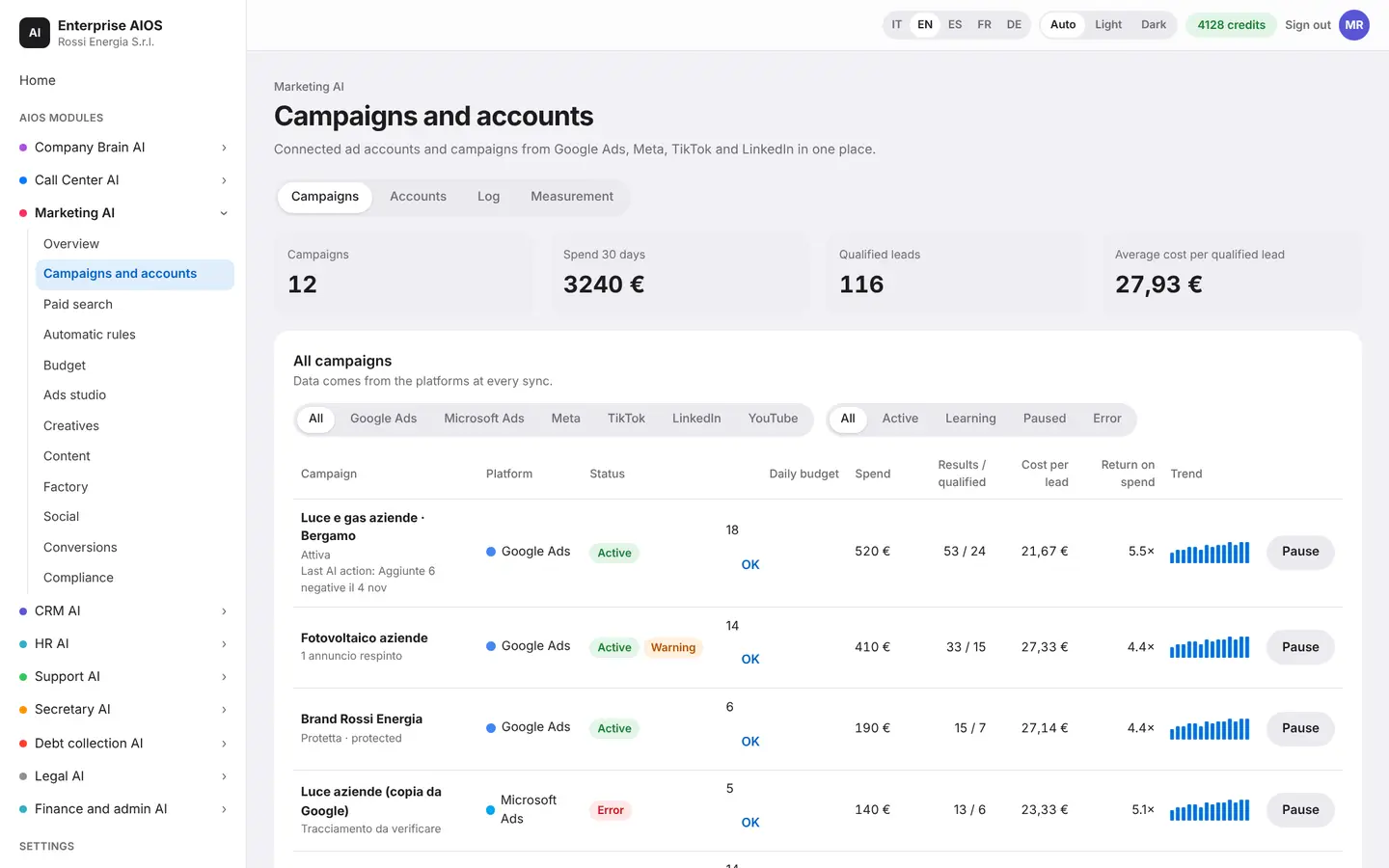
Campaigns and accounts
All your campaigns in one place.
What it does. Manages Google, Meta, TikTok and LinkedIn together.
You connect your ad accounts through each platform's authorization. Access codes are encrypted and never shown in the app. You see campaigns, spend, qualified contacts and alerts. A new campaign always starts paused and goes live only after you approve it. The log tracks every change.
- Connected accounts and alerts
- Conversion attribution
- Budget autopilot
- Log of every change
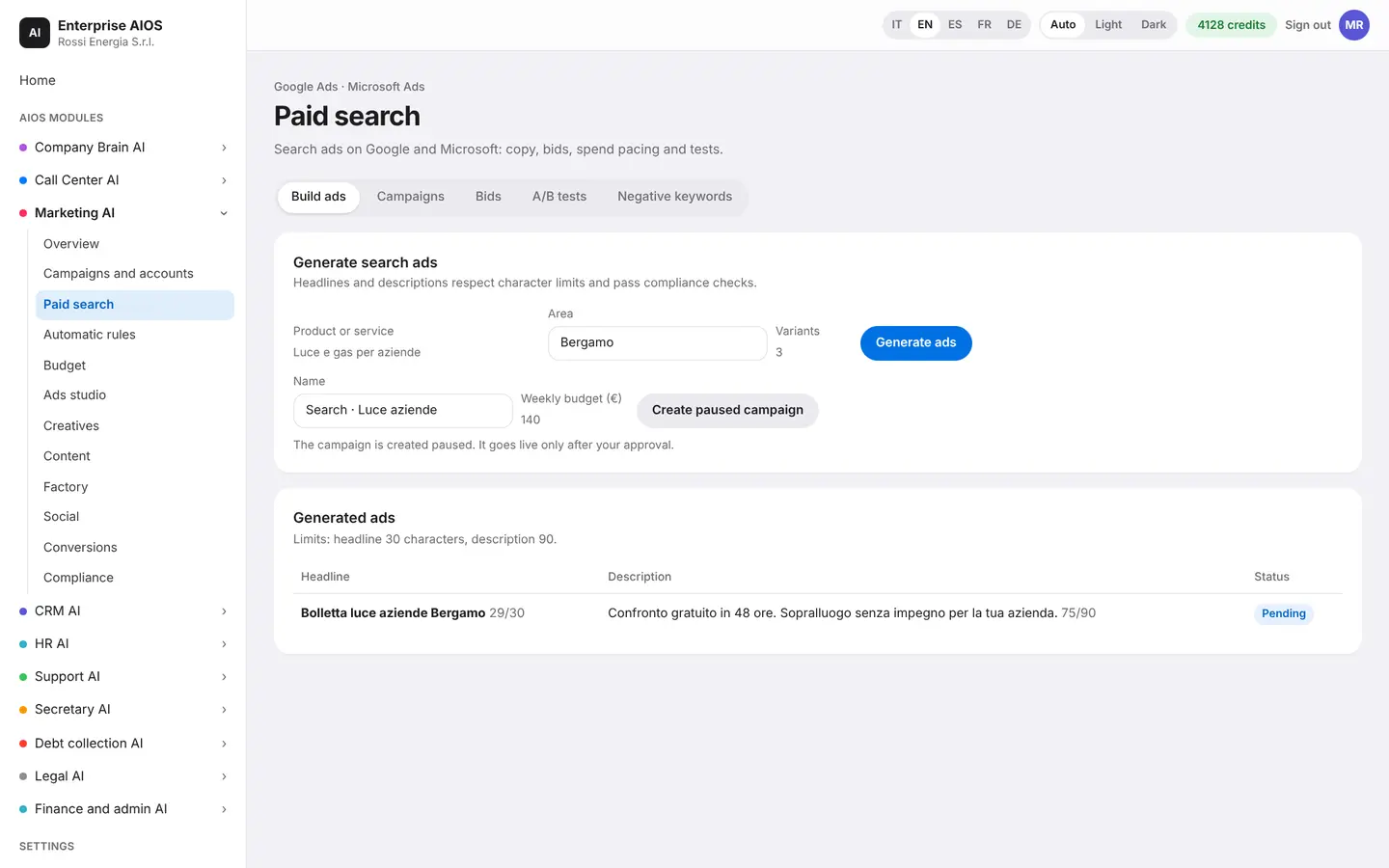
Paid search
A Google campaign from your site.
What it does. The AI reads your site's services and builds the Search campaign.
Start from your website. The AI reads your services and suggests ad groups, keywords and texts. You see a preview of the structure and the checks run before launch. You decide when to go live.
- Starts from your site
- Groups, keywords, texts
- Structure preview
- Checks before launch
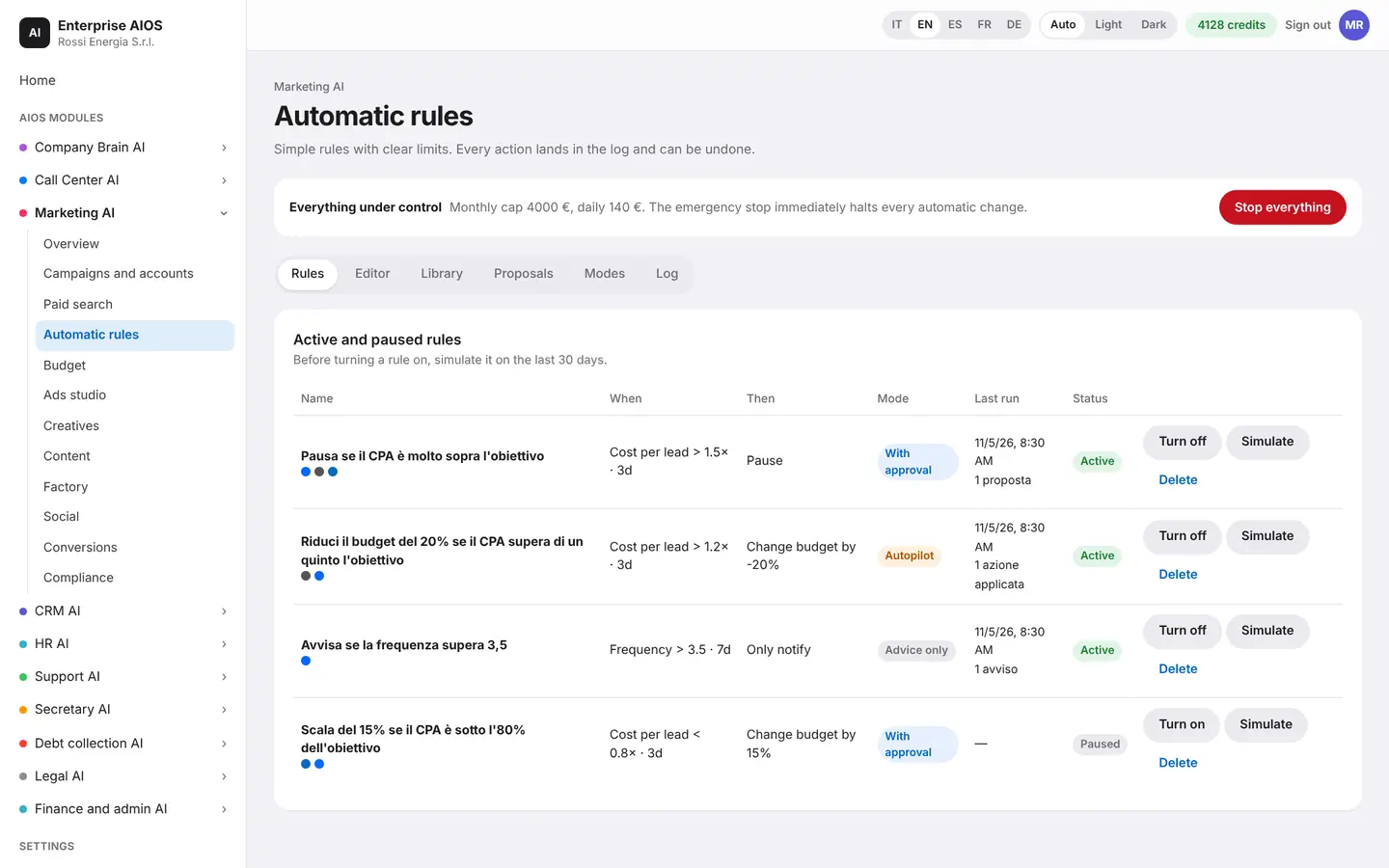
Automatic rules
One brief, every platform.
What it does. Creates a social campaign from a single brief and manages it with rules.
Write the brief once. The system adapts goal, formats and creatives to each platform, including TikTok Spark Ads. Automatic rules raise, lower or stop campaigns based on results. Every action goes into the log.
- One brief for every platform
- TikTok Spark Ads too
- Raise, lower or stop
- Every action is logged
Budget
The plan for the week.
What it does. Suggests how to split the budget across channels.
The plan is based on the response curve of each channel. You see the spending pace and what would change. The plan starts only when the owner approves it, even from a phone.
- Weekly plan by channel
- Response curves
- Spending pace
- Approval from your phone
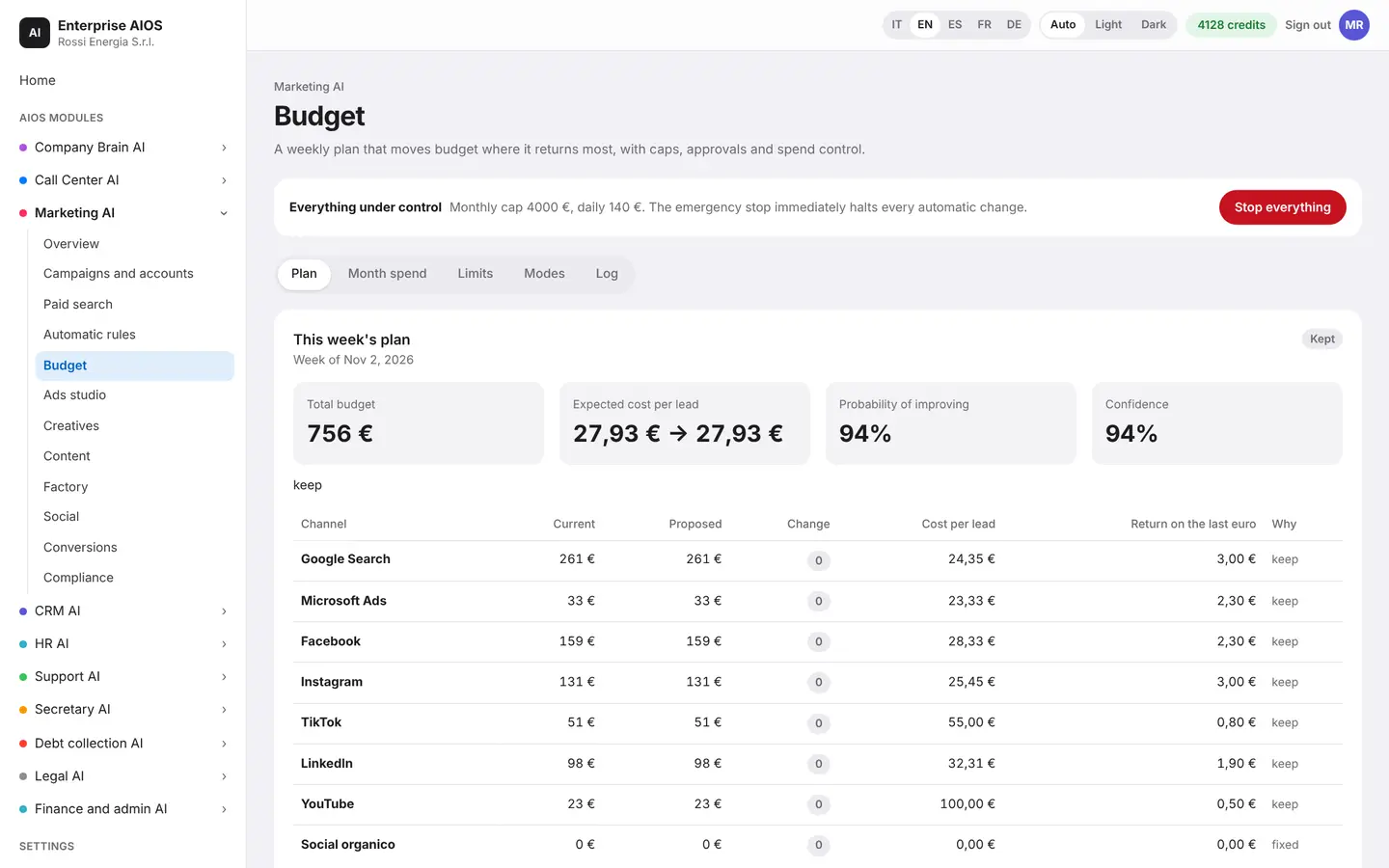
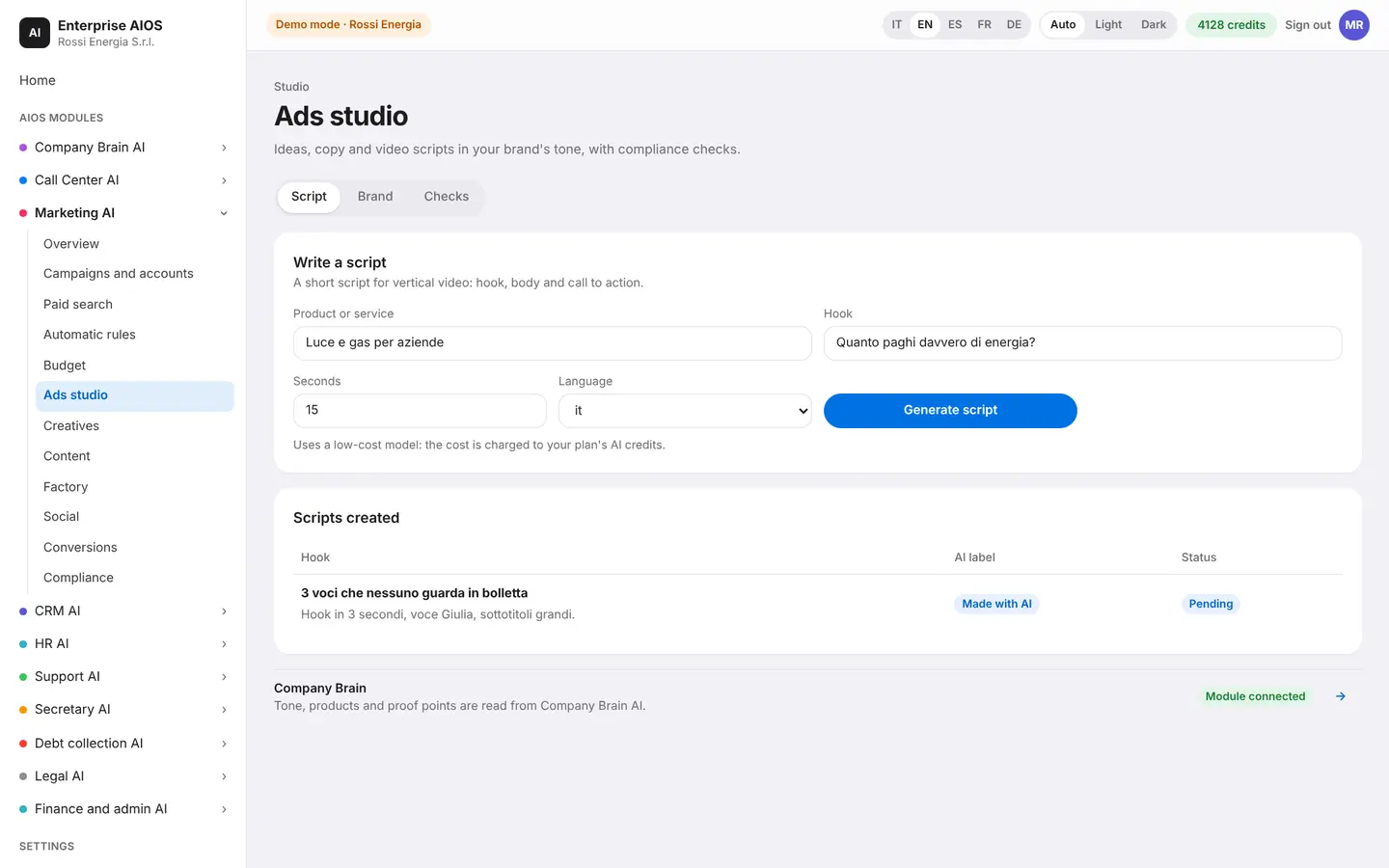
Ads studio
One prompt, every ad.
What it does. Turns one sentence into ads ready for every format.
Describe what you want to promote. The studio suggests five communication angles, with scripts and hooks. Then it edits the video, adds voice, music and subtitles, and prepares the formats with your brand kit. It also creates UGC-style variants and runs the checks before launch.
- Five communication angles
- Video, voice, music, subtitles
- Formats and brand kit
- UGC-style variants
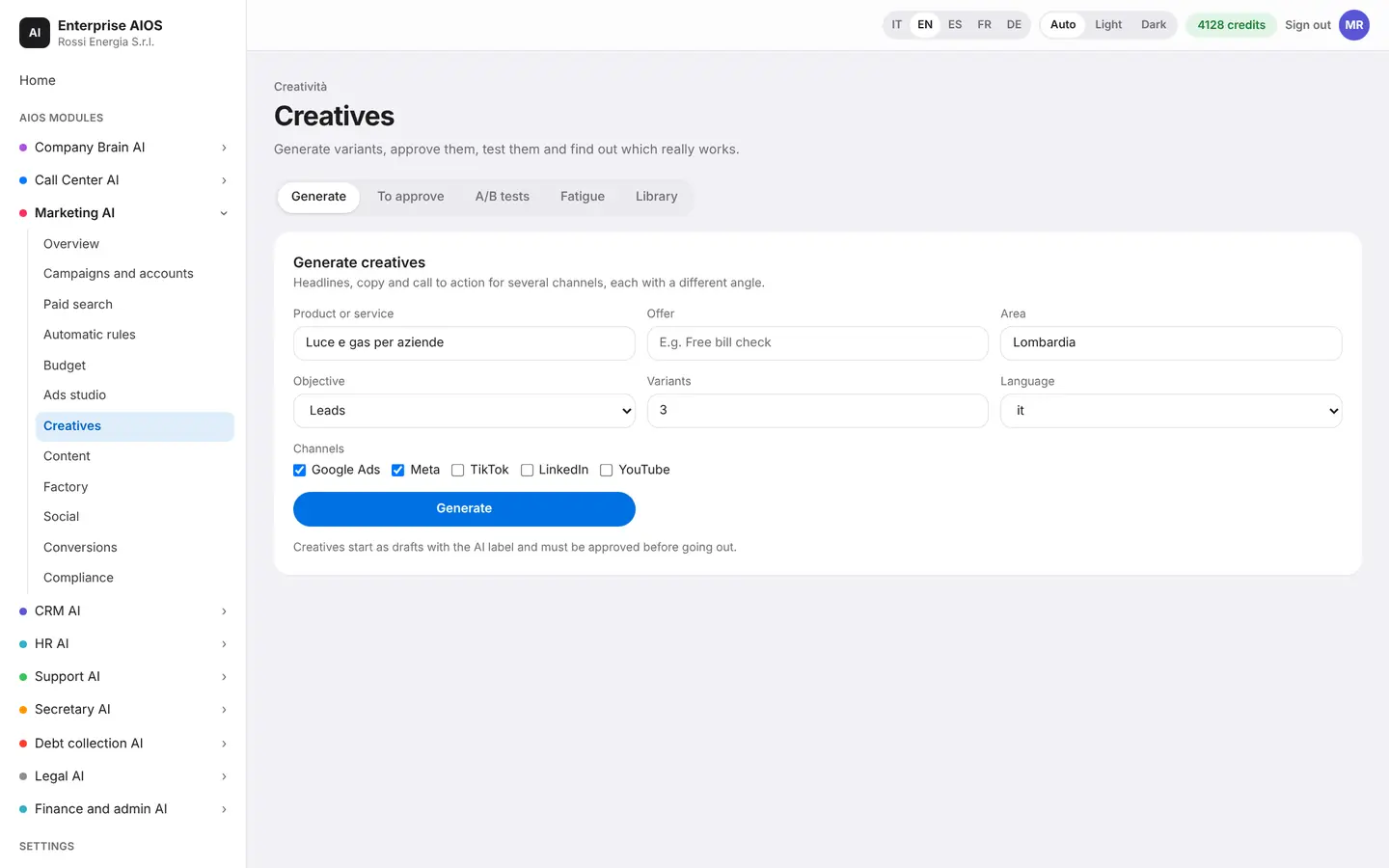
Creatives
Creatives that stay fresh.
What it does. Generates images, texts and videos that match your brand.
Creatives follow your brand's style and go through approvals. You can compare them with A/B tests. When a creative wears out, the system notices and suggests the replacement on its own.
- Images, texts and videos
- Approvals and A/B tests
- Spots a worn-out creative
- Suggests the replacement
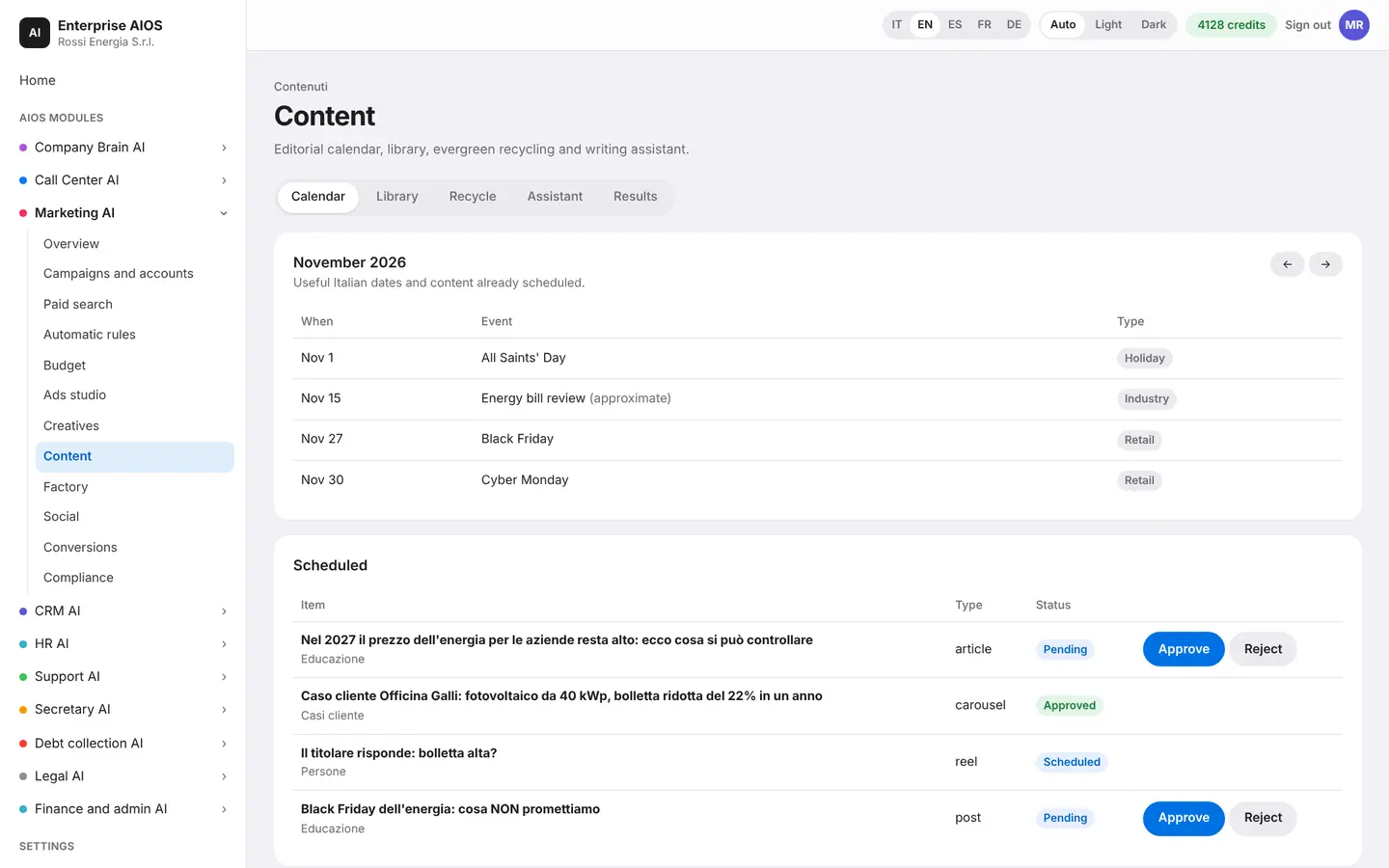
Content
A newsroom that never sleeps.
What it does. Plans and writes the month's content.
You find the monthly plan, SEO articles, texts with hashtags and content for each location. Every piece gets a quality score and goes through approval. The AI tracks keywords, reuses evergreen content and replies to comments.
- Monthly plan and SEO articles
- Content for every location
- Quality score
- Evergreen and comments
Factory
Find what works.
What it does. Spots trends in your niche and produces inspired content.
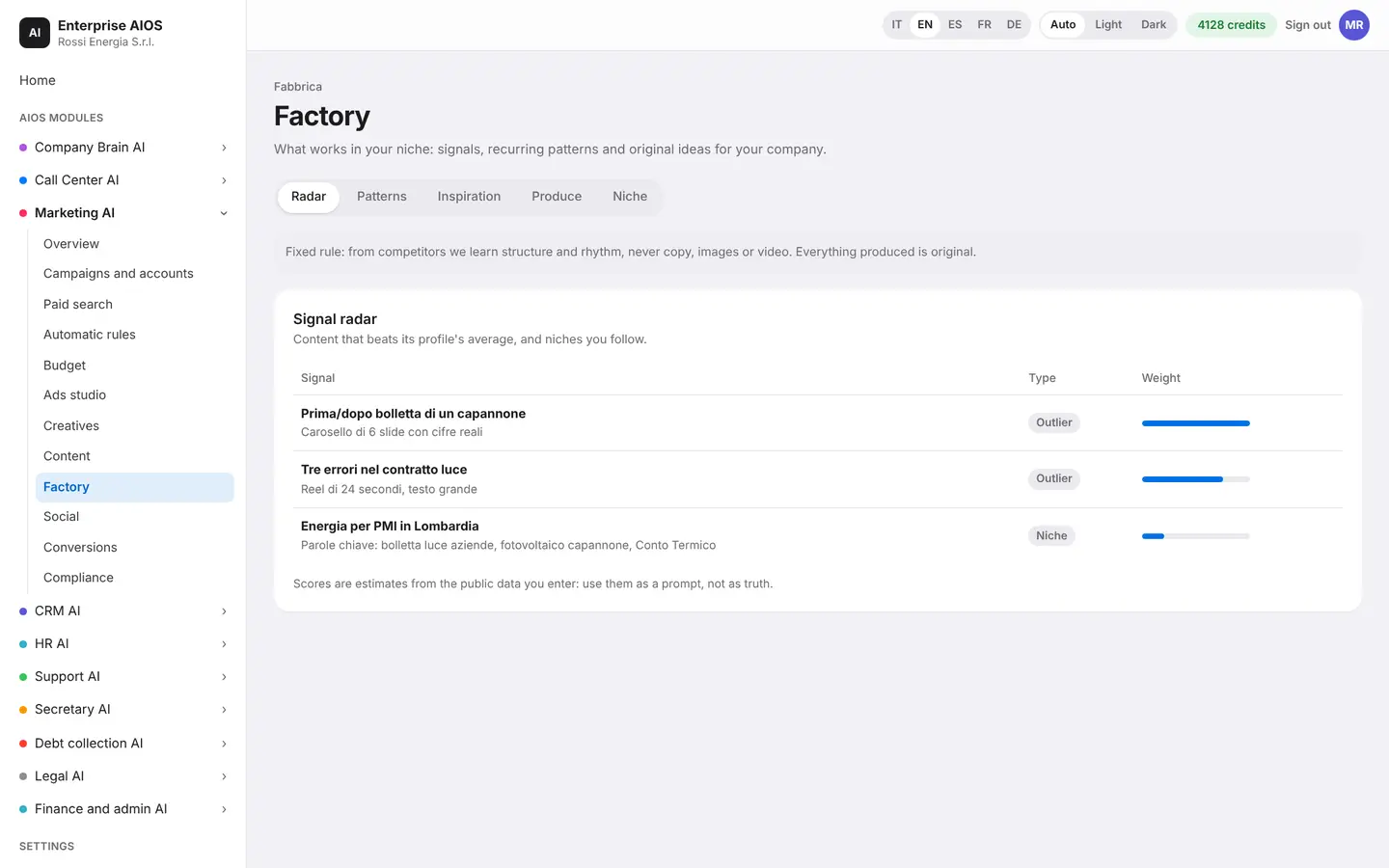
The radar shows the content that works in your niche. You see the week's outliers, growing topics and recurring patterns. From here the AI produces new content in bulk, inspired by what is working.
- Content radar
- Outliers of the week
- Growing topics
- Production in bulk
Social
Social on autopilot.
What it does. Plans and posts on all your profiles.
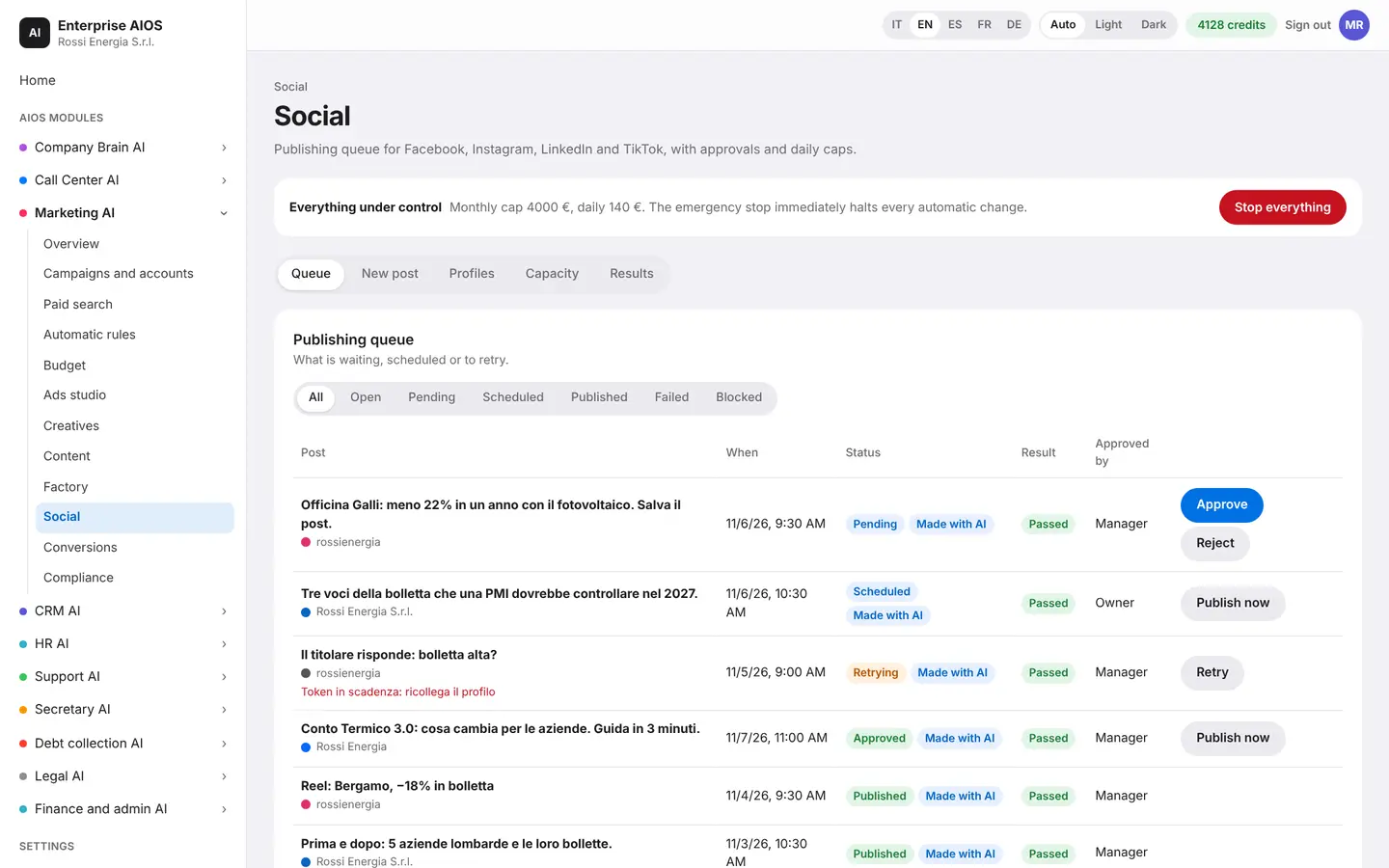
Calendar, queues and best times sit in one view, along with the message inbox and the connected profiles. Autopilot respects each platform's limits and asks for your approval when needed. You see the results of every profile.
- Calendar, queues, best times
- Message inbox
- Respects platform limits
- Asks approval when needed
Conversions
Not just clicks. Real customers.
What it does. Sends the sales closed in the CRM back to the ad platforms.
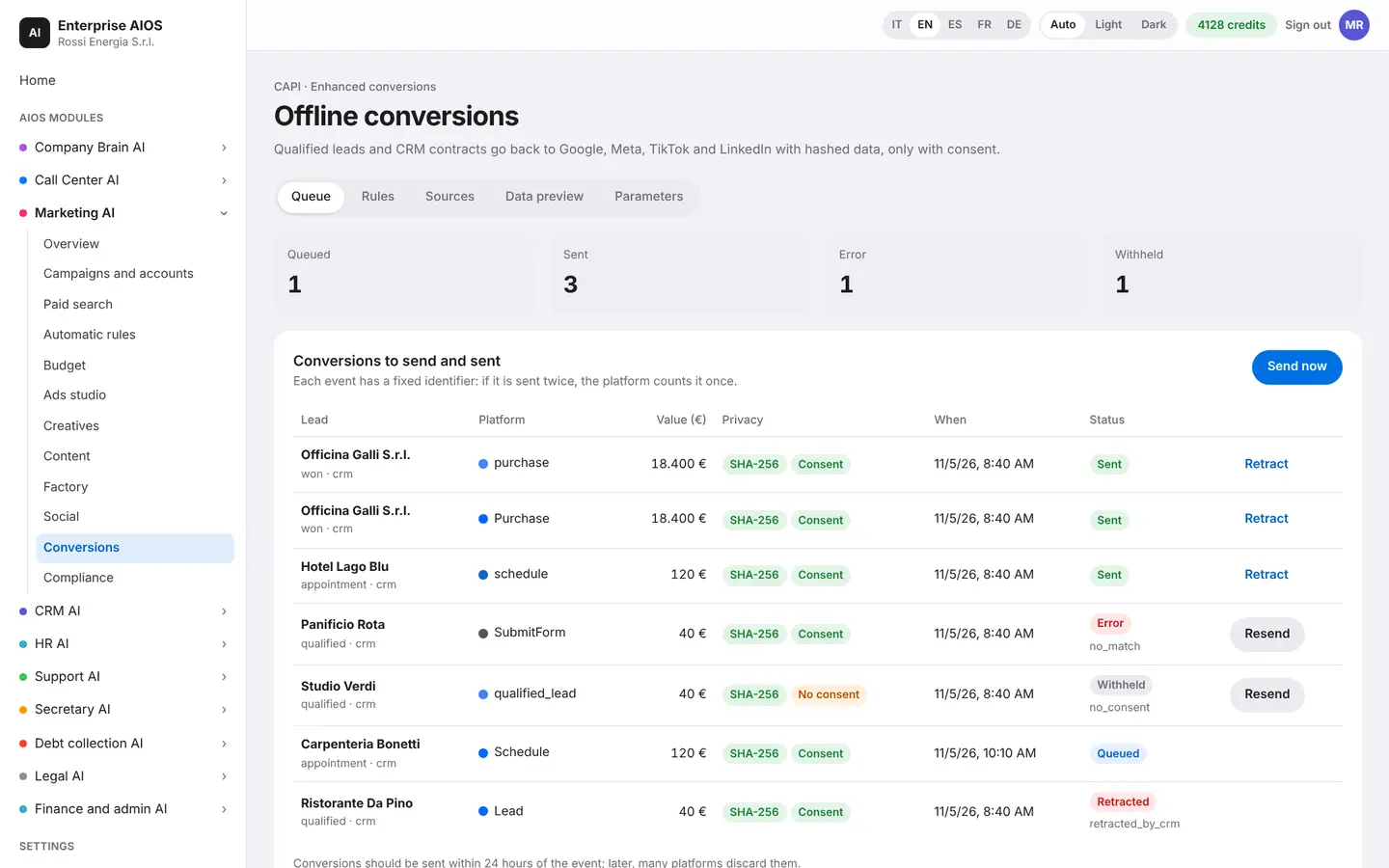
Real sales closed in the CRM go back to Google and Meta anonymously and in compliance with the rules. Email and phone travel encrypted. This way the algorithms learn to find real customers, not just clicks.
- Real sales from the CRM
- Anonymous, encrypted sending
- Google and Meta learn better
Compliance
No ad breaks the rules.
What it does. Checks every ad before it is published.
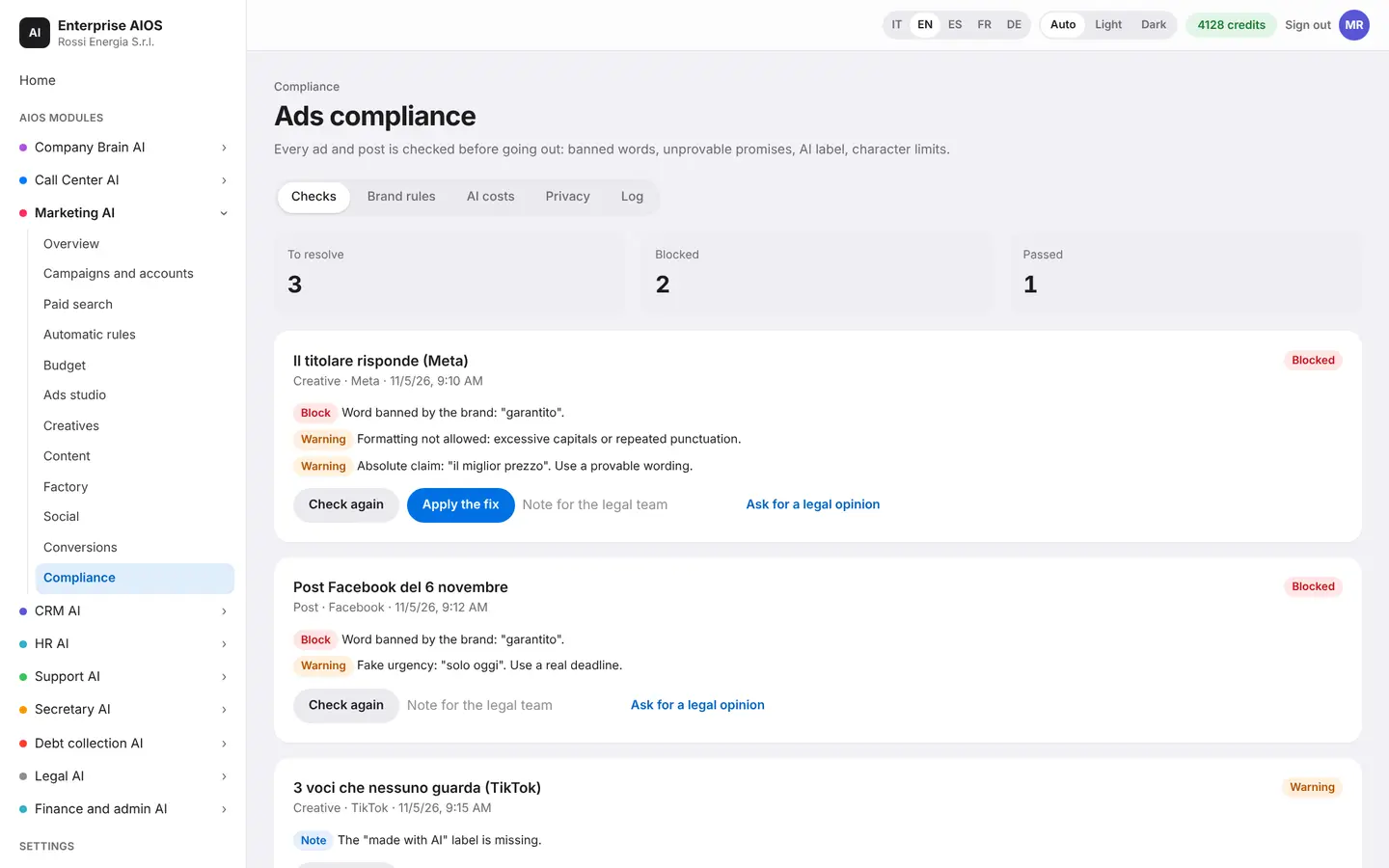
The system looks for claims that cannot be proven, words banned by your brand and breaches of advertising rules. A non-compliant ad is stopped. The AI suggests a fix and you decide whether to accept it.
- Unprovable claims
- Your brand's banned words
- Ad stopped and corrected
- Fix waits for approval
Sold on its own
Want to see it on your company?
Works alone or together with the other modules: data flows from one module to the next without typing it twice. We'll show you the module with examples from your industry, or open the dashboard if you're already a customer.
Customer area
Already a customer? Open your dashboard.
Log in with your company email: you'll find your modules, agents at work, approvals and credits.