HR AI · Human resources
Hiring, with human judgment.
HR AI runs hiring and people, from the job ad to the first day at work. AI interviewers conduct the interviews, and the decisions always stay with a person.
- AI interviews.An AI interviewer runs interviews by phone or video, at any hour.
- A person decides.The AI suggests. No candidate is rejected, offered or hired without a reasoned decision.
- Fair and explainable.Every score has its reason. Fairness, GDPR and the AI Act are checked inside the module.
Every feature
Every screen, explained.
Overview
The whole cycle, at a glance.
What it does. Shows the state of hiring and people.
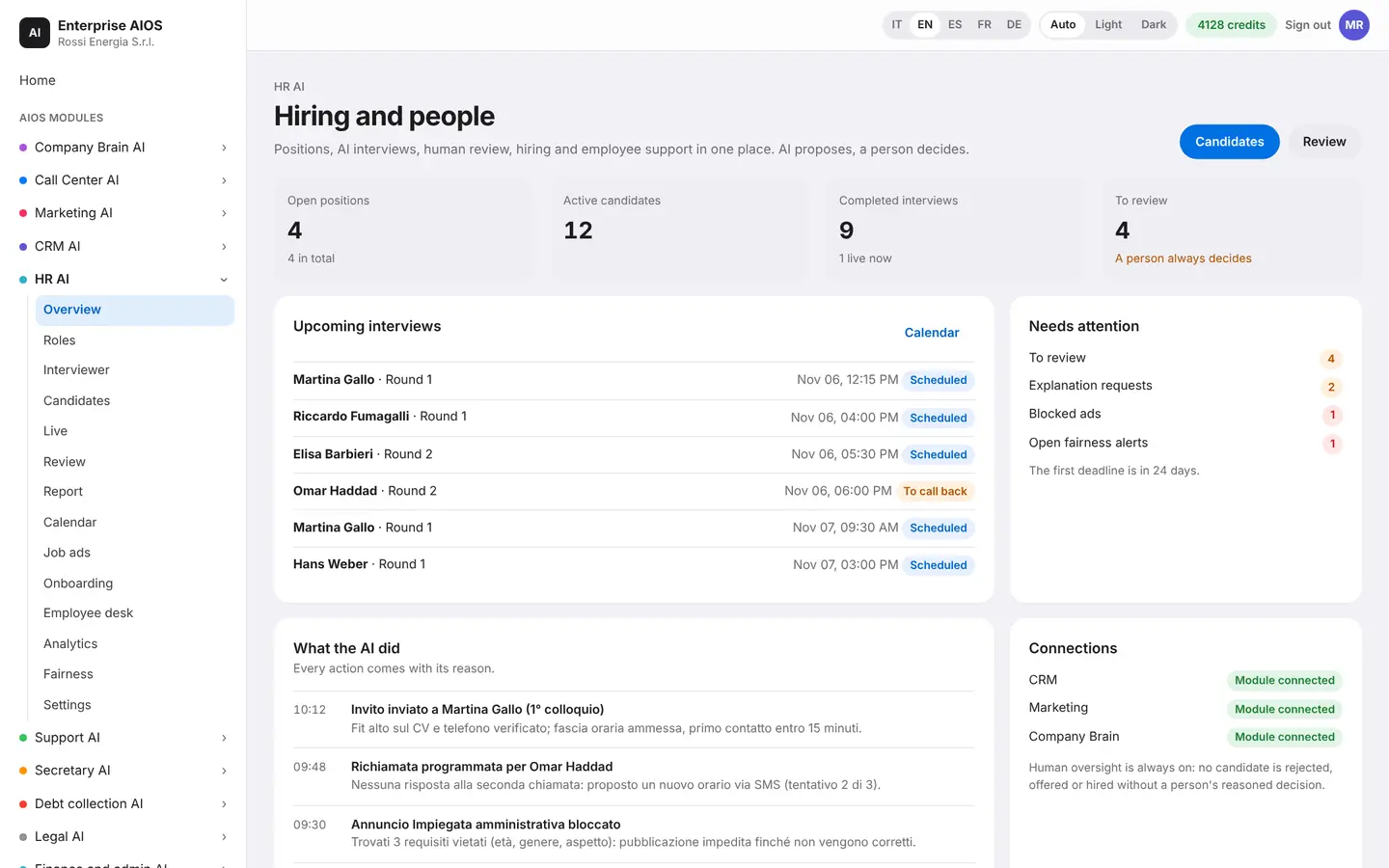
The overview lines up the complete cycle. You see who needs approval today, the interview funnel, today's interviews, the candidates to assess and the compliance status. Every AI action has its reason.
- Who needs approval today
- Interview funnel
- Candidates to assess
- Compliance status
Roles
Open positions, in order.
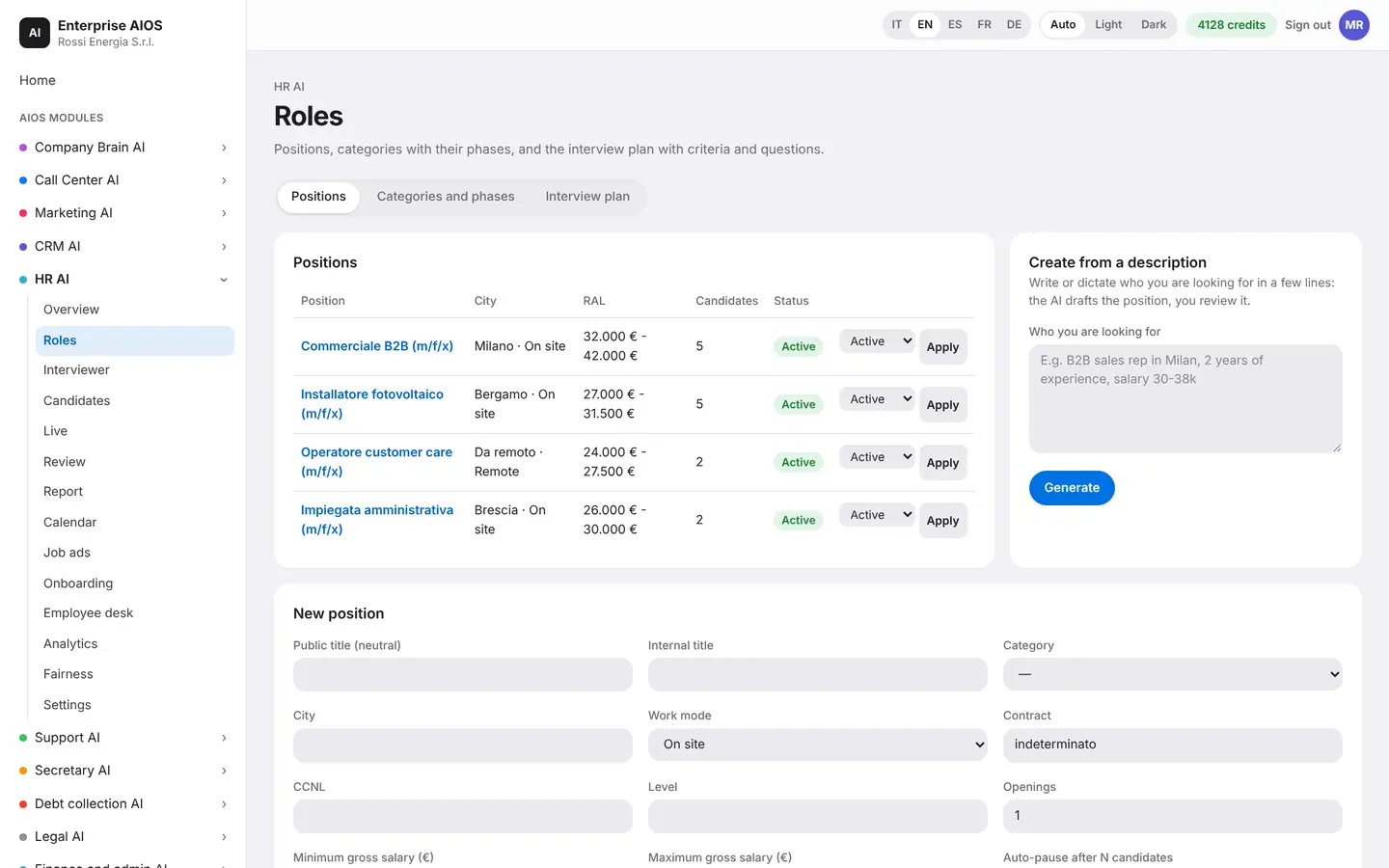
What it does. Gathers open positions and their interview plan.
You can create a new position by voice. The AI writes the profile, suggests candidate sources and the right type of interview for the role. You review and adjust.
- Create by voice too
- Profile written by the AI
- Candidate sources suggested
- Interview fitted to the role
Interviewer
The interview, step by step.
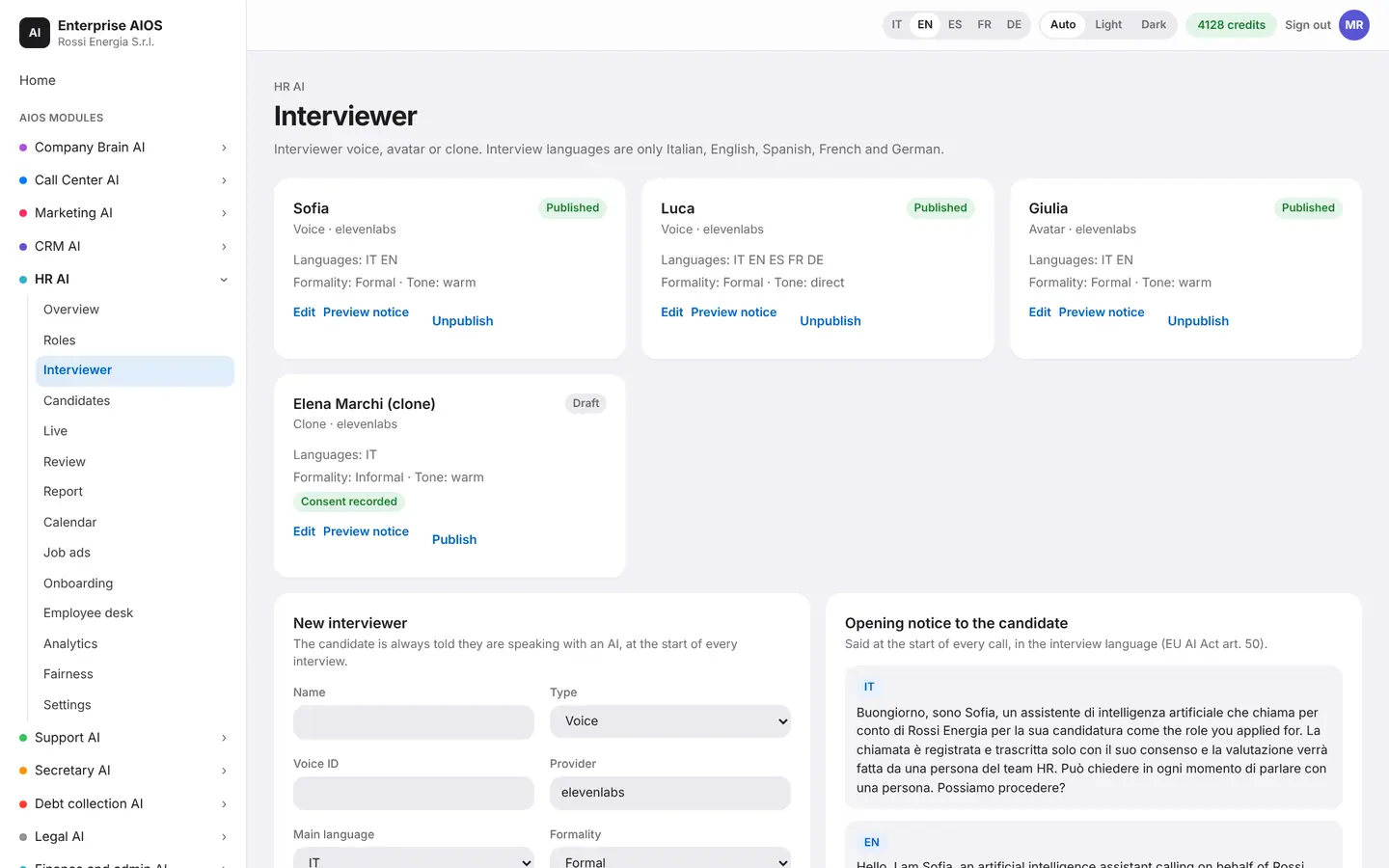
What it does. Builds the interview, from prompt to plan.
A wizard prepares the rounds and the questions generated from the job ad. You set the criteria with weights and rating scales, plus knockout questions. Questions forbidden by law are blocked automatically.
- Rounds and questions from the ad
- Criteria with weights and scales
- Knockout questions
- Forbidden questions blocked
Candidates
Every candidate, on one card.
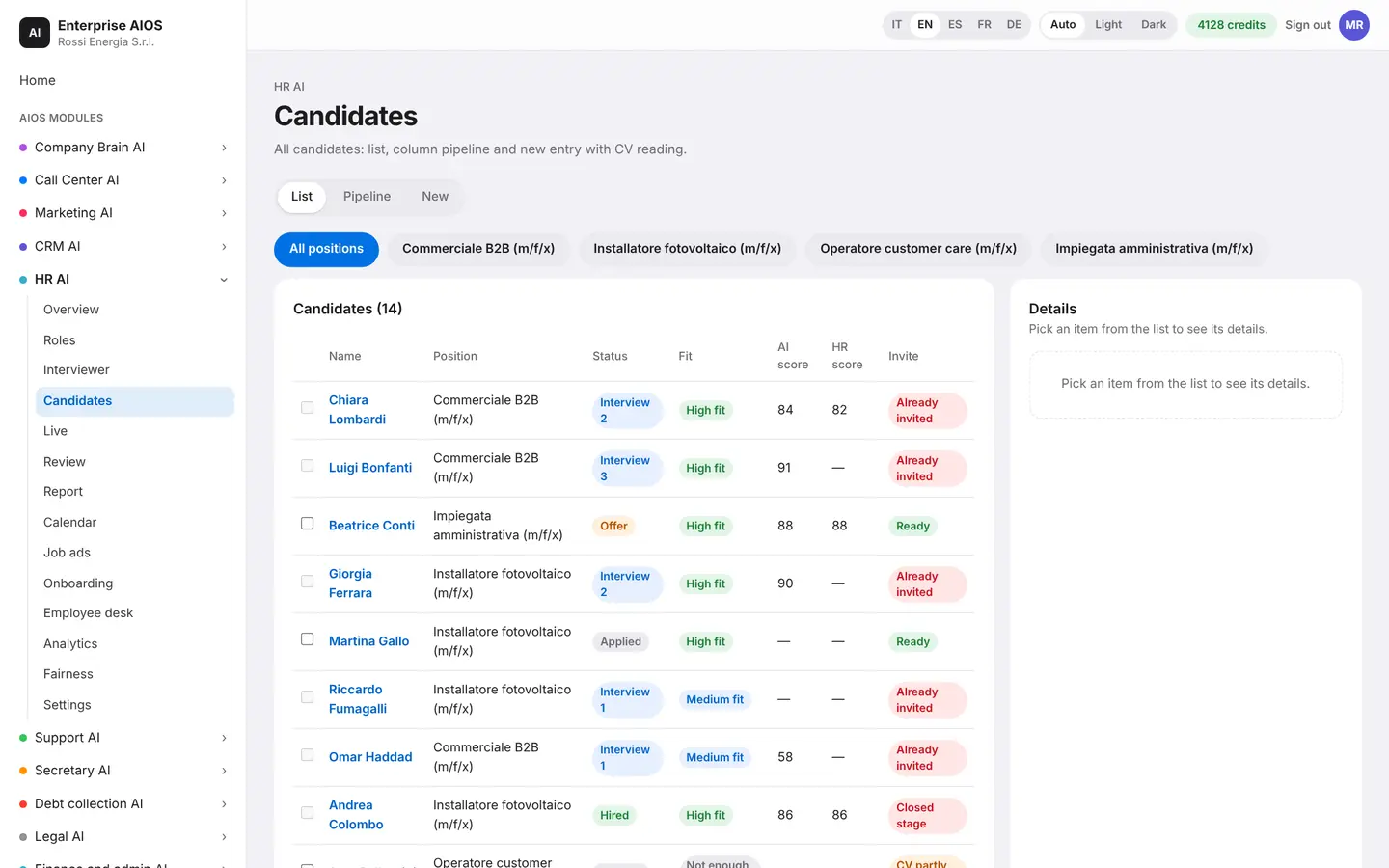
What it does. Brings everything about a candidate into one place.
For each candidate you see the CV read by the AI, the screening, interviews, notes, references, consents and the offer. Pipeline rules move candidates from one stage to the next. Feedback to candidates goes out automatically.
- CV read by the AI
- Notes, references and consents
- Pipeline rules
- Automatic feedback
Live
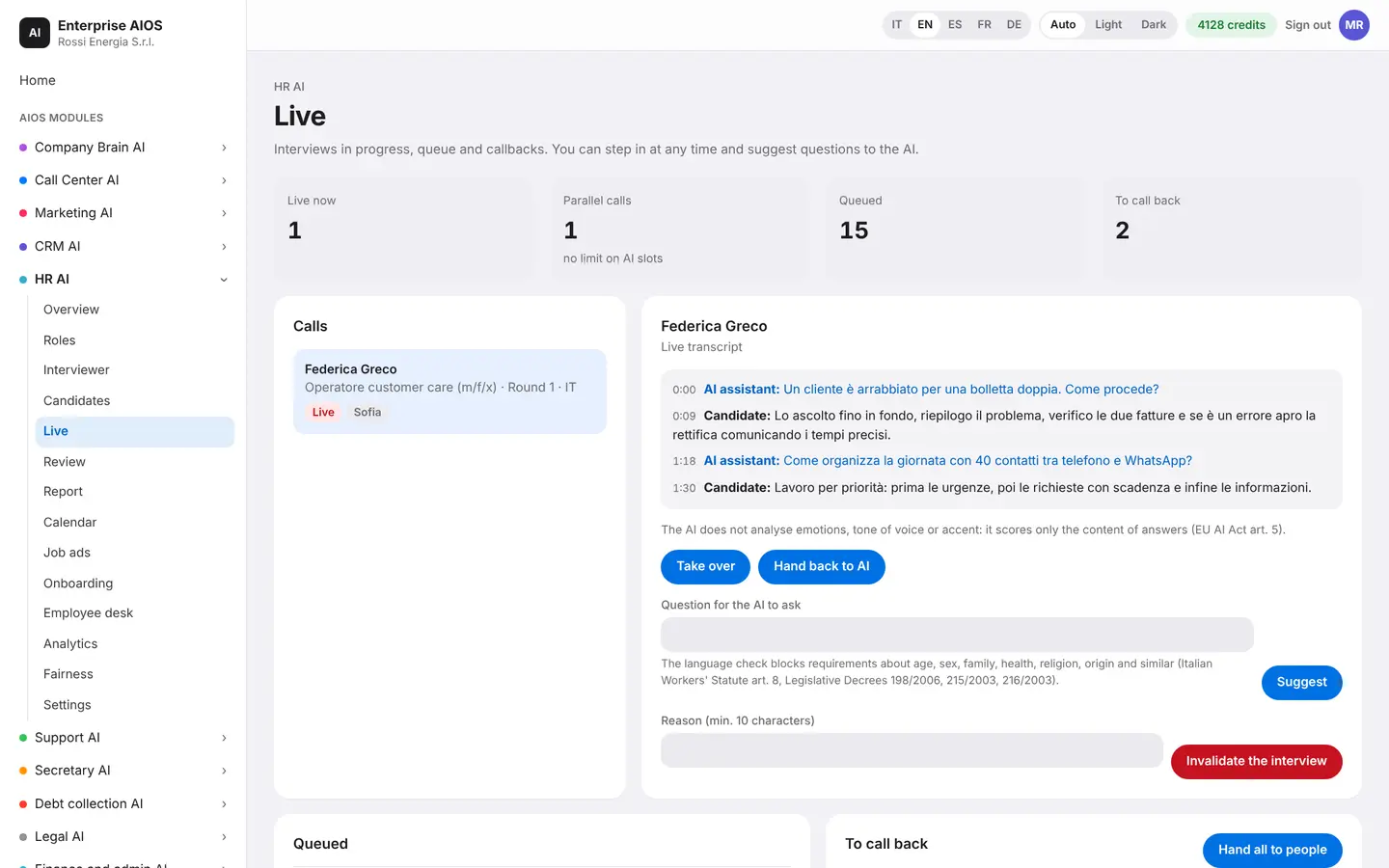
Interviews, as they happen.
What it does. Shows ongoing interviews with the AI interviewer.
Follow interviews in progress, by phone or on video with an avatar. The score updates in real time. A manager can step in or invalidate the interview at any moment.
- Phone or video with avatar
- Real-time score
- A manager can step in
- Interview can be invalidated
Review
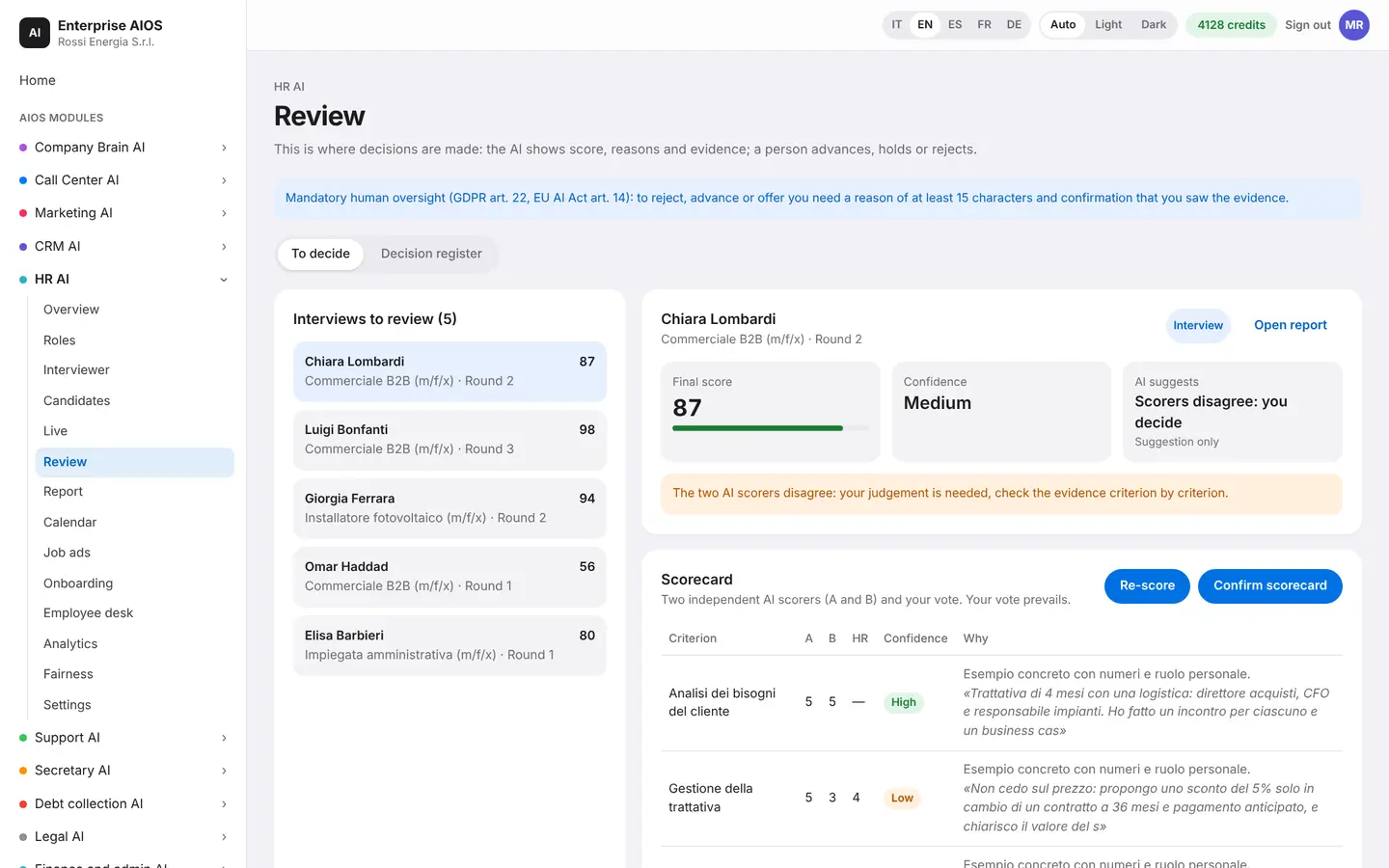
This is where a person decides.
What it does. The point where a human makes the call.
The AI suggests, but only authorized people can advance or reject a candidate. Automatic advancement turns on only where your company allows it.
- The AI suggests
- Authorized people decide
- Auto advance only if allowed
Report
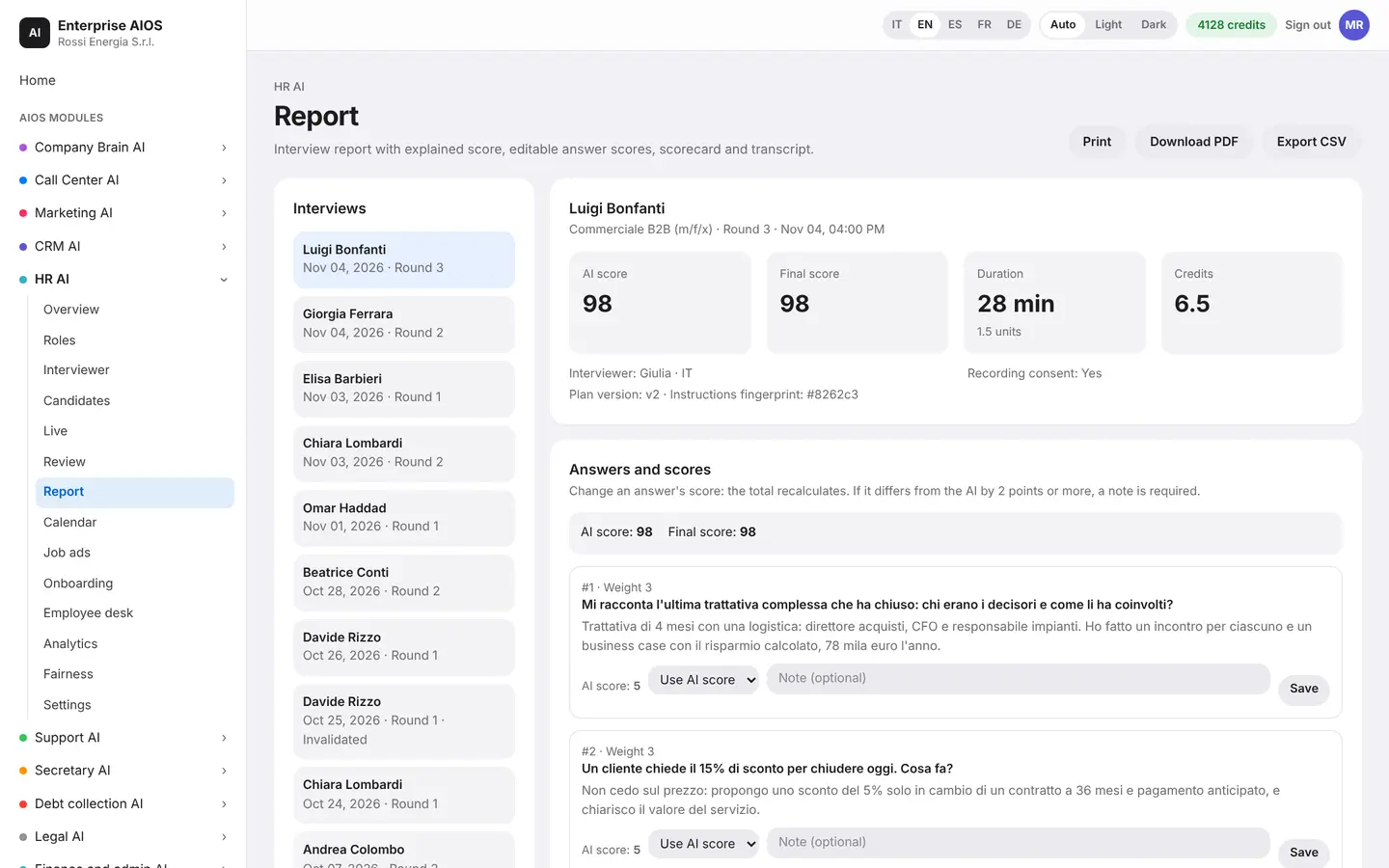
A score that explains itself.
What it does. The complete, explainable report of every interview.
The report shows the language level, the scorecard by criterion, knockout requirements, extracted data and signals to verify. It compares the CV with the answers and with the previous round. It also explains how the score was calculated.
- Scorecard by criterion
- Signals to verify
- CV compared with answers
- Score calculation explained
Calendar
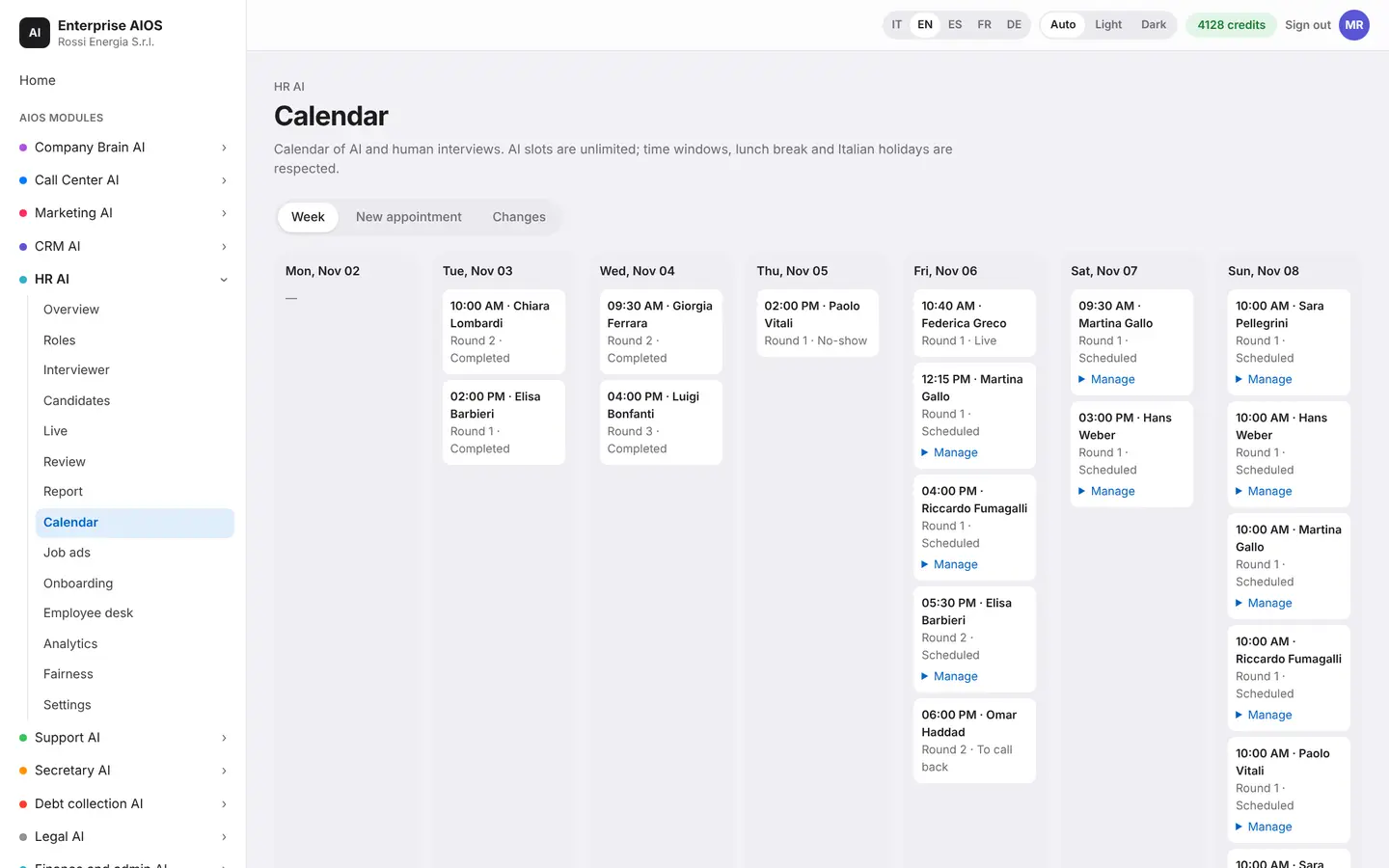
Appointments set themselves.
What it does. Schedules interviews around everyone's availability.
The calendar sets interviews automatically, based on the availability of candidates and recruiters. If someone moves an interview, the AI reschedules and records every change.
- Scheduled automatically
- Everyone's availability
- Rescheduling by the AI
- Every change recorded
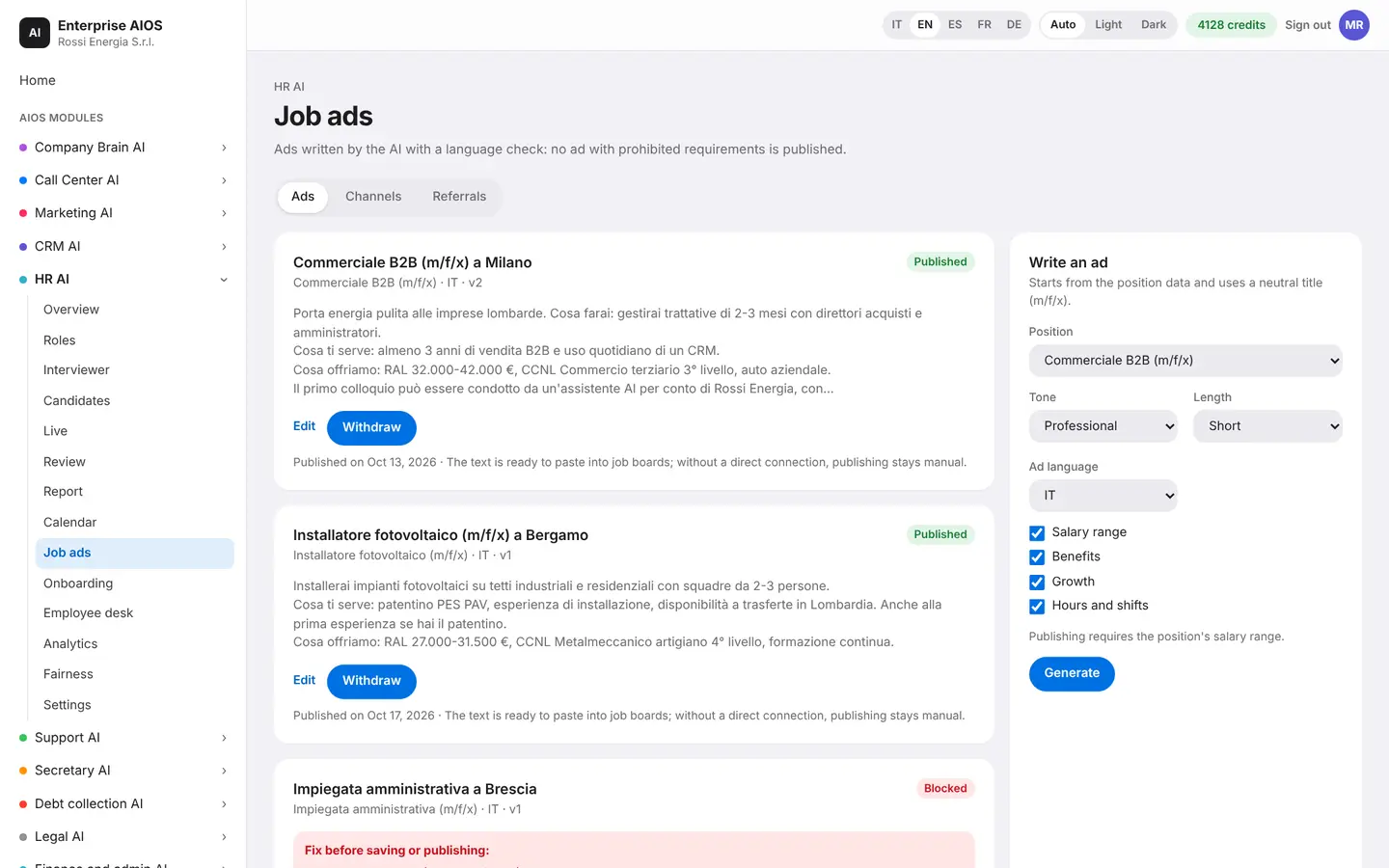
Job ads
Clear ads, in the right places.
What it does. Writes, checks and publishes job ads.
The AI writes job ads and checks inclusive language and forbidden requirements. It publishes them on your channels and compares them with A/B tests. It also searches for talent already in your database and handles referrals and spontaneous applications.
- Inclusive language checked
- Publishing and A/B tests
- Talent already in the database
- Referrals and spontaneous applications
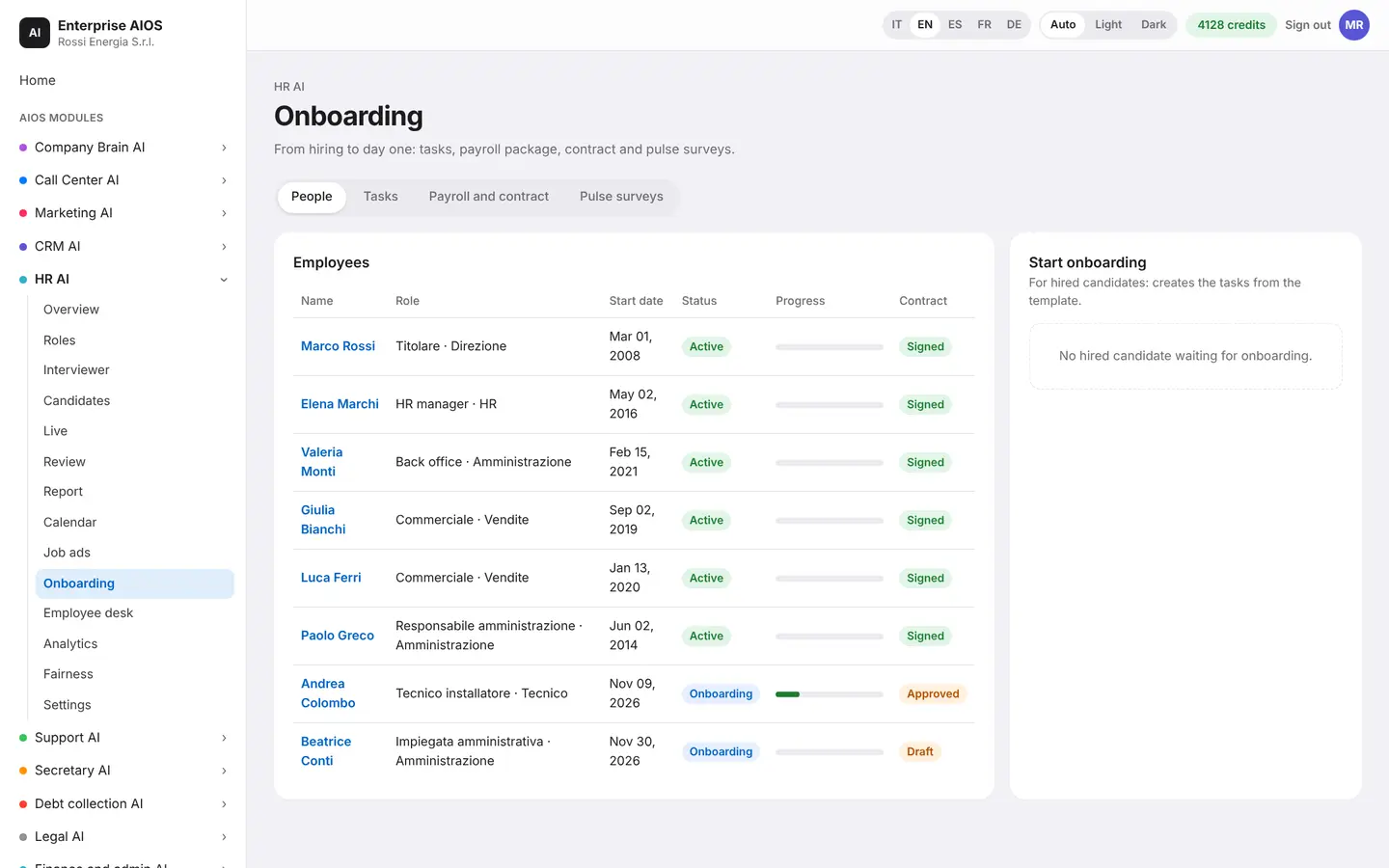
Onboarding
A good start for new hires.
What it does. Guides new hires through their first days.
A board follows new hires: documents, equipment, training and the first days, with the next steps in plain view. The AI sends reminders and records every completed step.
- Documents and equipment
- Training and first days
- Automatic reminders
- Steps recorded
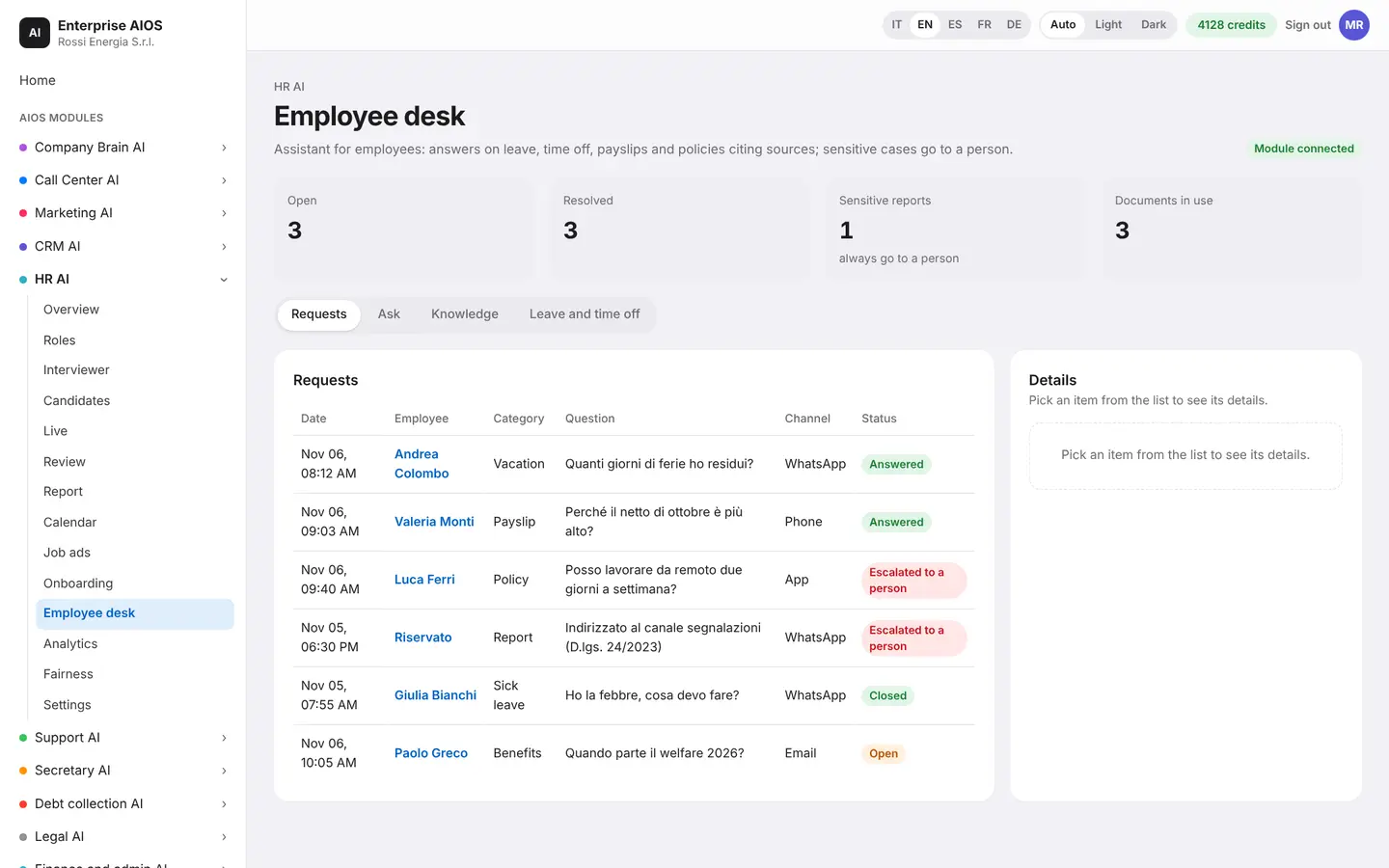
Employee desk
Answers for employees, any hour.
What it does. Answers employees on everyday questions.
The HR desk answers on leave, time off, payslips, documents and policies, using your company knowledge base. The most sensitive requests go to a person in the HR office.
- Leave, time off and payslips
- Uses company knowledge
- Sensitive cases go to a person
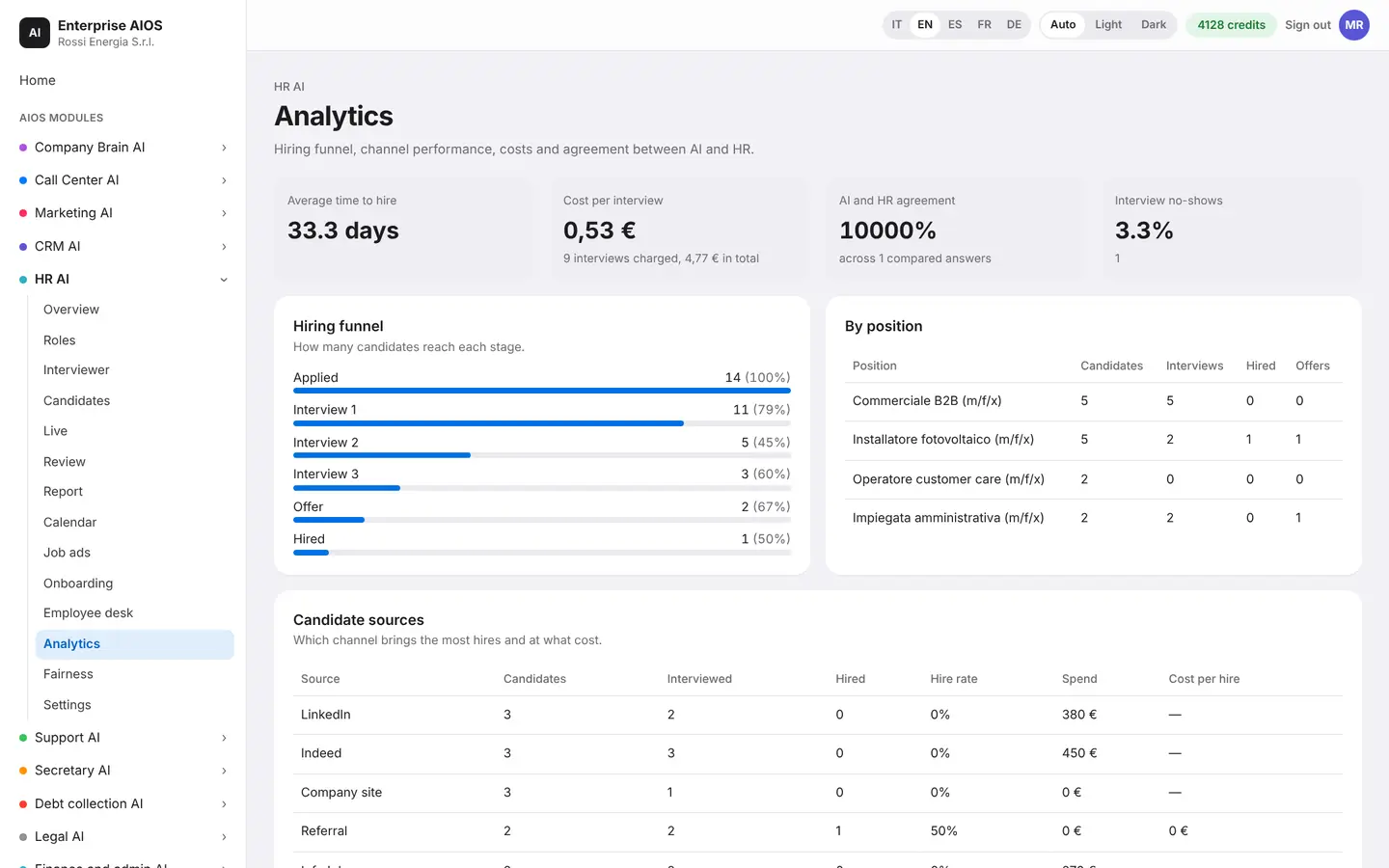
Analytics
Hiring numbers, made clear.
What it does. Measures how hiring is going, and how well the AI works.
You see the funnel by position and by source, time to hire and source effectiveness. You also measure candidate experience and AI quality. Every week a report reaches the owner.
- Funnel by position and source
- Time to hire
- Candidate experience
- Weekly report to the owner
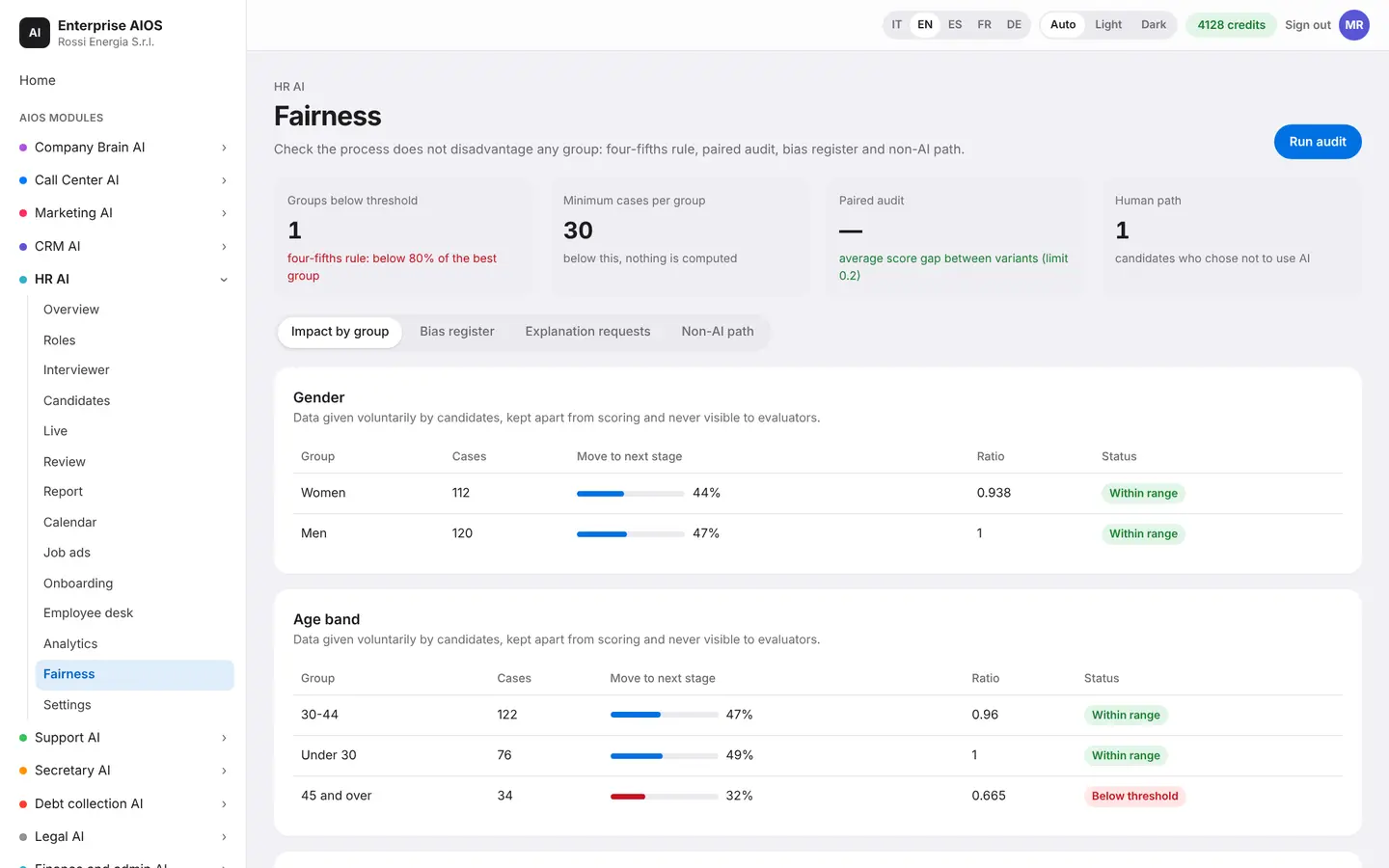
Fairness
Fair hiring, and proof of it.
What it does. Checks that hiring is fair and compliant.
You check impact by group, indirect variables, paired prompt tests and the bias log. Anyone who asks gets a path without AI, as the AI Act requires.
- Impact by group
- Indirect variable monitor
- Bias log
- Path without AI
Settings
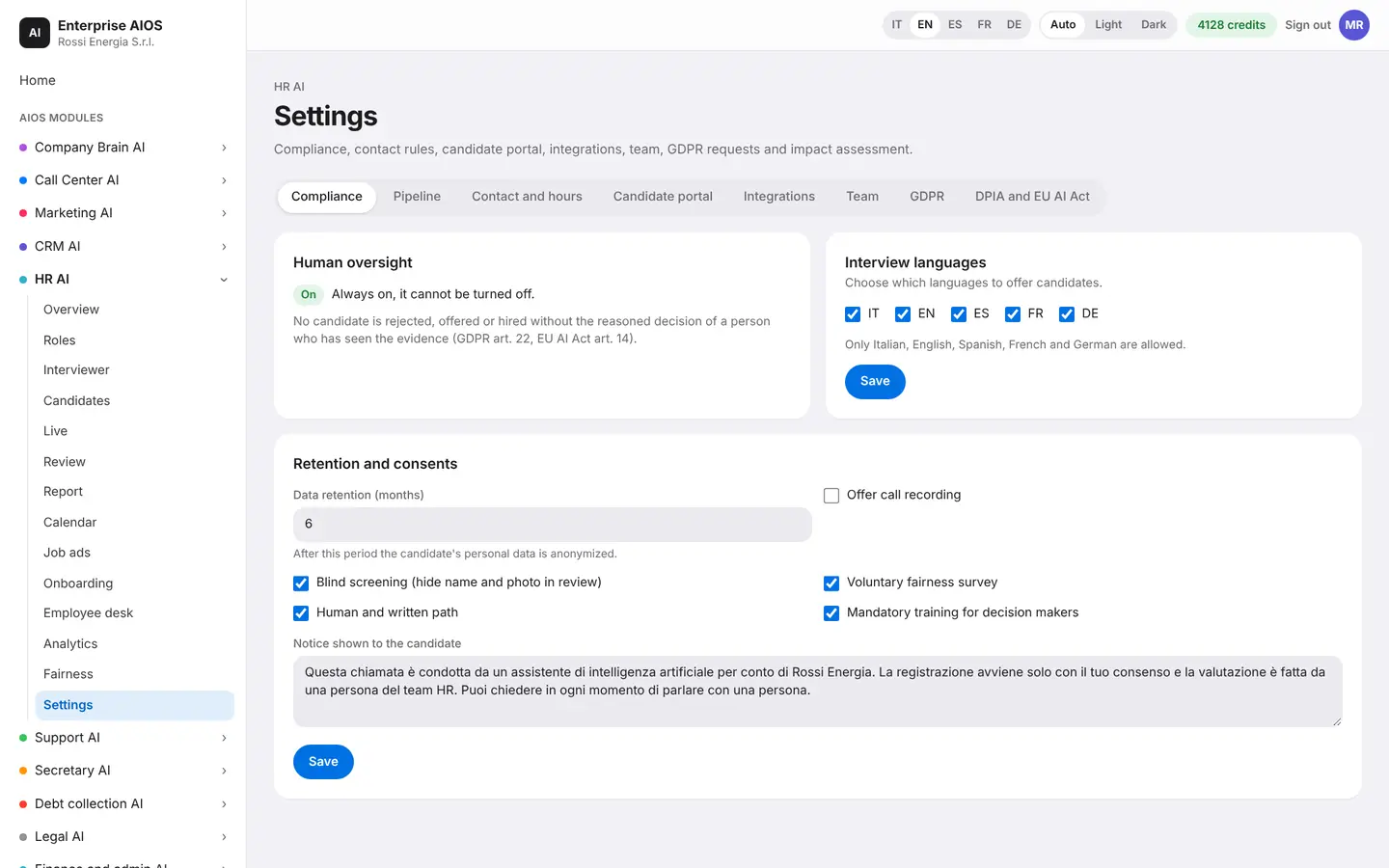
Compliance and permissions, in order.
What it does. Gathers compliance, data, users and integrations.
You find GDPR and AI Act compliance, the impact assessment, where data is stored and data subject requests. You also manage users and permissions, integrations and the interviewer's languages.
- GDPR and AI Act
- Data subject requests
- Users and permissions
- Interviewer languages
Sold on its own
Want to see it on your company?
Works alone or together with the other modules: data flows from one module to the next without typing it twice. We'll show you the module with examples from your industry, or open the dashboard if you're already a customer.
Customer area
Already a customer? Open your dashboard.
Log in with your company email: you'll find your modules, agents at work, approvals and credits.