Legal AI · Legal
Your legal office, always on.
Legal AI is your company's in-house legal office. It drafts, reviews and files contracts, answers your colleagues' questions and keeps privacy and artificial intelligence in order. You pay in credits, only for what you use.
- Risk, explained.Every contract gets a risk score and the reason behind it. No black boxes.
- You decide.Choose how much autonomy the AI has. Delicate points always go to a lawyer, and nothing goes out without your approval when it matters.
- Compliant by design.Answers with verified sources, a GDPR record of processing and AI Act duties, always up to date.
Every feature
Every screen, explained.
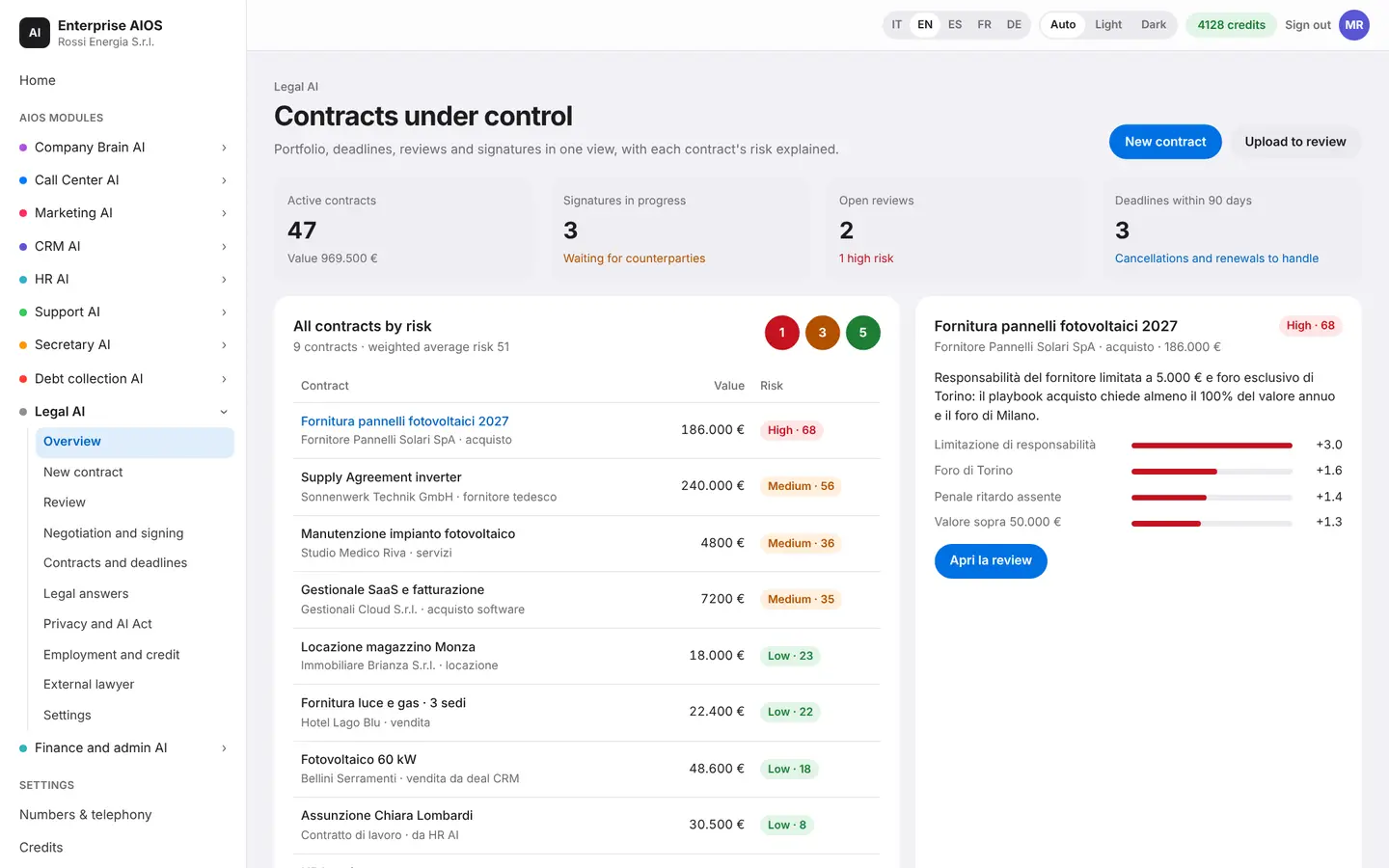
Overview
Your contracts at a glance.
What it does. See risk, deadlines and to-dos on one screen.
The traffic light shows the risk of your whole portfolio and explains why each contract has its score. Below, you find today's to-dos, split into signatures, reviews and deadlines, and the requests coming from other modules. You can also ask for or create a document by writing the way you talk.
- Portfolio risk traffic light
- Today's to-dos
- Requests from other modules
- Works on its own too
New contract
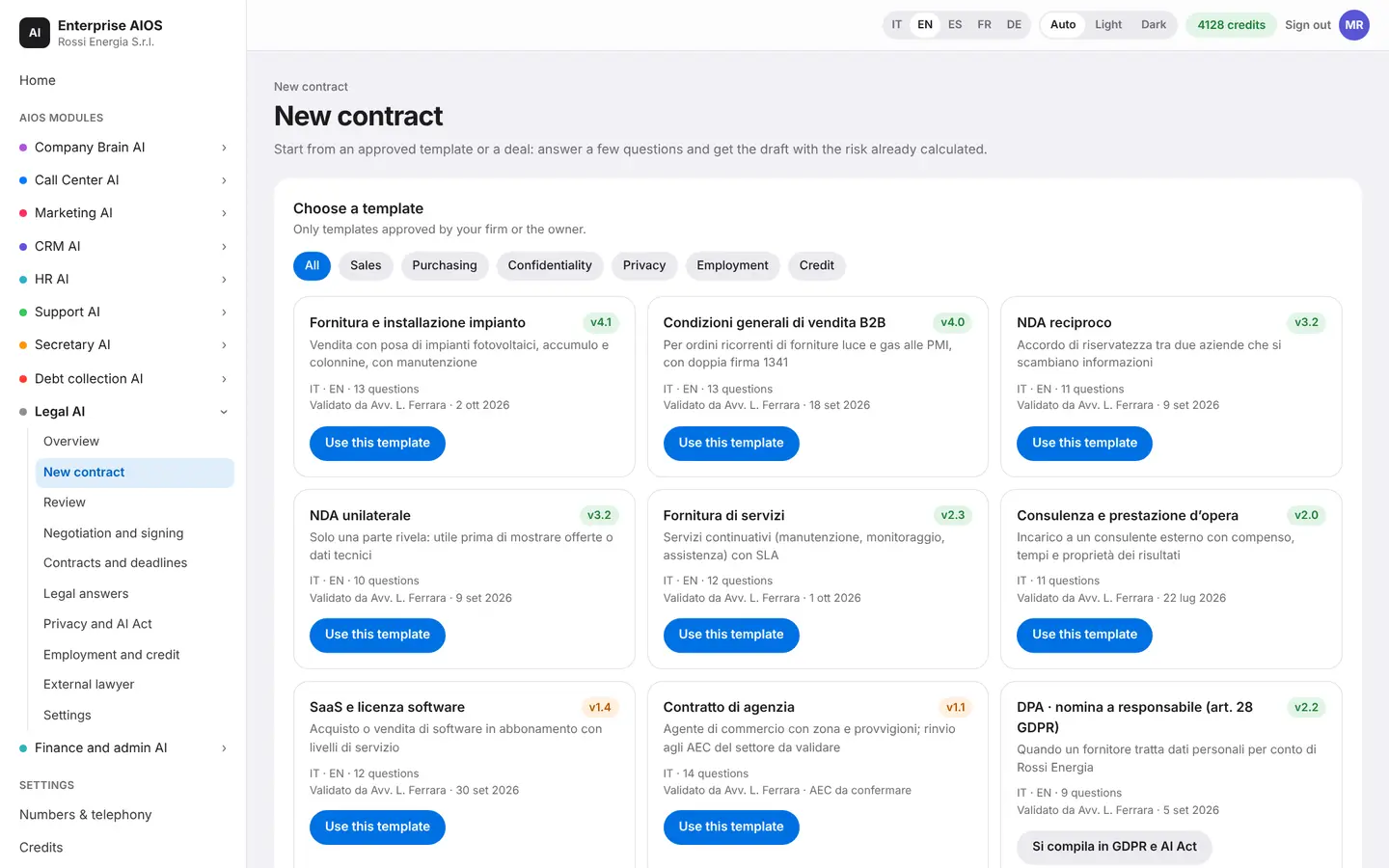
A contract in minutes.
What it does. Create a contract from a template or from a CRM deal.
Pick a template approved by your company, or start from a CRM deal and the data fills itself in. Answer a few questions, one at a time, and the AI builds the document with your approved clauses. Before you generate it, you see a risk preview, and clauses that need a double signature are flagged.
- Approved templates only
- Data prefilled from the CRM
- Risk preview
- Double signature flagged
Review
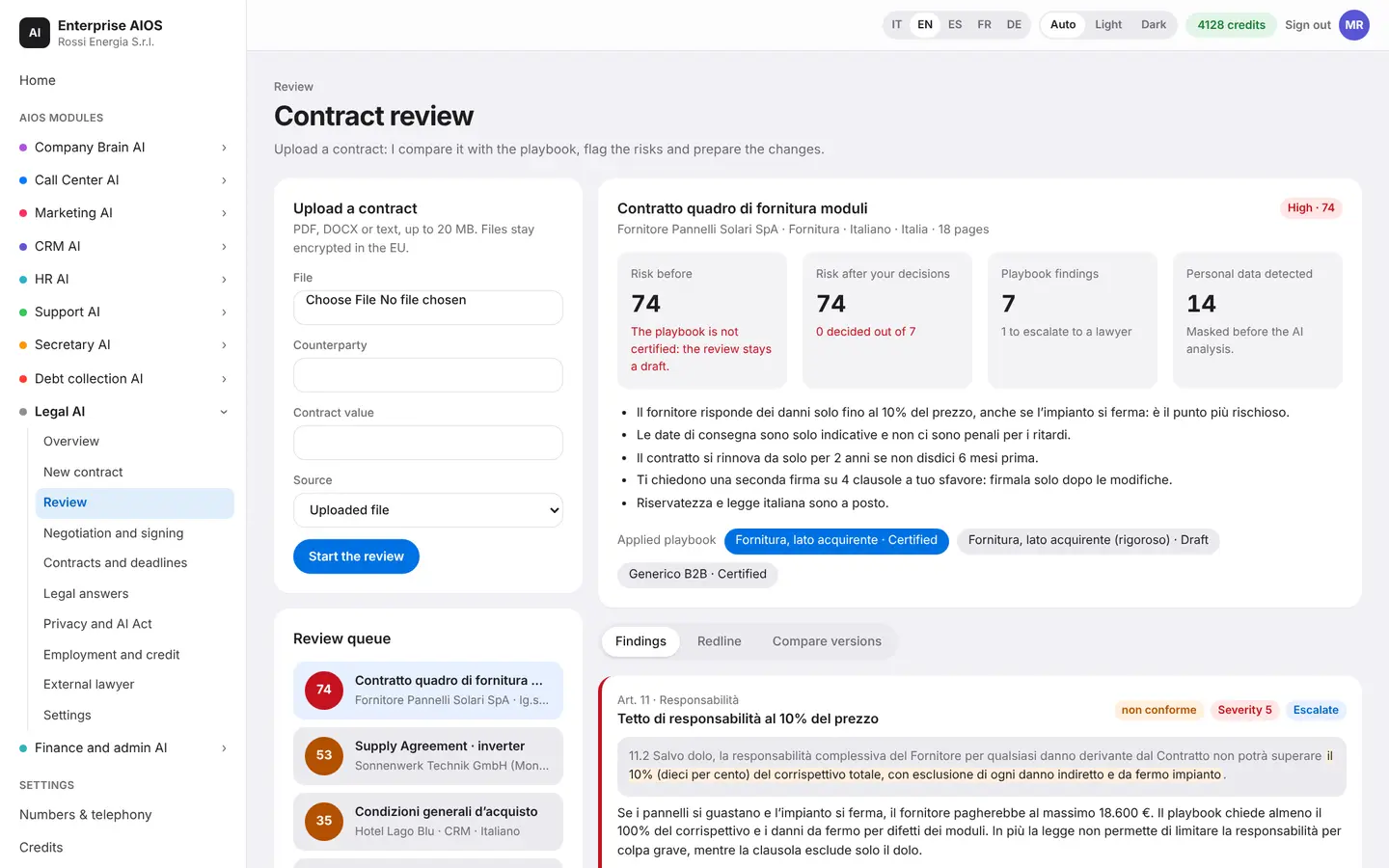
The contract, read for you.
What it does. Reads an incoming contract and compares it with your playbook.
Upload a PDF, a DOCX or plain text. The AI compares it with your company playbook and highlights risky clauses, each with severity, source and legal reference. You choose what to do with every finding: accept the proposal, take the fallback, edit or reject. The most delicate points go to a lawyer, and the version comparison is always visible.
- Findings with severity and law
- You decide on every point
- Version comparison
- Personal data hidden from the AI
Negotiation and signing
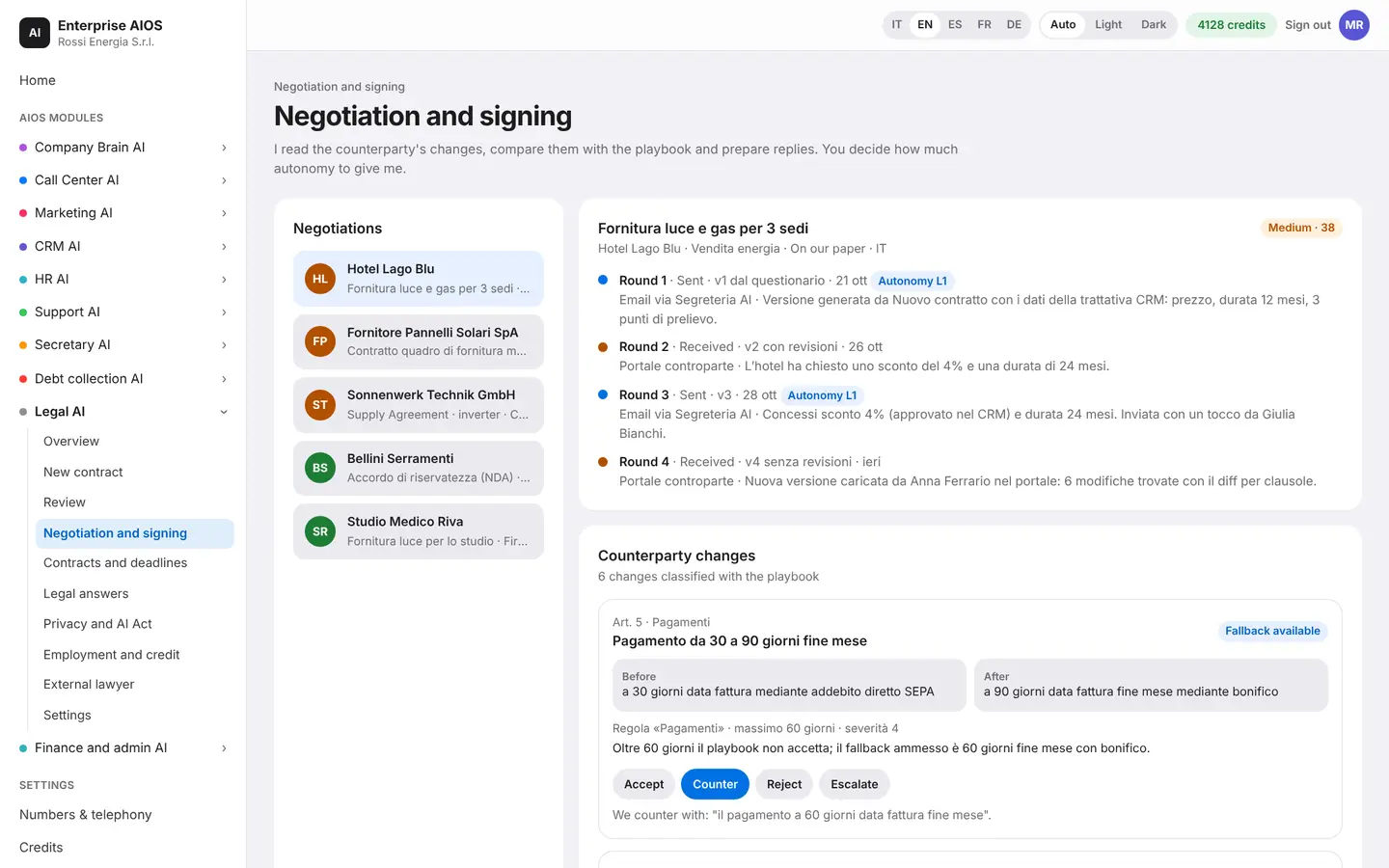
Negotiate and sign.
What it does. Follows legal negotiations through to e-signature.
You see the other side's changes already classified against your playbook, with before and after. The AI prepares the reply: accept, counter, reject or pass to a lawyer. You decide how much autonomy to give it, from drafts only to sending after your approval, and the safeguards lower it on their own when needed. E-signature follows the order of the signers.
- Counterparty changes classified
- Replies to approve
- Autonomy level of your choice
- E-signature in order
Contracts and deadlines
Never miss a deadline again.
What it does. A smart archive with dates, renewals, obligations and notice periods.
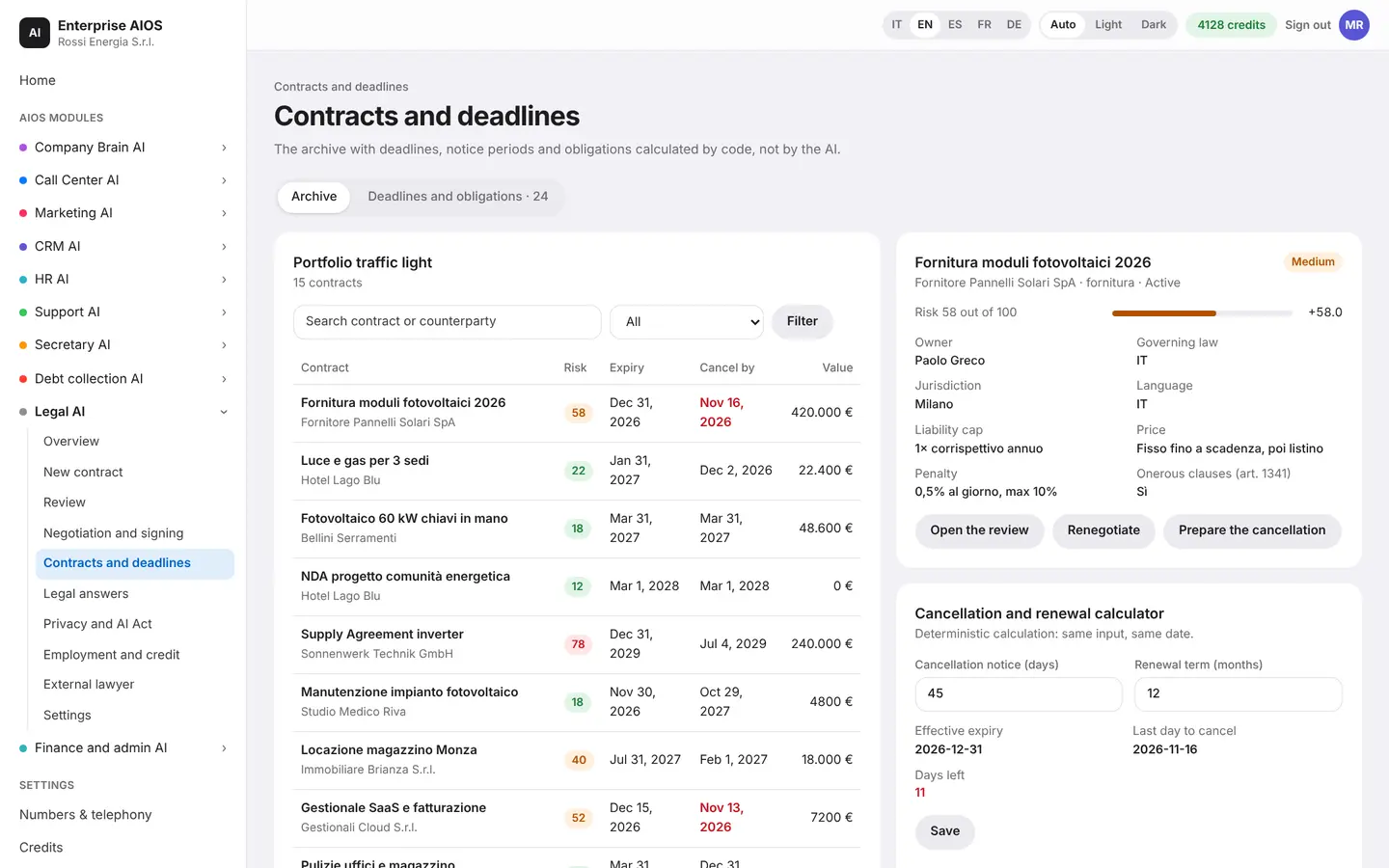
Every contract has its own record: end date, last day to give notice, obligations and versions. Dates and notice periods are calculated by code, not by the AI, so the same input always gives the same result. The AI warns you before every important deadline, and you can import past contracts from a CSV file.
- Exact notice and renewal dates
- Alerts before deadlines
- Obligations to complete
- Import of past contracts
Legal answers
Legal questions, sourced answers.
What it does. Answers colleagues and cites verified official sources.
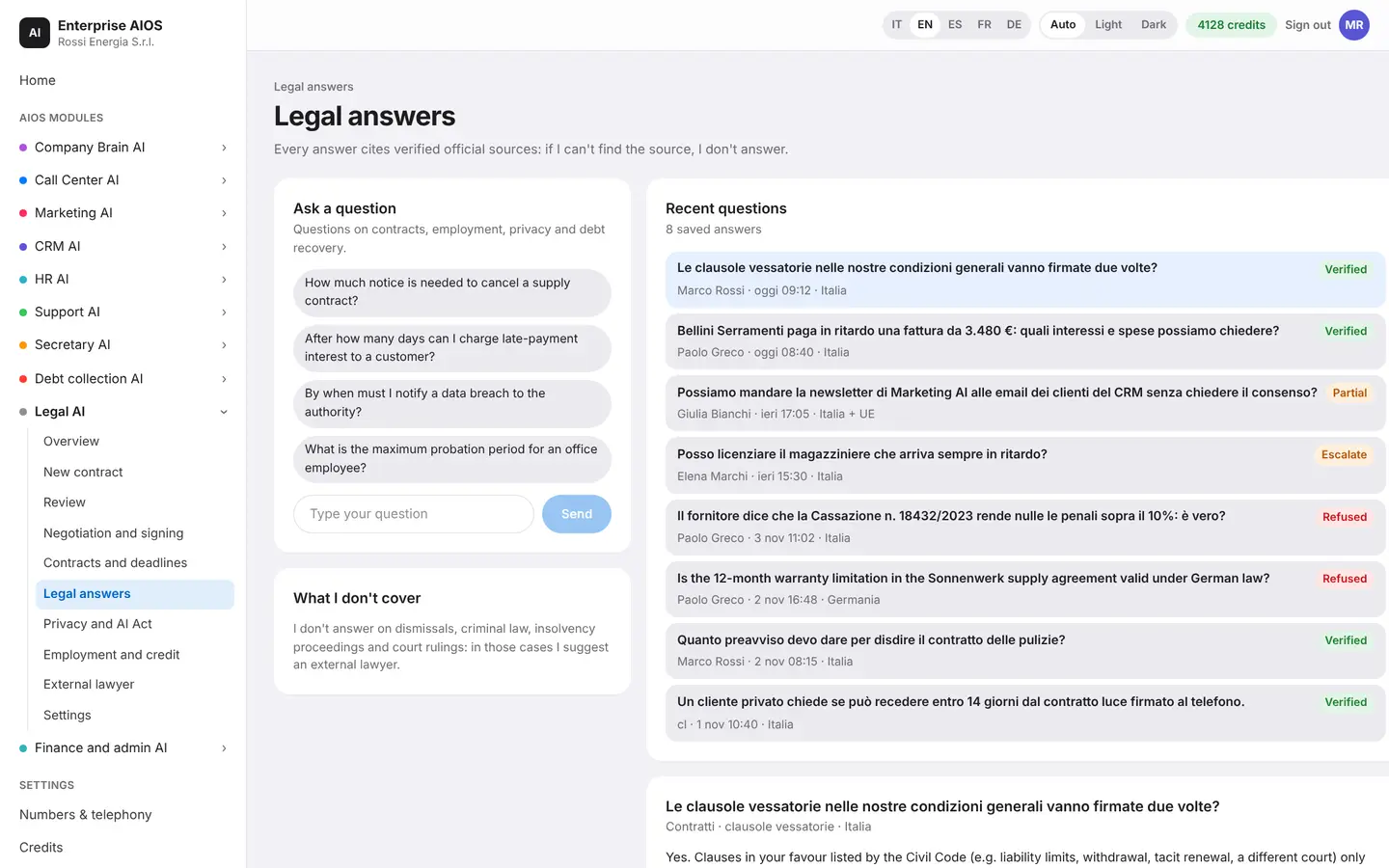
A colleague types, or says, a question about contracts, employment, privacy or debt collection. The answer cites official sources and passes a series of checks: the source exists, the quote is literal, the law is in force. If it can't find the source, it doesn't answer, and for topics it doesn't cover it suggests an external lawyer.
- Official sources with links
- Verification checks you can see
- Also by voice and phone
- No source, no answer
Privacy and AI Act
Compliance, always current.
What it does. Keeps your GDPR and AI Act status in order.
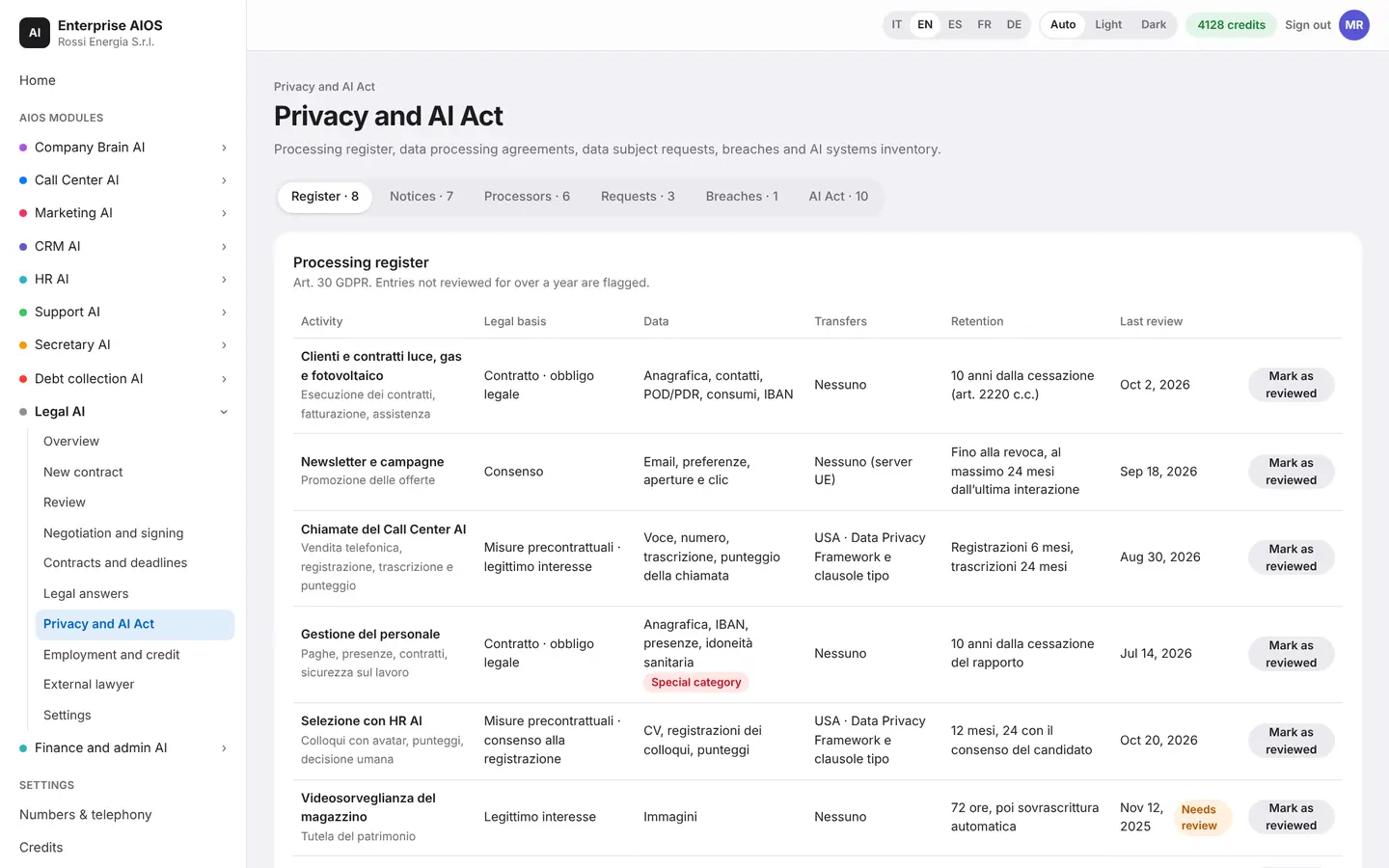
This is where the record of processing lives, with entries due for review flagged. You find privacy notices, processor agreements, data subject requests with their deadline, and breaches with the 72-hour countdown. For artificial intelligence there is an inventory of systems, with risk class and duties still to complete.
- Record of processing
- Processor agreements and requests
- Breaches with countdown
- Inventory of AI systems
Employment and credit
Hires and debts, in order.
What it does. Prepares new-hire contracts and debt collection documents.
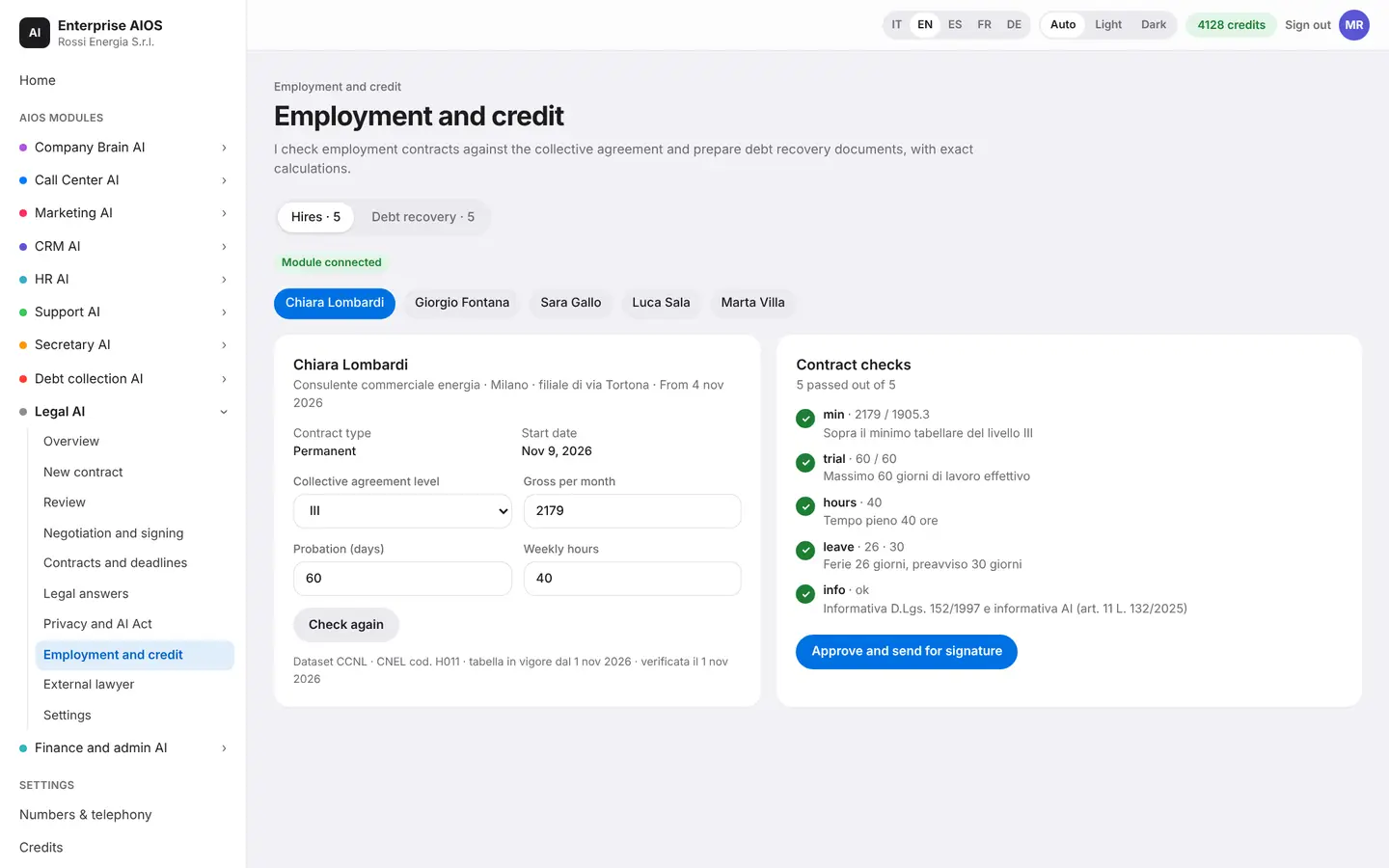
When HR reports a new hire, the contract is checked against the collective agreement and, if everything fits, sent for signature. If a check fails, sending stays blocked. For debts, it calculates late-payment interest with the legal references and prepares the formal demand with registered email, with signature and deadline reminders.
- Employment contract checks
- Late-payment interest calculated
- Formal demand by registered email
- Demand paused during a dispute
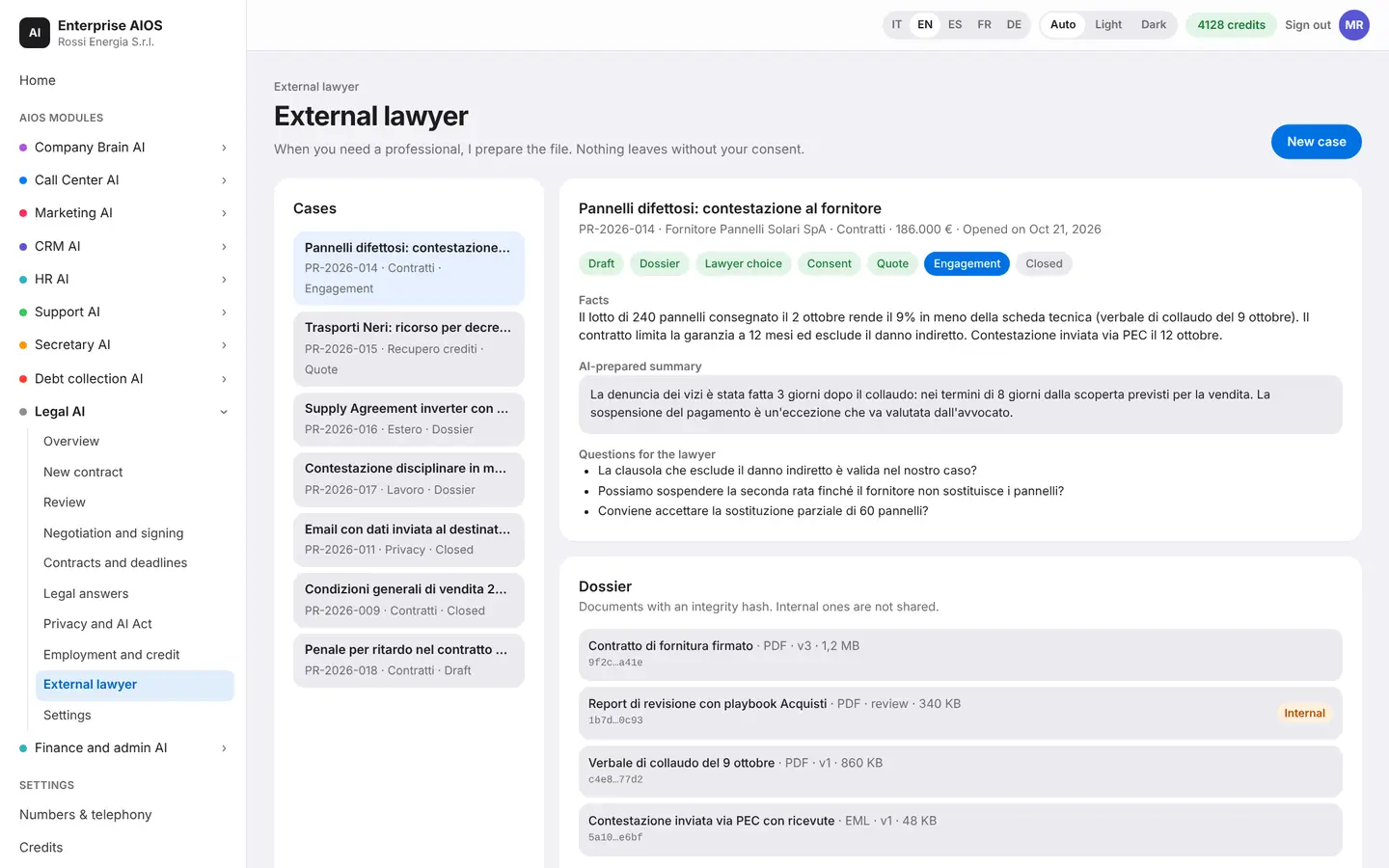
External lawyer
The file, ready for your lawyer.
What it does. Prepares the matter for an outside professional when needed.
You tell the facts and the AI prepares the file: a summary, the questions to ask the lawyer, and the documents with their history. Internal documents are never shared. You follow the stages of the matter, from draft to engagement, and nothing goes out without your consent.
- Summary and questions for the lawyer
- Documents with integrity fingerprint
- Nothing leaves without consent
- Matter stages always visible
Settings
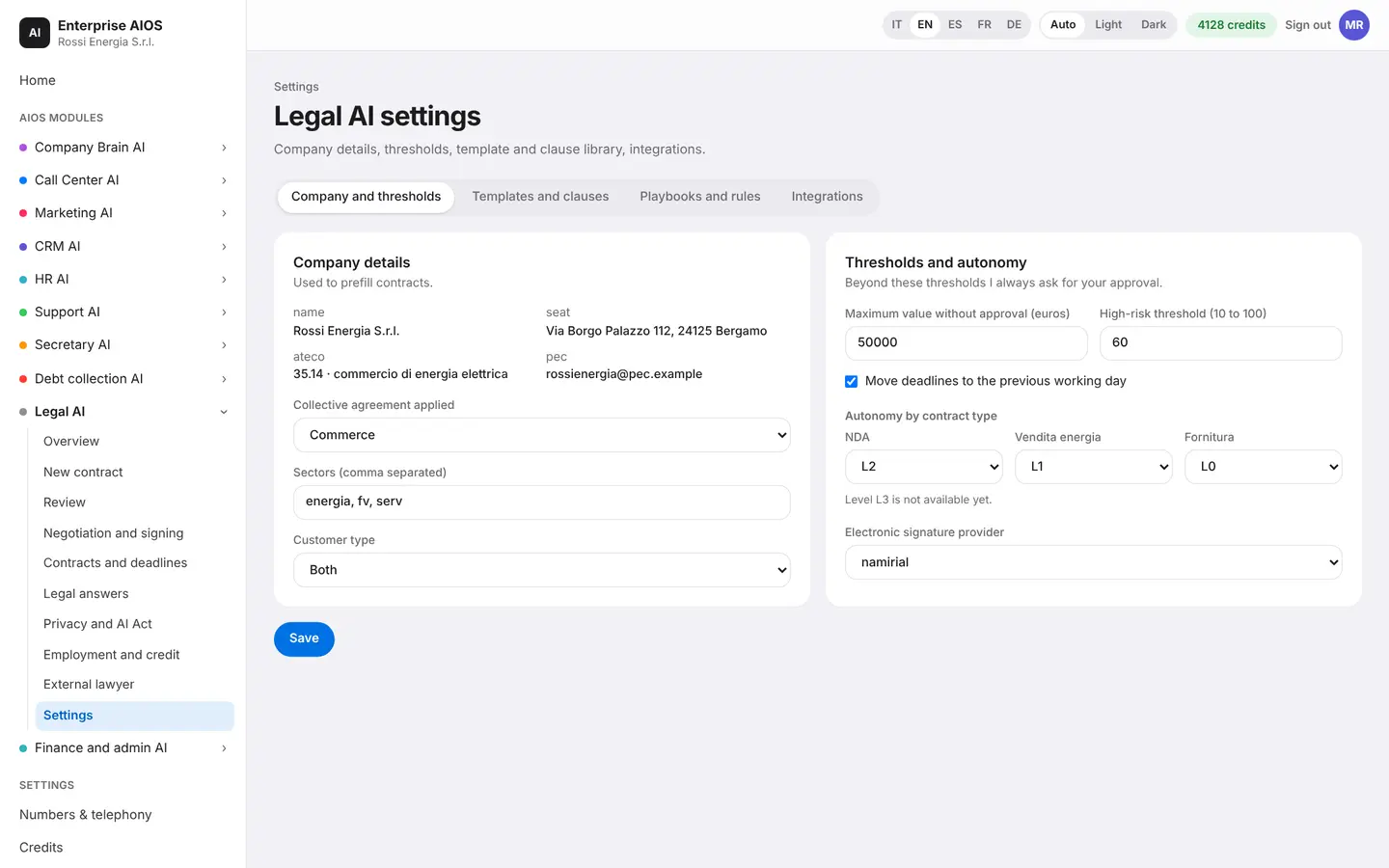
Your company's library.
What it does. Upload your templates, clauses and playbooks.
This is where you keep contract templates, the clause library with preferred wording and fallback, and playbooks with their rules. Only approved templates appear in New contract, and only a certified playbook produces a final review. A guided legal onboarding takes you through the first start, and here you set the limits above which the AI always asks for your approval.
- Approved templates and clauses
- Certified playbooks
- Approval thresholds
- Guided legal onboarding
Sold on its own
Want to see it on your company?
Works alone or together with the other modules: data flows from one module to the next without typing it twice. We'll show you the module with examples from your industry, or open the dashboard if you're already a customer.
Customer area
Already a customer? Open your dashboard.
Log in with your company email: you'll find your modules, agents at work, approvals and credits.